2026年7月23日星期四

Get Your New Holland CNH EST DPA5 Diagnostic Laptop


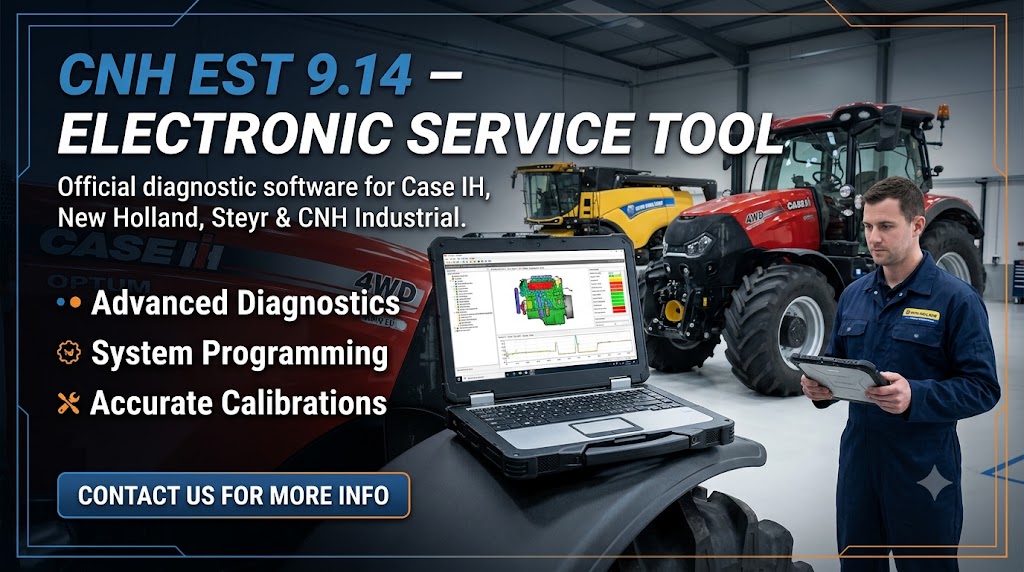
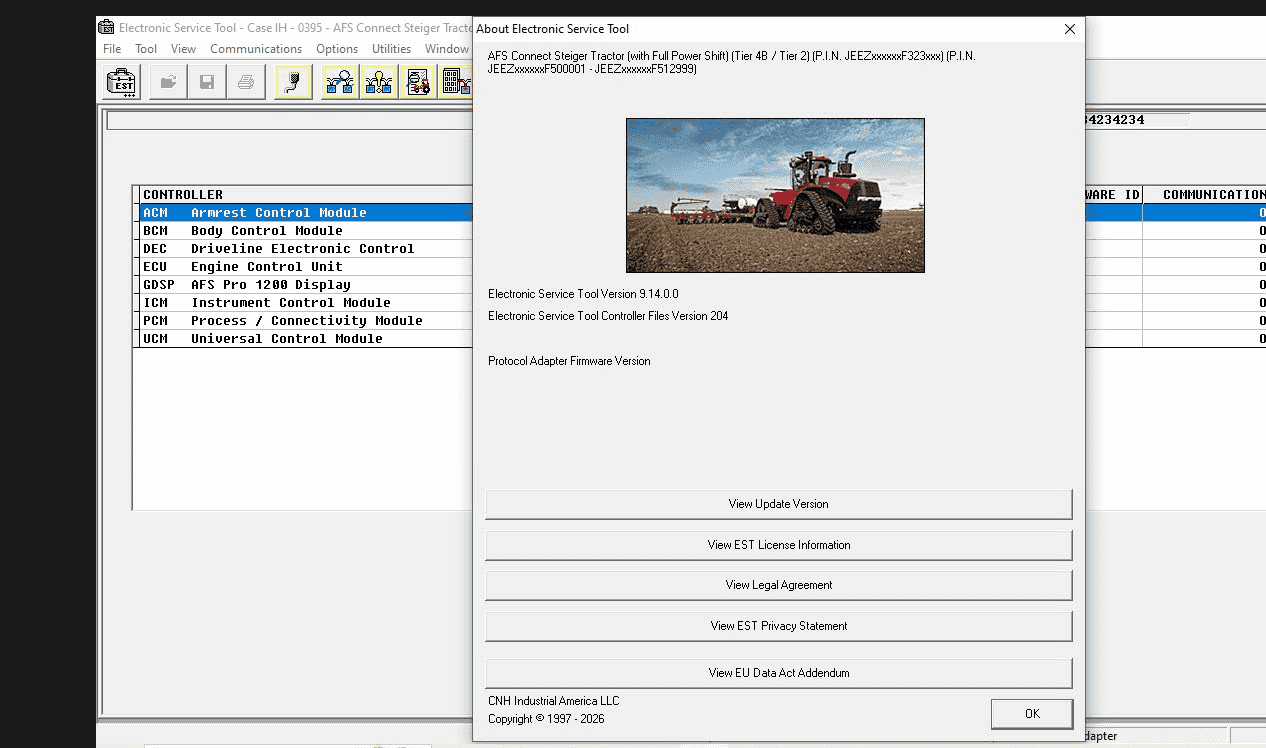
CNH EST 9.14 is a professional CNH diagnostic software solution designed for New Holland, Case IH, Steyr, and other CNH Industrial machinery. It delivers advanced dealer-level diagnostic capabilities, including full-system fault diagnosis, ECU programming, parameter configuration, calibration, and troubleshooting for agricultural and construction equipment. Compatible with Windows 10/11, EST 9.14 is an ideal service tool for repair shops, technicians, and machinery maintenance centers.

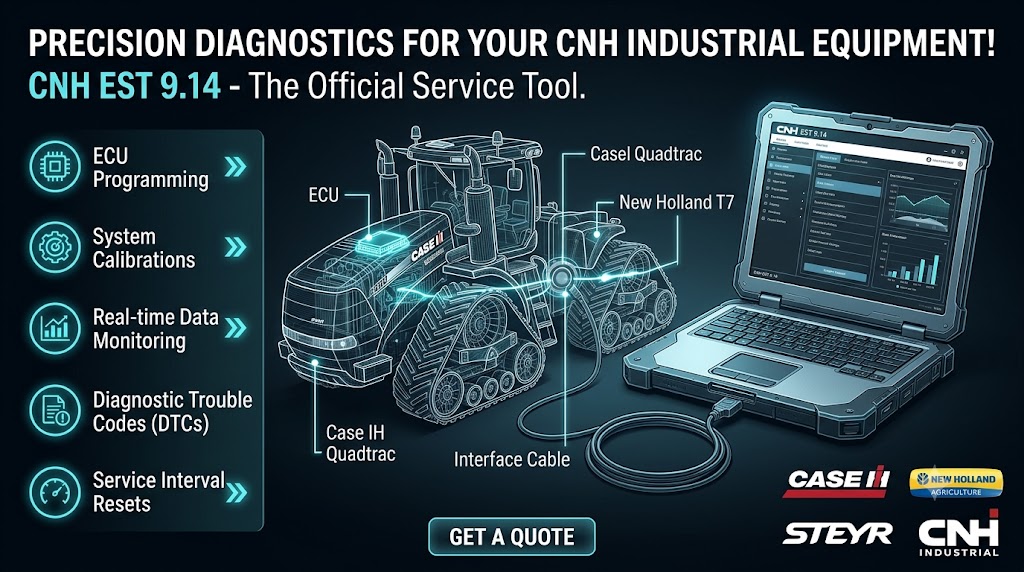
CNH Electronic Service Tool (EST) 9.14 provides comprehensive access to CNH electronic systems, allowing technicians and fleet engineers to read and clear fault codes, perform active tests, monitor real-time sensor data, adjust machine parameters, program ECUs, and update control module software across a wide range of Case IH, New Holland, Steyr, and CNH platforms.

With improved performance, expanded ECM coverage, and optimized diagnostic functions, EST 9.14 enhances workshop efficiency through faster system scans, intuitive operation, guided troubleshooting procedures, and detailed diagnostic reports. It helps technicians quickly identify issues, complete repairs accurately, and maintain professional service records for CNH machinery.


Key Features of CNH Diagnostic Software EST 9.14
Full diagnostics: Read and clear active and logged fault codes across engine, transmission, hydraulics, and electrical systems.
Active tests & calibrations: Run actuator tests, calibrate sensors, and perform system-level procedures.
Live data streaming: Monitor real-time sensor and ECU parameters, record sessions for later analysis.
ECU programming support: Apply updates and reflash modules where supported by OEM rules.
Guided troubleshooting: Step-by-step procedures and error resolution guidance to speed repairs.
Report generation: Export printable diagnostic logs and service reports for clients.
Multi-language support: Intuitive language options for international workshops.
Offline capability: Use the software on-site after initial activation without requiring a constant internet connection.

Supported Brands & Equipment
EST 9.14 covers Cnh Diagnostic Software Industrial brands, including but not limited to:

Case IH agricultural tractors and harvesters
New Holland agricultural machines and combines
Case Construction Equipment (excavators, loaders, dozers)
New Holland Construction (backhoes, skid steers)
Marine and industrial engine applications where CNH ECUs are used
If you work with mixed fleets, EST 9.14 offers broad model-year coverage to help consolidate your diagnostic toolkit.


Type of catalogue: CNH EST 9.14 2026.02 Diagnostic Software
Make: Case, New Holland
Region: WorldWide
Languages: English, Italian, Russian, Polish, Spanish, French, Portuguese, German, Dutch, Danish.
OS: Windows 10 and Windows 11 64 bit
System Requirements
To run CNH Diagnostic Software reliably, meet or exceed these specifications:

Minimum
Operating System: Windows 7 or Windows 10 (64-bit recommended)
Processor: Intel Core i3 or equivalent
RAM: 4 GB
Disk Space: 20 GB free (single version install)
Interface: CNH-compatible diagnostic adapter (EST adapter or RP1210 compliant device)
Internet: Required for download and activation


Recommended
Operating System: Windows 10 or Windows 11 (64-bit)
Processor: Intel Core i5 or better
RAM: 8 GB or higher (16 GB recommended for multi-tasking)
Disk Space: 50 GB free for full database & updates
Adapter: CNH EST certified adapter or reliable RP1210 interface (e.g., Nexiq, Dongle recommended by CNH)


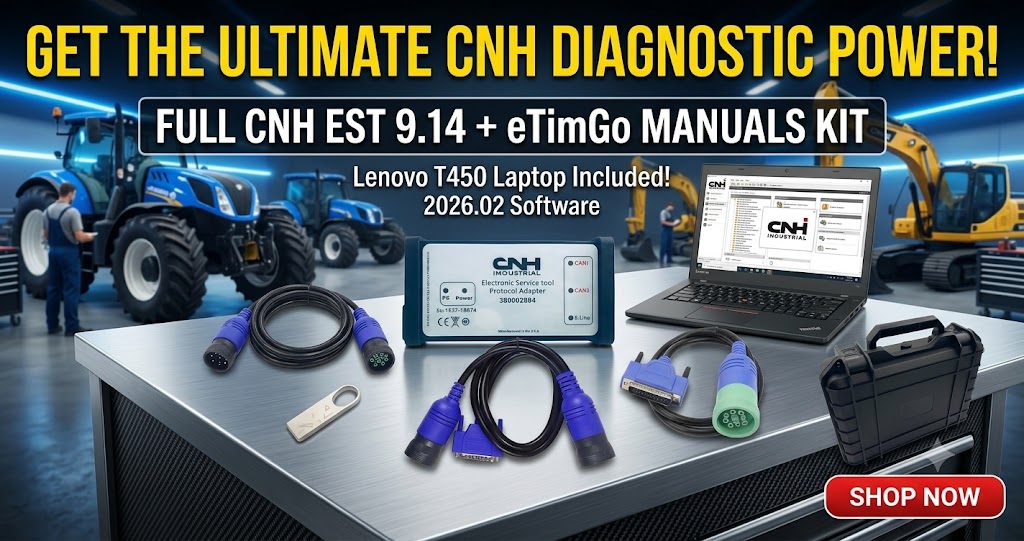
📦 Complete Workshop Package:
💻 Lenovo T420 Laptop
🔌 CNH DPA5 Diagnostic Interface
🔧 9-Pin Deutsch Cable
🔧 6+9 Pin Diagnostic Cable
🧰 Professional carrying toolbox
2026年1月3日星期六

2025C WiFi CAT Caterpillar ET 3 Diagnostic Adapter III with Laptop and C...


2025C Caterpillar Electronic Technician software With CAT ET 3 Cat caterpillar adapter 3 support caterpillar diagnostic till 2025.

The service tools provide information and features needed to help a technician diagnose problems and perform repairs and to customize and personalize the operation of a product. By allowing customers to design flexibility and configurability into a product, Caterpillar service tools stretch beyond the capabilities of preprogrammed ECMs or onboard display systems.

Caterpillar ET Software Function:
This diagnostic app allows you to:
View active and logged diagnostics.
View events where irregularities occurred and were logged by the ECM.
View the status of a group of parameters (temperatures, pressures, etc.) simultaneously.
Record and log performance data.
Graph a group of status parameters.
View the current configuration of an ECM.
Change ECM configurations.
Perform diagnostic tests.
Perform calibrations.
Print reports and diagnostic results.

The 2025C WiFi CAT ET 3 Diagnostic Adapter III is a professional Caterpillar diagnostic solution that includes a laptop preloaded with Caterpillar ET software and CAT SIS. It supports wireless and wired connections for accurate diagnostics, fault code reading, parameter configuration, and ECU programming across Caterpillar on-highway and off-highway equipment. This complete kit is designed for efficient troubleshooting, maintenance, and service operations.

2025年12月29日星期一

Latest 2025 V3 JPRO Professional Diagnostic Software


2025 V3 J-PRO DLA+2.0 Diesel J-PRO Diagnostic Service Kit Heavy Duty Truck Scanner with software 


The 2025 V3 J-PRO DLA+ 2.0 Diesel Diagnostic Service Kit is a powerful heavy-duty truck diagnostic scanner with advanced JPRO software. It supports major heavy-duty brands including Mack, Volvo, Cummins, Detroit Diesel, International, and PACCAR, as well as medium-duty vehicles from Ford, GM, Isuzu, and Sprinter. The tool offers full bi-directional controls, enabling parameter changes for Mack and Volvo, DPF regenerations across multiple OEMs, and in-depth bi-directional testing using proprietary fault data. It provides OEM-level fault code coverage for over 99% of heavy- and medium-duty systems, with detailed component and trailer descriptions. Users can easily clear faults, diagnose all vehicle systems in one application, generate and print comprehensive vehicle health and trip reports, and record data logs for later playback. With a complete, single-screen vehicle health overview, J-PRO delivers up-to-date coverage of 99% of heavy-duty truck DTCs through 2023.

2025年9月30日星期二

Deutz Diagnose Kit for deutz engine communicator deutz decom diagnostic scanner


Deutz Diagnose Kit for deutz engine communicator deutz decom diagnostic scanner

Supported languages: English, German, French, Spanish, Italian.

Deutz Decom dealership diagnostic equipment is designed to fully service all DEUTZ machines from small diesel engines and ends with mining equipment. DEUTZ DIAGNOSTIC KIT (CANUSB) allows you to access the entire electronic control module (ECMS).

DeCOM is genuine Deutz dealer interface with support of two CAN, K/L-Line, J1708 protocols. It is the mostly recommended interface for SerDia 2010 to work on all (EMR2/3/4) controllers.

SerDia 2010 - diagnostic and programming tool used for Deutz controllers.
Supported controllers:
• EMR2;
• EMR3 (EDC16UC40, EDC7UC31);
• EMR4 (EDC17CV52, EDC17CV52MSV6/V8, EDC17CV54, EDC17CV56).


Package List 1:
1.Deutz Diagnose Kit with Diagnostic Software (Remotely install on one computer)


Package List 2:
1.Deutz Diagnose Kit
2.Second Hand Panasonic CF19 I5 4GB Laptop(With Deutz Diagnostic Software)


Second Hand Panasonic CF19 I5 4GB Laptop Specification:
Model No: CF-19
Processor Type: Intel(R) Core(TM)I5 CPU i5-3320
Memory Size: 4096 MB
Available Memory: 3893 MB


2025年9月15日星期一

2025A CAT Caterpillar ET 3 Diagnostic Adapter PLUS DELL 5414 Laptop


Caterpillar electronic technician 2025A with WinFlash future is an updated version of the caterpillar dealer diagnostic software that can help technicians to diagnose existing and potential problems with their electronically controlled Caterpillar Engines and Machines.

Cat ET Caterpillar Electronic Technician Software:
Brand: Caterpillar
Region: WorldWide
Support Multi-languages: English, Chinese, Danish, French, German, Italian, Japanese, Portuguese, Russian, Spanish
Support All cars of CAT

The list of supported CAT machines and engines can be found below:


Engines:
Electric Power
Electric Power Generation
Industrial
Marine Power Systems
Oil and Gas

Machines:
Articulated Trucks
Asphalt Pavers
Backhoe Loaders
Cold Planers
Compactors
Dozers
Drills
Excavators
Feller Bunchers
Forest Machines
Forwarders
Harvesters
Hydraulic Mining Shovels
Knuckleboom Loaders
Material Handlers
Motor Graders
Off-Highway Trucks
Pipelayers
Road Reclaimers
Site Prep Tractors
Skid Steer and Compact Track Loaders
Skidders
Telehandlers
Track Loaders
Underground - Hard Rock
Underground - Longwall
Underground - Room and Pillar
Utility Vehicles
Wheel Dozers
Wheel Excavators
Wheel Loaders
Wheel Tractor-Scrapers

Product Description 
CAT Caterpillar ET Diagnostic Tool from Caterpillar provide the capability to access Electronic Control Modules (ECMs) from a personal computer. Many job-critical tasks can be performed with an electronic service tool. The user can display the status of a group of parameters (temperatures, pressures, etc.) simultaneously, view active and clear logged diagnostics, display the current configuration of an ECM and much more. The service tool works with a communication adapter to allow connection to an ECM. A graphical interface makes this software quick to learn and easy to use. A separate pull-down menu for each function enhances the "ease of use." The version and identification of the ECM is automatically retrieved and is displayed on a summary screen when the program is started. Diagnostic tests and calibrations can also be performed.

CAT Caterpillar ET Diagnostic Tool enable service technicians to reprogram ECMs, reconfigure control system parameters, fine tune performance or diagnose the root cause of a failure the first time. These powerful tools allow service personnel to display and analyze vital performance and health information from any system quickly and accurately. The service tool communicates with any system using ATA (J1708), J1939 or the Caterpillar proprietary data link networks. The service tools provide information and features needed to help a technician diagnose problems and perform repairs and to customize and personalize the operation of a product. By allowing customers to design flexibility and configurability into a product, Caterpillar service tools stretch beyond the capabilities of preprogrammed ECMs or onboard display systems.

CAT Caterpillar ET Diagnostic Tool Features
Display, graph and log status parameters.
Retrieve prognostic data including histograms, engine totals for fuel used and miles traveled.
View active diagnostics and clear logged diagnostics. View events where irregularities have occurred and have been logged by the ECM.
 Perform calibrations to enhance performance of the ECM.
 Customize the ECM with application-specific settings.
 Over 100 custom Diagnostic, Information and Service features including:
  - 2D and 3D Histogram plotting capability (engine software
    support required).
  - Custom Status screen groups
  - Snapshots (Download and display snapshot data recorded by the
    ECM)
  - Configuration Aid that allows upload/download of same
    configuration to multiple control modules

Customised Service Tool Options
Customized service tool name
Customized graphics for the splash screen and icons
Customized installation
Aftermarket differentiation, i.e., the tool for one customer does not work on the product of another customer.
Licensing options for customer management
Flash programming of the ECM(s)
Training demonstration allows familiarity with the tool's primary functions without connecting to ECM(s)
Perform customized diagnostic tests to identify harness problems, cylinder or component failures (Automatic Cylinder Cutout with cylinder to cylinder fueling comparison)

Caterpillar ET Software Function:
This diagnostic app allows you to:
View active and logged diagnostics.
View events where irregularities occurred and were logged by the ECM.
View the status of a group of parameters (temperatures, pressures, etc.) simultaneously.
Record and log performance data.
Graph a group of status parameters.
View the current configuration of an ECM.
Change ECM configurations.
Perform diagnostic tests.
Perform calibrations.
Print reports and diagnostic results.

Package:
1. Used DELL 5414 Laptop
2. Real CAT et3 Comm Adapter III(it's best quality cat et 3,not adapter 2,please check Communication port)
3. USB Cable (From device to your computer)
4. J1939/J1708 9PIN Cable

2025年9月4日星期四

agco diagnostic kit


AGCO Diagnostics Kit having one aspect would be like a one-of-a-kind device where it would not occupy huge space and also would not be that much difficult to operate. Within a two-step process, you can do all the work. These are some of the benefits of using a diagnostic software kit that will make your work easier and save you a lot of time. If you use them once, you will surely call next time also.

V2024.05 AGCO Diagnostic kit FOR AGCO CANBUS FENDT FenDias Massey Ferguson FOR AGCO SISU Power WinEEM4 Service Tools

AGCO empowers farmers with the right to repair their equipment, offering tools like Tech Connect Diagnostics-CV for effective maintenance and diagnostics.When you are out on the field, uptime is critical. 

AGCO dealers use high-tech, in-field diagnostic tools to quickly and accurately diagnose and solve technical problems by getting to the root cause and offering guidance on how to best resolve it in a timely manner.

Package Included:
1.2x4 CANUSB Interface
2.2 x 9-pin Deutsch cables
3.2 x 4-pin cables for Fendt
4.12-pin cable for Fendt (Deutz engines)
5.16-pin cable for Massey Ferguson and Valtra
6.V2024.05 Laster software
7.FENDT FenDias 2025v1 (Option)
7.Second Hand Laptop Panasonic CF53 I5 8GB Laptop (Option)

Second Hand Panasonic CF53 I5 8GB Laptop Specification:
Model No: CF-53
Processor Type: Intel(R) Core(TM)I5 CPU i5-3320
Memory Size: 8G
Condition: Used
 

2025年8月30日星期六

US$388 - Sinotruck EOL OBD Diesel Truck Scanner Diagnostic Tool


Truck Scanner Diagnostic Interface for Sinotruck Cororation vehicles (For SITRAK, For HOWO, For STEYR, For Huanghe, For HoHan, For Wangpai, For Fupo and For Weipo) and Sinotruck diesel engines D10 and D12, gas engines T10 and T12, gasoline engines MC11, MC13, MC05 and MC07

The scanner use for inspect ECU, and One sinotruk truck have more than 6 ECU, ABS ECU, AMT ECU. EGR ECU, SCR ECU, Common rail engine ECU, Cabin CBCU.

Main Functions
1. riginal version 6-IN-1 OBD box use for inspect ECU, and One sinotruk truck have more than 6 ECU, ABS ECU, AMT ECU.  EGR ECU, SCR ECU, Common rail engine ECU, Cabin CBCU.
2. The EOL OBD diagnostic software can diagnose all electronic controllers of Sinotruk, including: Sinotruk engine, natural gas engine (BOSCH, EControls), Denso ECU, ABS, EBS, ECAS, AMT, retarder, CBCU, BCU, SCR (rear processing), Continental Instrumentation, Unite Instrumentation, VCU, BBM, Door Controller, Speed and Distance Monitoring System, Camera System.
3. Each electronic control diagnostic module mainly includes: The functions such as fault code reading and clearing,Troubleshooting,Data monitoring, parameter configuration, signal monitoring, active testing, P file upgrade and P file flashing.

Why choose We?
1)Upgrade A+ Quality PCB more durable.
2)The product appearance is specially designed to be sturdy and durable.  Suitable for workshop environment
3)Features: Firmware support update and multi-languages include.
4) Functions:Support diagnose, test, calibrate, and program vehicles, engines and machines etc.5) Support technology upgrade

Equipment name: Sinotruk eol diagnostic tool
Working voltage: MAX.36V
Operating temperature: - 30 ℃ - 85 ℃
Power: Max.3W
Warning: Do not plug or unplug with power when using the equipment

Pacakge list:
1pc * Sinotruck adapter
1pc * USB-lan cable
1pc * OBD cable
1pc * sinotruck software


2025年8月27日星期三

wabco diagnostic kit


 WABCO DIAGNOSTIC Kit Truck Diagnostic Interface

WABCO System Diagnostics (SD) consists of a range of Windows based software solutions and all the hardware necessary to carry out diagnostic work on every WABCO system.Email: Service@autonumen.com

WABCO Diagnostic Software is available for every WABCO-produced component needing diagnosis:
ABS C
ABS D
ABS D+
ABS HPB
ABS SAE
ABS-EAPU
ATC CAN Standard
ATC Coach
ATC KWP Citaro Travego
CAN-Viewer
CDC
EBS 1C Asia
EBS BUS Standard
EBS CBU MAN
EBS EPB Bus
EBS EPB MB Truck
EBS Euro
ECAS 4x2 S2000
ECAS Bus A
ECAS Bus Citaro
ECAS CAN2
ECAS ENR MB Truck
ECAS Truck JED
ECAS Truck KWP K
HBS AddOn-E
IVTM
Modular AMT
MTS
ODR Tracker
OptiDrive (Fast Gear)
SmartBoard
TCE
TEBS-D
TEBS-E
TECAS
Trailer CAN Router-Repeater (TRR)
TrailerGUARD Telematics
VCS
VCS II
ZBR2


WABCO DIAGNOSTIC KIT Software Screen Display:


2025年8月26日星期二

V2025A CAT ET4 Caterpillar Diagnostic Communication Adapter IV

V2025A CAT ET4 Caterpillar Diagnostic Communication Adapter IV CAT Truck Heavy Equipment Diagnostic tool. 2025A Caterpillar Electronic Technician software With CAT ET 4 Cat caterpillar adapter 4 support caterpillar diagnostic till 2025.

Top 5 Reasons To Get CAT Caterpillar ET Diagnostic Tool Adapter 4
1. Latest Version: 2025A, please note: 2025A software version include the 10 factory password generator. when you push the Ctrl+F2 shortcut button,you can open the 10 bits of password generator.            
2. Supported Operating System: Windows 8/8.1 32 bit, Windows 8/8.1 64 bit, Windows 10 32 bit, Windows 10 64 bit, Windows 11 64 bit, Windows 11 Pro 64bit
3. We will activate it after installing 2025A version software. (After the installation , please contact us help you active the software by remote) (Email: service@autonumen.com)
4. Supported Language: Chinese(Simplified),Danish, German(Germany), French(France), Portuguese (Portugal), Japanese, Spanish (tradition), Italian(Italy), English(America)
5. Support caterpillar diagnostic till 2024


With the CAT Diagnostic Tool, you can:
View active and logged diagnostics
View events where irregularities occurred and were logged by the ECM
View the status of a group of parameters (temperatures, pressures, etc.) simultaneously
Record and log performance data
Graph a group of status parameters
View the current configuration of an ECM
Change ECM configurations
Perform diagnostic tests
Perform calibrations
Print reports and diagnostic results
For some machine and engine products, additional functionality has been included with the service tool program

V2025A CAT ET4 Caterpillar Diagnostic Communication Adapter IV CAT Truck Heavy Equipment Diagnostic tool: https://www.autonumen.com/goods-7254-CAT-Caterpillar-ET-4-Diagnostic-Diagnostic-Tool.html


2025年8月25日星期一

Nexiq USB Link 3 Bluetooth Heavy Duty Truck Diagnostic Tool


In the ever-evolving world of vehicle diagnostics, having the right tools is essential for efficient maintenance and repair. The NEXIQ 3 Detroit Diesel Diagnostic Link Scanner . with its USB-Link 3 adapter, stands out as one of the most advanced universal truck diagnosis tools available today. Supporting the latest protocols, including CAN FD and DoIP, the NEXIQ 3 is designed to meet the demands of modern diagnostics while ensuring compatibility with a wide range of OEM software.

NEXIQ 3 Features:
1. Support system: XP and windows 7 (Volvo Hino Perkins Cat Nissan software must be used on xp system, other software can be used on win 7 32bit)
2. It Works As Great As Nexiq.
3. Compatible with applications that diagnose engines, transmissions, ABS, instrument panels and more.
4. Reduce reprogramming times with direct USB connection.
5. Mixed fleet capabilities with broad protocol support.
6. Quick access to vehicle data for maintenance or management reports.
7. Quickly attaches to vehicle's diagnostic connector.
8. Easy portability increases flexibility, May be used with desktop PC or laptop.
NEXIQ 3 USB Link API Support:
1.RP1210A, RP1210B
2.J2534-2
3.USB vehicle-to-PC connectivity, XTruck USB linke supports Windows xp and windows 7 32-bit and 64-bit and windows CE compliant
4.Not all applications are included. If compatibility confirmation is required, more information is needed, or there are questions about an unlisted application, please contact us, a specialist will help you make the right choice.

NEXIQ 3 Protocol Coverage:
1.CAN - J1939/CAN125/CAN250/CAN500/CAN1000
2.2nd CAN - J1939/CAN125/CAN250/CAN500/CAN1000
3.J1587/J1708 J1850 J2534
4.ISO 15765 (Diagnostic CAN)
5.ISO 14230 (KWP2000 over ISO9141) ALDL ATEC 160 (160 baud)
NEXIQ 3 Support Heavy-Duty, Light-and Medium-Duty Trucks, CONSTRUCTION EQUIPMENT like (Wheel loader, Articulated Hauler and Excavator), Genset.


2025年8月16日星期六

V2025.04 Doosan Excavator Inspection Diagnostic Tool


V2025.04 Doosan Excavator Inspection Diagnostic Tool DDT SCR DPF G2 Scan DCU ECU DMS-5 Hardware + Software

Doosan Diagnostic Tool is for the diagnosis of electronic fuel injection diesel engines.
Hardware + Software Version
Doosan DDT SCR
Doosan DDT DPF
Doosan G2 Scan DCU
Doosan G2 Scan ECU
Doosan DMS-5
Supported Function:
• Engine Fault Codes / Description / TSG.
• Service Data Monitoring (Data Loging).
• Engine and Electric Sensor parameter displaying.
• Engine Data Freeze Frame.
• Engine Routine Test for trouble shooting and performance.
• Parts On-Off Test.
• Parts Replacement
• ECU Map reflashing.
• ECU Information.
• Parts On-Off Test.
• EOL - Fuel Variant Coding.


2025年8月13日星期三

WABCO DIAGNOSTIC KIT WDI WABCO Trailer And Truck Diagnostic Interface


WABCO Diagnostic Tool for Trucks, Trailers, and Buses

In the fast-paced world of transportation, ensuring the reliability and safety of your fleet is paramount. Whether you operate trucks, trailers, or buses, having the right diagnostic tools at your disposal can make all the difference. Enter the WABCO Diagnostic Tool, a universal solution designed specifically for the maintenance of these critical vehicles.

Broad Compatibility for Comprehensive Maintenance

One of the standout features of the WABCO Diagnostic Tool is its impressive compatibility. It supports a wide range of diagnostic protocols, making it suitable for various electronic, hydraulic, and pneumatic systems. This means that no matter the make or model of your vehicle, you can connect with confidence, knowing that the tool comes equipped with all the necessary diagnostic cables and adapters.

All-Inclusive Kit: Software and Laptop

The WABCO Diagnostic Tool package includes not just the hardware, but also the essential software and a laptop, ensuring you have everything you need to start diagnosing right out of the box. The WABCO Diagnostic Software is meticulously designed to work seamlessly with every component produced by WABCO, including:

- ABS Systems: Comprehensive support for various ABS models (C, D, D+, HPB, SAE, EAPU)
- Advanced Trailer Control (ATC): Compatibility with CAN Standard, Coach, and KWP Citaro Travego
- Electronic Braking Systems (EBS): Coverage for multiple EBS standards including Asia, Bus, and Euro
- Electronic Control Air Suspension (ECAS): Designed for diverse configurations from 4x2 S2000 to various bus models
- Additional Features: Access to advanced tools like OptiDrive, SmartBoard, and TrailerGUARD Telematics

With such a comprehensive array of supported systems, the WABCO Diagnostic Tool empowers fleet managers and maintenance professionals to efficiently troubleshoot and resolve issues, ultimately enhancing the performance and safety of their vehicles.


Investing in the WABCO Diagnostic Tool is a smart move for anyone involved in the transportation industry. Its versatility, combined with the all-inclusive kit of software and hardware, ensures that you are well-equipped to handle the complexities of modern vehicle diagnostics. With WABCO, you can drive with confidence, knowing that your fleet is in good hands.

2025年8月6日星期三

Hitachi Excavator Heavy Duty Diagnostic Tool

Introducing the Hitachi Excavator Heavy Duty Diagnostic Tool equipped with the advanced MPDR 3.9 software. This programmable diagnostic tester is designed for the full range of Hitachi excavators, including the ZX-1, ZX-3, ZX-3G, ZX-5A, ZX-5B, ZX-5G, ZX-6, ZX-7 series, and the EX series. It is fully compatible with all current Hitachi models and is capable of testing the engine, hydraulic, and electrical systems, ensuring comprehensive diagnostics for your equipment. The tool connects via USB and utilizes a diagnostic cable featuring 3 + 4 pins for reliable data transmission. It operates seamlessly on Windows 7 and Windows 10, with a recommendation for the 64-bit Professional edition of Windows 10 for optimal performance. This diagnostic tool is essential for maintaining the efficiency and reliability of your Hitachi excavators

Deutz Diagnose Kit Heavy Duty Scanner


Deutz Decom dealership diagnostic equipment is designed to fully service all DEUTZ machines from small diesel engines and ends with mining equipment. DEUTZ DIAGNOSTIC KIT (CANUSB) allows you to access the entire electronic control module (ECMS).

Supported languages: English, German, French, Spanish, Italian.

Deutz Decom dealership diagnostic equipment is designed to fully service all DEUTZ machines from small diesel engines and ends with mining equipment. DEUTZ DIAGNOSTIC KIT (CANUSB) allows you to access the entire electronic control module (ECMS).

DeCOM is genuine Deutz dealer interface with support of two CAN, K/L-Line, J1708 protocols. It is the mostly recommended interface for SerDia 2010 to work on all (EMR2/3/4) controllers.

SerDia 2010 - diagnostic and programming tool used for Deutz controllers.
Supported controllers:
• EMR2;
• EMR3 (EDC16UC40, EDC7UC31);
• EMR4 (EDC17CV52, EDC17CV52MSV6/V8, EDC17CV54, EDC17CV56).


Package List 1:
1.Deutz Diagnose Kit with Diagnostic Software (Remotely install on one computer)


Package List 2:
1.Deutz Diagnose Kit
2.Second Hand Panasonic CF19 I5 4GB Laptop(With Deutz Diagnostic Software)


Second Hand Panasonic CF19 I5 4GB Laptop Specification:
Model No: CF-19
Processor Type: Intel(R) Core(TM)I5 CPU i5-3320
Memory Size: 4096 MB
Available Memory: 3893 MB

2025年8月1日星期五

john5 3 266新软件测试john V2 2


John Deere Service Advisor 5.3.266 Offline 2025.06 Agricultural + Construction & Forestry EDL V2&V3 Software

John Deere Service Advisor 5.3.266 (5.2) System Requirements:
OS: Windows 10 Pro, Windows 11
CPU: Compatible with all CPUs for the Windows platform
RAM: 8 GB of system memory is recommended; 4 GB is the minimum requirement.
Hard Drive: 500+ GB of available space

John Deere Service Advisor V5.3.266
This latest version provides a comprehensive solution for technicians dealing with John Deere construction and forestry equipment, significantly different from its predecessor, version 4.2.It facilitates access through a web browser, allowing users to work directly with various models by entering the model name or PIN.

Manuals: Accessible via a user-friendly web interface, allowing easy reading and printing. Some manuals are available only as PDF files.
Reprogramming: Requires dealer credentials for access and is currently inaccessible for general users.
Diagnostics: Includes Codes, Readings, Controllers, Observed Symptoms, Tests, and Calibrations.

2024年11月5日星期二

The JPRO Professional Diagnostic Software 2024 V3

 The JPRO Heavy Truck Diagnostic Scanner Tool is an indispensable asset for fleet operators and repair centers specializing in large commercial trucks. This versatile diagnostic kit is designed to cater to the specific needs of both heavy-duty and medium-duty vehicles, making it a comprehensive solution for a wide range of applications in the commercial trucking sector. JPRO's capability to connect with virtually all medium and heavy-duty trucks on the market sets it apart from competitors. Its advanced functions include bi-directional commands for critical operations such as Diesel Particulate Filter (DPF) regenerations, injector cut-out tests, and Variable Geometry Turbocharger (VGT) actuator calibrations, among other essential diagnostics.


In addition to robust diagnostic features, DieselLaptops has enhanced the JPRO software package by incorporating vital repair information, training resources, and access to a dedicated in-house technical support team. This holistic approach not only empowers technicians to diagnose issues effectively but also equips them with the knowledge and resources to implement repairs efficiently.


To ensure optimal performance of the JPRO software, users must adhere to specific computer and operating system requirements. JPRO supports Windows 8 and 8.1 Pro (both 32 and 64-bit versions in English and 32-bit Spanish), as well as Windows 10 and 11 (for both 32 and 64-bit English and 32-bit Spanish). As for hardware, the minimum requirements include a computer with at least 4GB of RAM, 20GB of available hard drive space, an Intel Core i3 processor, and a monitor with a resolution of 1024×768. For enhanced performance, it is recommended to use a system with 8GB of RAM and an Intel Core i5 processor. Additionally, users will need a USB port for the Noregon DLA+ or DLA+ 2.0 adapter. Noregon suggests using a Panasonic Toughbook to maximize compatibility and durability, although JPRO is compatible with any modern PC running the supported versions of Windows.


The JPRO Professional Diagnostic Software 2024 V3 is recognized as the leading in-shop diagnostic and repair solution in the industry. Offering extensive coverage across all makes and models, JPRO stands out for its industry-leading bi-directional controls, enabling technicians to diagnose and resolve all issues effectively. By integrating cutting-edge technology with user-friendly features, JPRO not only streamlines the diagnostic process but also enhances the overall efficiency of repair operations, making it an essential tool for any professional in the heavy truck service industry.


2024年10月26日星期六

What Does 2024 V3 JPRO Do?


In the ever-evolving landscape of commercial vehicle maintenance and diagnostics, tools that enhance efficiency and accuracy are invaluable. One such tool is the 2024 JPRO Professional Diagnostic Tool, a diagnostic application that stands out for its versatility and user-friendly design. If you're a technician or a fleet manager, understanding what JPRO can do for you is essential. Let’s dive into the features and benefits of this powerful diagnostic tool.


A Universal Solution for All Makes and Models


One of the most compelling aspects of JPRO is its universal compatibility. Whether you’re dealing with light-duty trucks, heavy-duty vehicles, or specialized equipment, JPRO covers a vast range of makes and models. This means that technicians no longer need multiple diagnostic tools to address different vehicles; JPRO consolidates everything into one comprehensive application. This not only saves time but also minimizes the costs associated with purchasing and maintaining various diagnostic tools.


User-Friendly Interface


JPRO is designed with technicians of all skill levels in mind. Its intuitive user interface allows even those who are new to vehicle diagnostics to navigate the application with ease. The layout is clean and straightforward, making it simple to access various diagnostic features without feeling overwhelmed. This is particularly beneficial for new technicians, who may find traditional diagnostic tools intimidating.


Guided Diagnostics


One of the standout features of JPRO is its guided diagnostic capabilities. The application provides step-by-step instructions to help technicians diagnose issues effectively. This feature is crucial for those who may not have extensive experience, as it walks them through the diagnostic process, reducing the chances of error. With guided diagnostics, technicians can quickly identify problems and implement solutions, thus improving the overall efficiency of repairs.


 Troubleshooting Steps and Diagrams


In addition to guided diagnostics, JPRO offers a wealth of troubleshooting steps and diagrams. This feature allows technicians to visualize the issues at hand and understand the necessary procedures to resolve them. The inclusion of diagrams can be a game-changer, as it provides a clear picture of complex systems, making it easier for technicians to pinpoint problems. This visual aid not only enhances understanding but also helps in training new employees, ensuring that they can operate effectively within a team.


Enhanced Reporting and Data Management


The 2024 V3 JPRO also excels in data management and reporting. Technicians can easily generate detailed reports based on diagnostic findings, which can be invaluable for fleet management and maintenance records. This feature allows companies to track vehicle health over time, facilitating proactive maintenance and reducing the likelihood of unexpected breakdowns. By leveraging data effectively, businesses can make informed decisions that enhance operational efficiency.


The 2024 V3 JPRO is more than just a diagnostic tool; it’s a comprehensive solution designed to simplify the diagnostic process for technicians across various skill levels. Its universal compatibility, user-friendly interface, guided diagnostics, and robust troubleshooting features make it an indispensable asset in the world of commercial vehicle maintenance. Whether you're a seasoned technician or just starting, JPRO equips you with the tools you need to succeed in an increasingly complex industry. Investing in JPRO is not just about diagnostics; it's about enhancing efficiency, accuracy, and ultimately, the bottom line.

2024年10月12日星期六

The Essential Guide to Heavy Duty Truck Diagnostic Scanners and Software


In the world of heavy-duty trucks, ensuring optimal performance and quick troubleshooting is of utmost importance. As technology advances, the tools available for diagnostics and maintenance have become increasingly sophisticated. This article will delve into four key diagnostic scanners and software solutions that every heavy-duty truck technician should consider: JCB Electronic Service Tool, Nexiq USB Link 2, CNH EST DPA 5, and John Deere Service Advisor EDL V3.


1. JCB Electronic Service Tool with JCB Service Master 4 V1.73.3 or V24.09


The JCB Electronic Service Tool (EST) is a robust diagnostic tool specifically designed for JCB machinery. With its Service Master 4 V1.73.3 or V24.09 software versions, technicians can access a wealth of information and features. This tool allows users to perform thorough diagnostic checks, monitor machine performance, and conduct programming for various JCB models.


One of the standout features of the JCB EST is its ability to read and clear fault codes, making it easier to identify issues before they escalate. Additionally, it provides real-time data monitoring, which is crucial for diagnosing complex problems. Its user-friendly interface ensures that technicians can navigate through the software with ease, enhancing workflow efficiency.


2. Nexiq USB Link 2 Bluetooth Driver and Software


The Nexiq USB Link 2 is a game-changer in the realm of heavy-duty truck diagnostics. This device serves as a bridge between the truck's onboard computer and the technician's diagnostic software, allowing for seamless communication. With Bluetooth connectivity, it offers the convenience of wireless diagnostics, enabling technicians to move freely around the vehicle while monitoring data.


The Nexiq USB Link 2 supports a wide range of heavy-duty truck protocols and is compatible with various diagnostic software applications. This versatility makes it an essential tool for any technician working on multiple truck brands. Its compact design and rugged construction ensure durability in demanding shop environments.


3. CNH EST DPA 5 Diesel Engine Electronic Service Tool with CNH 9.11 Engineering Software


The CNH EST DPA 5 is a comprehensive diagnostic tool tailored for diesel engines, specifically within the CNH Industrial group. Equipped with CNH 9.11 engineering software, this tool enables technicians to perform advanced diagnostics and repairs on a range of CNH equipment.


One of the key advantages of the CNH EST DPA 5 is its ability to provide in-depth analysis and troubleshooting capabilities. Technicians can access engine data, perform calibrations, and execute software updates, ensuring that equipment operates at peak efficiency. Additionally, the tool's intuitive interface makes it accessible for technicians of varying experience levels.


 4. John Deere Service Advisor EDL V3 Electronic Data Link Diagnostic Tool with V5.3.225 AG+ CF Software


The John Deere Service Advisor EDL V3 is an industry-standard diagnostic tool for John Deere equipment. With the V5.3.225 AG+ CF software, it offers an extensive range of diagnostic and repair functionalities. This tool allows technicians to perform diagnostics, access wiring diagrams, and utilize troubleshooting guides, making it an essential resource for John Deere service operations.


The EDL V3 excels in its ability to connect with various John Deere machinery, providing real-time data and fault code analysis. Its comprehensive software suite helps technicians quickly identify issues and implement solutions, minimizing downtime and enhancing productivity.


In conclusion, the right diagnostic scanner and software can significantly impact the efficiency and effectiveness of heavy-duty truck maintenance and repair. Whether you are working with JCB, CNH, or John Deere equipment, investing in tools like the JCB Electronic Service Tool, Nexiq USB Link 2, CNH EST DPA 5, and John Deere Service Advisor EDL V3 will empower technicians to tackle challenges with confidence. As the industry continues to evolve, staying updated with the latest diagnostic technologies is crucial for achieving optimal performance in heavy-duty trucking.

2024年10月7日星期一

John Deere Service Advisor EDL V3 Electronic Data Link Adapter: A Comprehensive Overview


The John Deere EDL V3 Adapter represents the latest advancement in diagnostic technology for construction equipment, agricultural machinery, and engines. As the successor to the EDL V2, this cutting-edge adapter is designed to enhance the efficiency and effectiveness of service operations, providing technicians with the tools they need to diagnose and troubleshoot equipment issues accurately.


Key Features of the EDL V3 Adapter


1. Enhanced Connectivity: The EDL V3 adapter boasts improved connectivity options, allowing it to interface seamlessly with a wide range of John Deere equipment. This versatility ensures that technicians can access critical diagnostic information across various models, streamlining the service process.


2. Advanced Diagnostic Capabilities: Equipped with advanced software, the EDL V3 provides in-depth diagnostic capabilities. Technicians can read and clear fault codes, view live data, and perform system tests, enabling them to identify issues quickly and accurately. This capability is essential for minimizing downtime and maximizing productivity in both agricultural and construction settings.


3. User-Friendly Interface: The design of the EDL V3 prioritizes user experience. Its intuitive interface simplifies navigation for technicians, allowing them to focus on diagnostics rather than getting bogged down by complex software. This feature is particularly beneficial for those who may not be as tech-savvy, ensuring that all team members can operate the tool effectively.


4. Compact and Portable Design: The EDL V3 is designed with portability in mind. Its compact form makes it easy to transport between job sites, ensuring that technicians have the necessary tools at their fingertips whenever and wherever they are needed.


5. Compatibility with Service Advisor Software: The EDL V3 is fully compatible with the John Deere Service Advisor software, which provides comprehensive service documentation and repair solutions. This integration allows technicians to access schematics, service manuals, and other valuable resources directly from the diagnostic tool, enhancing their ability to perform repairs efficiently.


Applications in Agriculture and Construction


The EDL V3 adapter is specifically engineered for use in both agricultural and construction environments. In agriculture, it aids in diagnosing issues in tractors, combine harvesters, and other machinery, ensuring that farmers can maintain their equipment for optimal performance during critical planting and harvesting seasons. In construction, the adapter helps technicians quickly diagnose and resolve issues in heavy machinery, such as excavators and bulldozers, reducing downtime and improving project timelines.


The John Deere Service Advisor EDL V3 Electronic Data Link Adapter is a game-changer for technicians working with construction equipment, agricultural machinery, and engines. With its enhanced connectivity, advanced diagnostic capabilities, user-friendly interface, and portability, the EDL V3 is an essential tool for anyone involved in the maintenance and repair of John Deere equipment. 

2024年9月5日星期四

The Best Diagnostic Tools in 2024

As the trucking industry continues to evolve, so does the technology that keeps these vehicles running smoothly. In 2024, several diagnostic tools have emerged as the best in the market, each offering unique features and capabilities. This article will explore some of the top diagnostic tools available this year, including the Jaltest Diagnostic Truck Set, Volvo Vocom 88890300 V2.8, Scania VCI3 Diagnostic Tool, CAT ET 2024A, JPRO Professional Truck Diagnostic Scan Tool, and Cummins INLINE 7 DataLink Adapter.

1. Jaltest Diagnostic Truck Set The Jaltest Diagnostic Truck Set is a versatile tool that stands out for its extensive coverage of different truck brands and models. It provides comprehensive diagnostics, including fault code reading, live data streaming, and advanced parameter adjustments. Its user-friendly interface and ability to perform multi-brand diagnostics make it a favorite among fleet managers and mechanics alike. The Jaltest set also features wireless connectivity, allowing for easy updates and remote troubleshooting. 2. Volvo Vocom 88890300 V2.8, Development Edition The Volvo Vocom 88890300 V2.8 is specifically designed for Volvo trucks and buses, providing in-depth diagnostics that are crucial for maintaining these vehicles. This tool includes advanced programming and software updates, making it essential for any Volvo service center. The Development Edition offers additional features, such as enhanced data logging and troubleshooting capabilities, ensuring that technicians can quickly identify and resolve issues. 3. Scania VCI3 Diagnostic Tool The Scania VCI3 Diagnostic Tool is another top contender in 2024, known for its reliability and precision. It provides full diagnostic coverage for Scania vehicles, including engine, transmission, and various electronic systems. The VCI3 is equipped with an intuitive interface and robust diagnostic functions, enabling users to perform tasks such as calibrations and parameter adjustments. Its compact design and portability also make it a convenient choice for mobile diagnostics. 4. CAT ET 2024A Caterpillar Electronic Tool Caterpillar's CAT ET 2024A is an essential tool for mechanics working on Caterpillar equipment. This diagnostic tool offers comprehensive access to the engine and electronic systems, providing features such as fault code analysis, performance monitoring, and system calibrations. The 2024A version includes updates that improve user experience and functionality, making it an indispensable asset for anyone servicing Caterpillar machines. 5. JPRO Professional Truck Diagnostic Scan Tool JPRO is widely recognized for its effectiveness in diagnosing a wide range of commercial vehicles. The JPRO Professional Truck Diagnostic Scan Tool provides multi-brand coverage, allowing users to access fault codes and live data from various truck manufacturers. Its powerful software includes advanced features such as graphing capabilities, repair solutions, and the ability to reset service lights. JPRO's versatility and ease of use make it a go-to tool for both independent mechanics and fleet maintenance teams. 6. Cummins INLINE 7 DataLink Adapter The Cummins INLINE 7 DataLink Adapter is a powerful diagnostic tool tailored for Cummins engines. This device allows users to connect to the engine's ECM (Electronic Control Module) for detailed diagnostics and troubleshooting. With its robust data logging capabilities and compatibility with various Cummins software, the INLINE 7 is essential for anyone working on Cummins-powered vehicles. Its compact design and efficient data processing make it a valuable tool for both on-site and workshop diagnostics. In conclusion, the diagnostic tools of 2024 offer a wide range of capabilities to meet the diverse needs of the trucking industry. From the comprehensive Jaltest Diagnostic Truck Set to the specialized Volvo Vocom and CAT ET tools, these devices are designed to enhance efficiency and accuracy in vehicle maintenance. As technology continues to advance, investing in these top diagnostic tools will ensure that mechanics and fleet managers can keep their vehicles running at peak performance.