2021年12月26日星期日

JPRO Professional Buyers Guide & Reviews


Providing some of the most advanced and thorough diagnostic tools, Noregon is the premier diagnostic and repair company used by the largest garages and fleets of cars today. With JPro you benefit from a detailed insight into every vehicle that you are currently working on. If you want to identify vehicle problems quickly and accurately, JPRO’s exceptional capabilities will give you the vehicle solutions you are looking for.

After 26 years of developing advanced vehicle repair solutions, it’s easy to see why Noregon is the best heavy-duty software in the industry. The JPRO Professional diagnostic tool is becoming the first choice when it comes to helping technicians and businesses maximize their productivity.

The high-performance JPRO Professional scan tool is incredibly easy to use and will help you spot the problem quickly and efficiently. In this useful guide, we want to dig a deep dive into this advanced tool, reviewing its key features, plus its pros and cons. You can also find the answers to some frequently asked questions there.

Whether you are a large service center or an independent repair shop, if you are considering adding the Noregon JPRO professional to your repair kit, this guide is sure to be helpful. So without further ado, let’s take a look at this extraordinary vehicle diagnostic tool.

Noregon JPro Product Overview
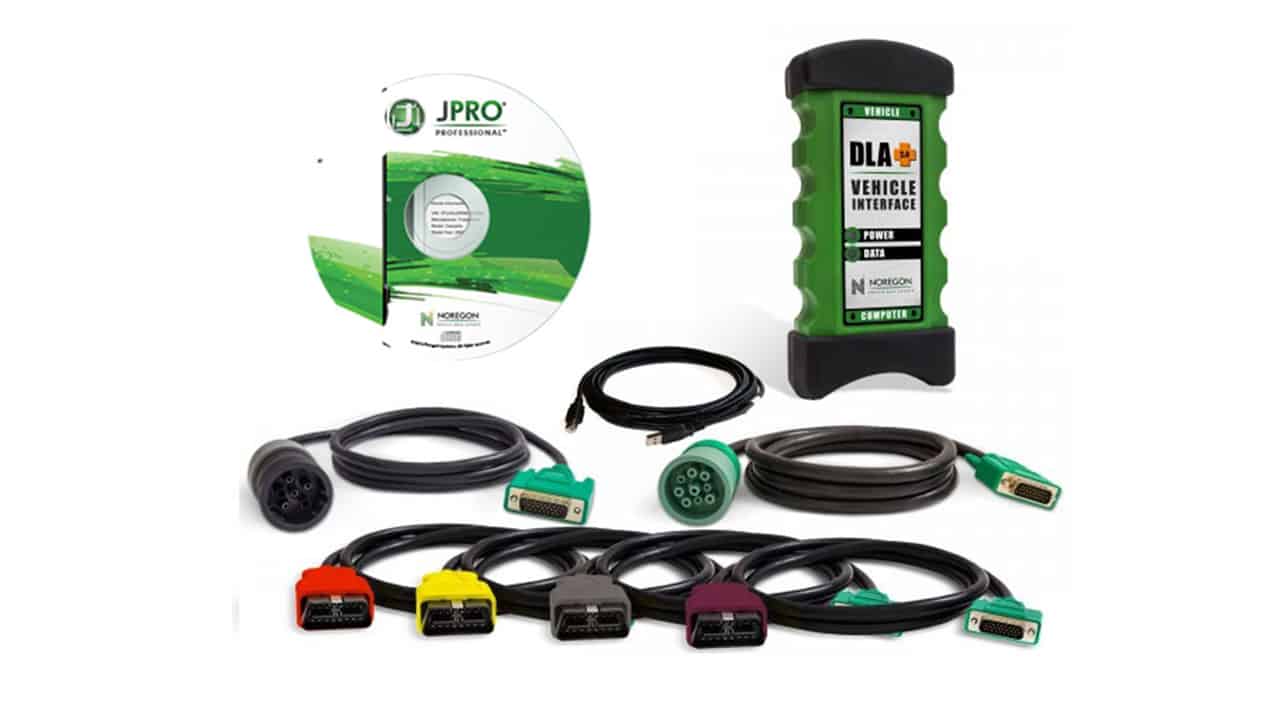
Key Features:

1 – Next Step Fault Guidance Feature

This feature allows users to make a full diagnosis of the truck in under 60 seconds. The Heavy Duty Diagnostic diagnostic software requires only one screen and it will offer technicians over 44,000 possible OE level fault codes, and will also give in-depth repair information for a fast vehicle solution.

With an incredibly easy to use interface, the vehicle systems are listed and can be read easily in one place on just one screen. FMI assistance has also been added to help you find, read, and understand all FMI definitions. The functionality was also improved on Cummins and Detroit Diesel engines. Not only that but the heavy-duty emissions fault support was improved.

The NextStep Repair is also an annual subscription feature – add it to your JPRO Professional subscription for the ultimate diagnostics and repairs powerhouse.

2 – Virtual Truck Feature

The Virtual Truck is an incredibly useful feature that allows you to use all of JPRO’s advanced features without even pairing to a vehicle. If you have trainees you’ll likely find this will be an invaluable feature for them. It would also be ideal for classrooms when connecting to a vehicle isn’t feasible. Students will have hands-on practice and knowledge without the inconvenience of visiting an actual service center.

Bi-directional tests can be simulated without the risk of an actual connection. You will also be able to view live data in Data Monitor, experience the guidance of NextStep when diagnosing vehicle health, and lots more. It also allows potential customers to use the diagnostic tool before deciding to purchase it.

3 – TripVision Feature

TripVision is a new feature designed to prevent easily-fixed issues that could become extremely costly. With TripVision, you’ll be able to detect errors that will affect fuel consumption, issues with emissions, and many more, helping you to keep your vehicle road-worthy and avoid expensive fines and potential violations.

TripVision will alert you to any faults that could potentially become bigger problems so you avoid time consuming and inconvenient roadside breakdowns and expensive repair bills.

In the trucking industry, it’s vital to be prepared for any obstacle that could prevent you from being productive and therefore unprofitable. Thanks to TripVision, you can increase your productivity and decrease any potential repair and maintenance bills.

The diagnostic software helps make sure your equipment is working correctly and safely, making it possible to get trucks back into use quickly, in a more economical manner.

Unfortunately, when a vehicle fails, the repair costs and lack of transport are just two factors that could affect your fleet. The additional expenses can add up as well, from towing costs to mobile breakdown services.

The great news is, breakdowns are not the only issue that this software helps to prevent. It’ll also alert you to potential CAS violations, fuel inefficiencies, and issues with emissions.

Noregon has also made the TripVision function available in an app form, from Apple and Google Play stores. This gives managers and technicians lightning-quick access to essential information even if they happen to be away from their PC or laptop, thus increasing productivity and profits.

4 – Repair Mentor Feature

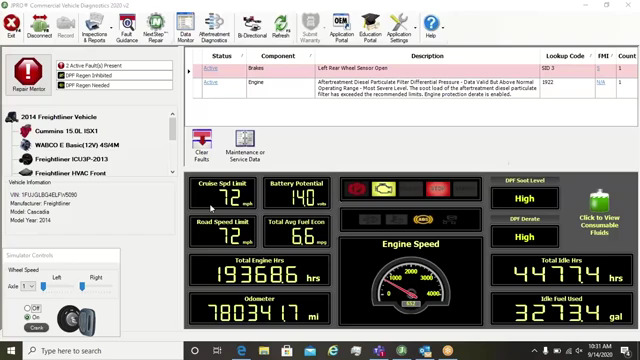
This improved Noregon vehicle health indicator and diagnostic tool prioritizes issues with the vehicle and offers help with the diagnosis and repairs. Repair Mentor shows all of the current issues with the vehicle and offers alerts to the high priority issues.

It also guides the user to start the correct repair process. Repair Mentor guides the operating technician to the correct starting point for the highlighted issue. For example, the DPF Regen screen or NextStep for troubleshooting guidance.

5 – Vehicle Data Acquisition Feature

In order to perform the correct repairs on any truck, it’s essential to obtain the right vehicle data and decipher it correctly. Quite often, it’s easy to know what information you’re looking for, but you do not know how to interpret the right data.

The Noregon Vehicle Data Acquisition service is an unprecedented and expert feature that helps you to interpret data correctly. By choosing the Noregon Vehicle Data Acquisition, your technicians will save time trying to clarify vehicle data, time that can be spent reducing vehicle downtime, and increasing profits.

If you’re looking for innovative technology, Noregon is the company you’ll want to partner with. They are the go-to brand for vehicle data acquisition, which could revolutionize the way you collect data and manage your fleet or center.

As a business, not only does this feature improve the services and products you provide your customers with, there are many more advantages and benefits to VDAs. You’ll be able to provide your customer with accurate data. A lot of vehicles produce at least 1500 data points so it’s time-consuming to evaluate these points.

A VDA will enable you to evaluate these data collections easily. Any downtime can be costly to your customers. You can’t afford to ignore a potential problem or have a truck sent in for unnecessary services. With accurate and detailed OEM fault descriptions and codes, you’ll have perfect knowledge of what is wrong with the vehicle and how to solve it without affecting profits.

Increase the safety and performance of the vehicle by changing the parameters remotely without the hassle of a shop visit. This will also reduce liability and potential violations.
Pros

• The industry leader in diagnostic and repair software
• Incredibly user friendly
• Helps to decrease repair bills and increase your profits by maximizing efficiency
• Quickly diagnoses problems and provides vehicle solutions
• Heavy-duty diagnostic software is time-saving and cost-effective
• Easy for average truck enthusiasts, but sophisticated enough for professional service centers
• Easy to read wiring diagrams, vehicle temperatures, and other vital information
• Product updates three times a year, free of charge with an active subscription
• Provides the option of test driving JPRO software and functions before purchasing

Cons
• It is quite pricey

JPro Compatibility

The JPRO Professional heavy-duty diagnostic software is compatible with all car models and types. This is great news for professional garages who deal with all manner of different vehicle brands. Not only will it save time, but it’ll also allow you to increase your profits by being able to work on many different vehicle makes.

The time-saving benefit comes from the fact that you can scan the car in one go and all of the vehicle data and repair information will be available on one screen, making it easy and convenient. Parameter changes are also possible with this vehicle diagnostic software.

If you’re looking to extract reliable repair information and vehicle data, then the JPRO Professional heavy-duty vehicle diagnostic software can do it. Not only that, it’s compatible with iOS or Android devices and if you have Windows 8 or later models, you’re all set. Using the JPRO Professional diagnostic software, you can also obtain a reading on your phone, for even more convenience.
Functionality

Noregon is the industry leader in vehicle diagnostic tools. The functions are so comprehensive, it’s no wonder it’s the most trusted scanning tool you can buy. The software has bi-directional controls and is capable of making parameter changes for Volvo and Mack.

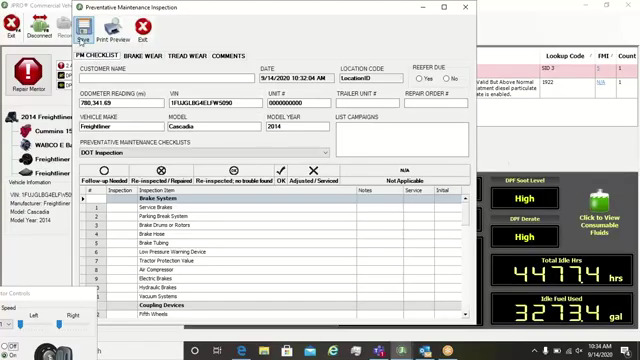
The heavy-duty JPRO Professional also performs DPF Regens for Detroit Diesel and Cummins. It also provides OE level fault code information. The easy to use Noregon systems means you get quick fault detection and diagnosis. You’ll be able to view and print off files containing LOV reports and vehicle health results.

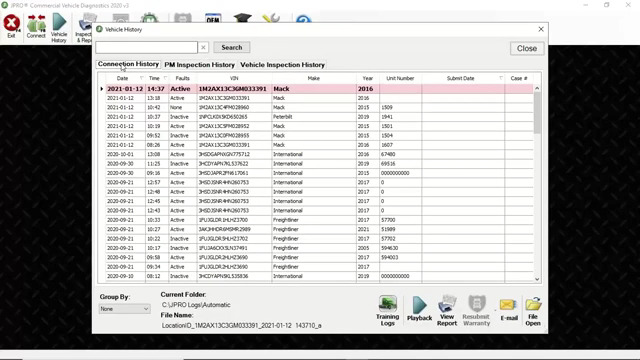
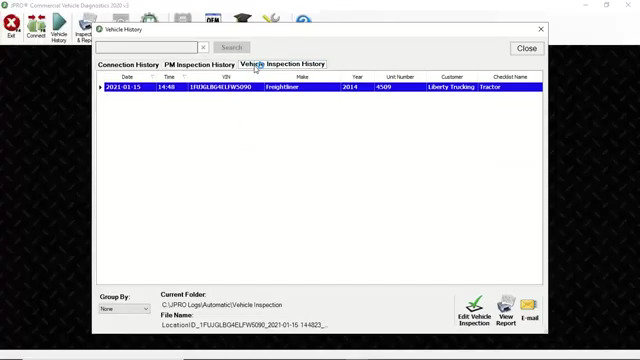
Save and store the vehicle data even when the truck isn’t connected to the software. In a single scan, you can see the entire vehicle stats so a swift diagnosis can be made. The JPRO Professional has powerful software and a DLA 2.0 adapter. On top of that, it has a Panasonic Toughbook for an even more effective diagnosis.
Verdict

What is making the JPRO Professional heavy-duty diagnostic tool stand out is the sheer amount of functions it boasts and how many different uses it has. The functions enable you to read and diagnose problems so quickly and efficiently, it’s easy for anyone. The results from the Noregon diagnostic and repair tool are displayed in easy to decipher graphs, meaning you’ll be able to read all of the codes easily and make the correct repairs.

If you own a heavy-duty truck or you’re a professional mechanic, this advanced and comprehensive piece of software will save you time, money and will give you the vehicle solutions you need to improve your business.

FAQs
How to install the JPro software:

Because JPRO is a software program, you’ll need a PC or laptop in order to run it. You’ll also need the correct diagnostic cable and an RP1210C compliant adapter. You don’t need OEM software as JPRO is a standalone device.

It’s clear to see that Noregon JPRO is exceptionally easy to use and the installation is no different. Updating to the latest version of JPRO Professional simply requires that version 5.0 or later is installed on your PC already.

To run your software a Panasonic Toughbook is recommended, however, you can use a modern PC that uses Windows 7, 8 or 10, to run your JPRO software. You can use any RP1210C compliant adapter, but if you want full functioning capacity, you can purchase the Noregon DLA+ 2.0 adapters.

For the initial startup and activation process, you’ll need access to the internet. You’ll also need internet access if you choose to add on any modules.

What makes JPRO so convenient is the fact that it’s an annual subscription. JPRO updates happen three times a year and if you keep your subscription active, these updates are given free of charge.

How to use the JPro software:

Whether you’re a complete novice or a professional service center owner, the JPRO Professional is super easy to use. The education portal offers easy access to a library of JPRO specific resources and educational opportunities.

From the education portal landing page, you can navigate to the JPRO certification course, webinar, discover technology tips, view educational videos, and lots more.

As soon as JPRO scans your vehicle, it will display easy to understand wiring diagrams, the vehicle temperatures, battery voltage, switches, and much more. It will read and clear inactive fault codes and will also detect active ones. It’ll also perform commanded tests, bi-directional tests, and cylinder cut-out functions.

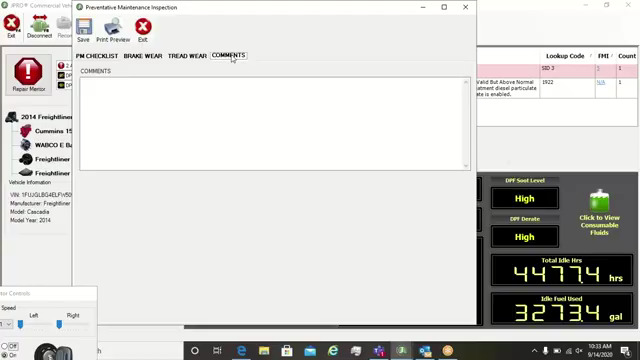
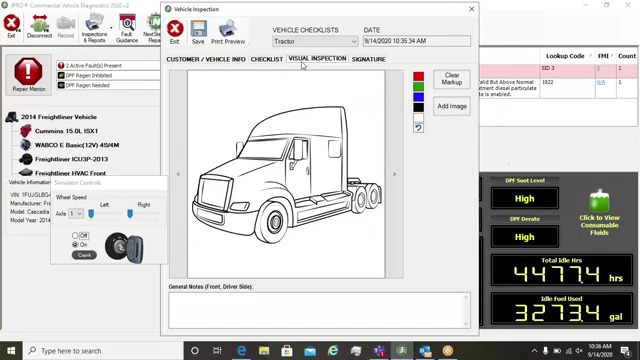
In one simple and easy to read screen, the JPRO heavy-duty software lets you see your vehicle’s overall health in the after-treatment system. You’ll be able to clearly see information such as Soot Level and DPF Regen status.

Noregon has made their software incredibly user friendly. You simply connect your heavy-duty vehicle to your PC via a USB cable, to diagnose, reprogramme, or adjust any parameters.

There are six different annual subscription packages to choose from. This allows you to select the package that is most suitable for your fleet so you get a perfectly tailored match.

What can the JPro software be used for?

The JPRO software has a multitude of uses. Whether you’re a first time user or an experienced mechanic, you’ll find this heavy-duty diagnostic software extremely useful. Use it to quickly and efficiently diagnose your truck’s problems so you can get a swift and easy repair.

Trucks that are off the road are not cost-effective, but the efficient Noregon systems mean you get a quick diagnosis which in turn results in a swift repair, so you can get your truck back on the road and back to work.

Simply put, the JPRO diagnostic repair software can help your fleet run smoothly and efficiently. Not only will you benefit from the myriad of technical benefits, but you’ll discover that Noregon’s products and services are specially engineered to be flexible and versatile.

The competitively comprehensive diagnostic and repair software ensures that you only need to use one system to diagnose different truck brands. Mack, Volvo, and Freightliner are just a few brands you’ll be able to work on with ease. The software also works with all the components from engines to brakes and chassis.

Is the Noregon software easy to use?

Simple to use but incredibly effective and comprehensive, the Noregon Software is compatible with all car models, making it the perfect addition to any professional service center. Providing complete and real-time diagnostic solutions, it’s specifically designed to give an accurate diagnosis and vehicle information.

It’s also fully supplied with bi-directional functions. If you’re looking for hassle-free vehicle diagnosis, the Noregon diagnostic software is the way to go. As a heavy-duty truck owner, you’ll be able to get to the root cause and fully diagnose your car without leaving your garage.

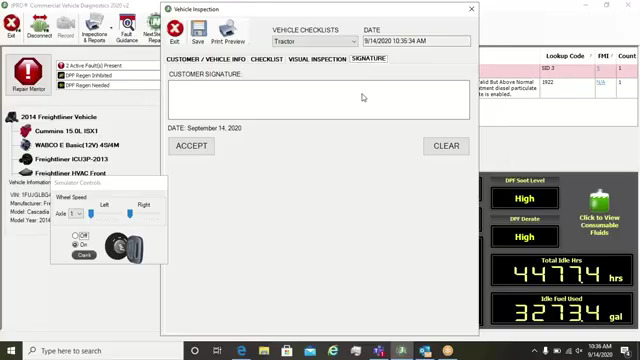
Another easy and useful benefit to the Noregon software is that it allows you to print out reports and give them to your customers. This enables the customer to see exactly what’s wrong with their vehicle and whether they want the problem repaired straight away or not. If you’re a service center manager this benefit could be invaluable to your company.

Noregon prides itself on its incredibly fast, user-friendly products. Business life is busy and you’ll require software that works with you and can keep up with hectic schedules. Noregon products do just as they say, ensuring that your fleet runs like clockwork, resulting in increased profits and happy customers.

The friendly US-based customer service is always at hand to make sure you have a great shopping experience. If you have any problems or you need advice about a product you’ve bought, they’ll be happy to help. All Noregon products come complete with a warranty for worry-free shopping.

2021年11月7日星期日

Isuzu G-IDSS Export 2020 2019 Diagnostic Software Free Download


What is Isuzu G-IDSS?

Isuzu G-IDSS is short called of Global Isuzu Diagnostic Service System (G-IDSS),is designed to support Isuzu Commercial Vehicles. Vehicle / engine configurations and controller systems will be supported for future vehicles. Program supports Isuzu manufactured product models. Export (all regions except Norht America) and Domestic.
Isuzu G-IDSS Export 2020 2019 Diagnostic Software Free Download-1

Isuzu G-IDSS Features:

• Service Infomration;
• Diagnostics (Engine, Transmission, Chasis, Body);
• Controller Programming

G-IDSS ISUZU Support Languages:

English, Spanish, Chinese, German, French, Japanese, Thai, Turkish, Ukrainian, Greek, Hungarian, Italian, Indonesian, Vietnamese

Isuzu G-IDSS Support OS:

VISTA, Win7 x32, Win7 x64, Win98, Windows 8 x32, WinJapan, WinNT, WinXP

Isuzu G-IDSS Support Vehicle List:

ISUZU_G-MC:

1996-1999 NPR Diesel and F Series Include NPR/W 3500, NPR HD/W 4500, This is for 6.0L V-8 Gasoline Engines only, 7.8L
Heavy-duty

ISUZU 6HK1 Engine 6WG1 6WF1.
Isuzu:

NPR, NPR HD, NQR, NRR, FTR, FVR, FXR with 6HK1 LG4 Engine, NPR, NPR HD,NQR, NRR with 5.2L (4HK1) or 3.0L (4JJ1) Diesel engine. 6.0L V-8 Gasoline Engine

Isuzu G-IDSS Free Download:

ISUZU G-IDSS 2020 100% Work Solution:

ISUZU G-IDSS 2020 Diagnostic Software Download & Installation Service

Isuzu G-IDSS 2019:

https://mega.nz/#F!37RnyQDR!pvaNrOJbh4MrG-S0I-Ql1g

2021年10月31日星期日

ISUZU US-IDSS II 2020 2019 Diagnostic Software Free Download


What is ISUZU US-IDSS II?
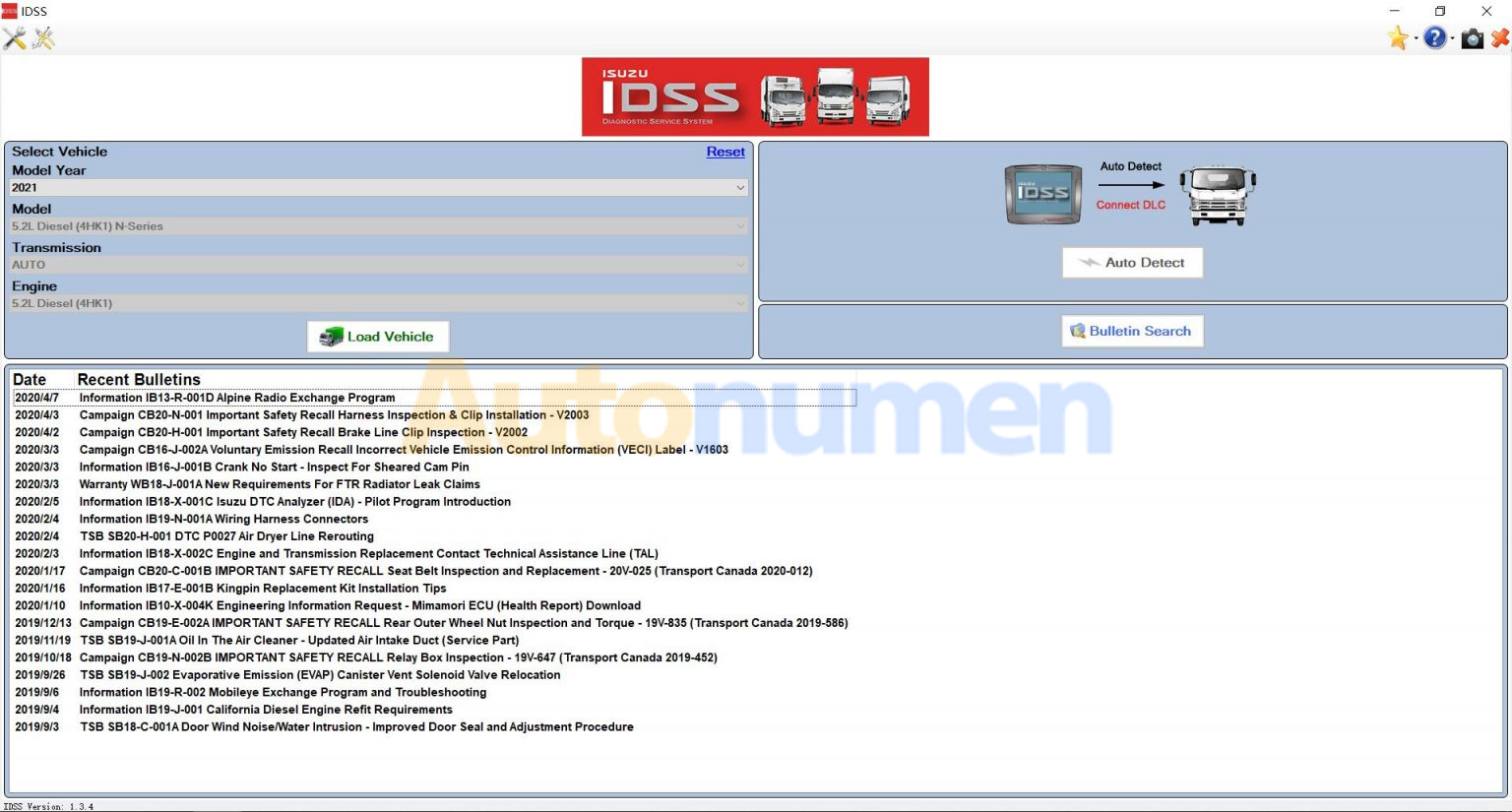
US-IDSS is intended for diagnostics Isuzu equipment and contains step-by-step recommendations for collecting the necessary information and also supports vehicle engine and controller systems.

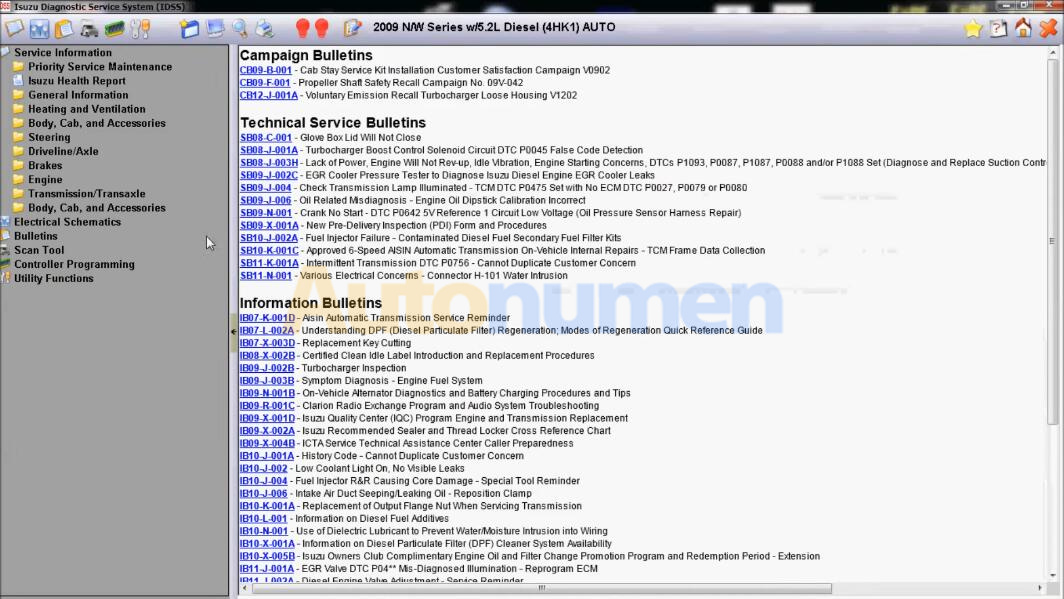
US-IDSS is a comprehensive diagnostic tool which houses Service Information (including Electrical Troubleshooting Manual), Scan Tool, Service Programming, Bulletins and some training to support all Isuzu manufactured products. The system utilizes a laptop in conjunction with an industry standard J2534 vehicle interface device.
ISUZU US-IDSS II 2020 2019 Diagnostic Software Free Download-1

G-IDSS 2018 ISUZU Features:
Only English
Market for USA and Canada
5.38 Gb
repair manual, Diagnostic Software

ISUZU US-IDSS II Support Windows Systems:
Windows 7 32 bit, Windows 7 64 bit, Windows 8/8.1 32 bit, Windows 8/8.1 64 bit, Windows 10 32 bit, Windows 10 64 bit

ISUZU US-IDSS II Functions:
Diagnostics of each system (Engine, Transmission, Chasis, Body);

Programming control modules
Download data from Mimamori / DRM
Communication between scanner and repair manual
Latest data is distributed through software updates over the Internet
Wireless communication between the interface unit and the PC
Electronic Service Bulletin
Remote technical support
Dealer Management System

ISUZU US-IDSS II Support Interface:
1Dearborn Group DPA 5
2IDS MX1 (Isuzu Interface Device)
3IDS MX2 (Isuzu Interface Device)
4CarDAQ (Drew Technologies)
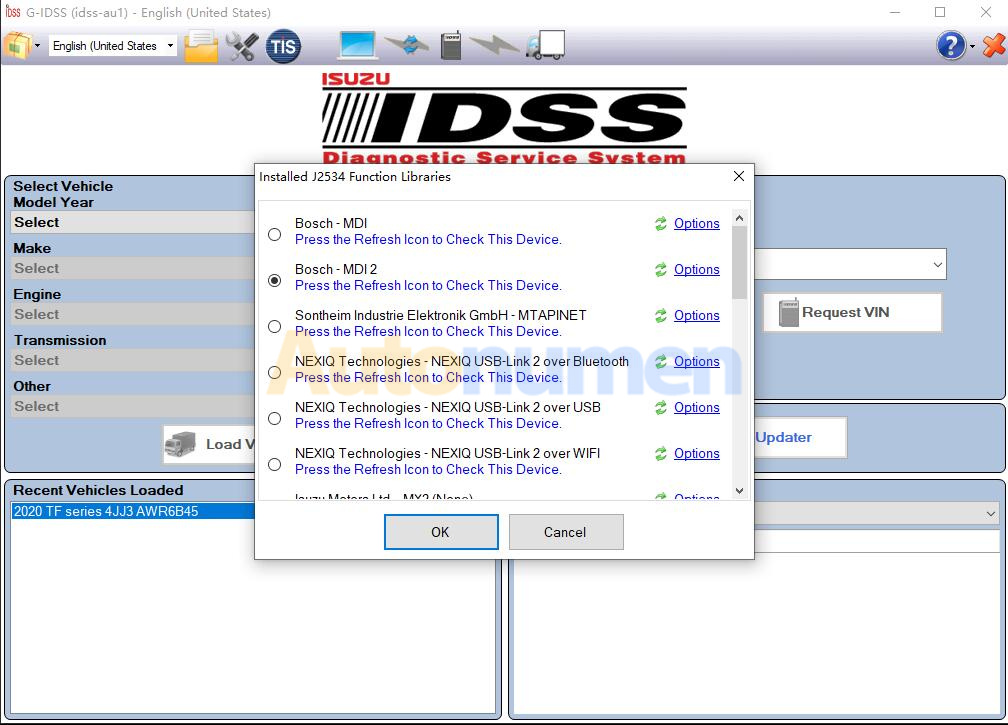
5Nexiq (Nexiq Technologies)
6Nexiq 2 (Nexiq Technologies)
7Noregon DLA + (JPRO Fleet Products)
8Noregon DLA 2.0+ (JPRO Fleet Products)
9Bosch (J2534 Interface Device)

ISUZU US-IDSS II Cover Models:

2021
– 5.2L Diesel (4HK1) N-Series

2020
– FTR 5.2L (4HK1-TC Diesel)
– NPR / NPRHD / NQR/ NRR 5.2L (4HK1-TC Diesel)
– 6.0L Gas N-Series

2019
– FTR 5.2L (4HK1-TC Diesel)
– NPR / NPRHD / NQR/ NRR 5.2L (4HK1-TC Diesel)
– NPR / NPRHD 6.0L Gasoline

2018
– NPR Stripped Chassis
– NPR / NPRHD / NQR/ NRR 3.0L (4JJ1-TC Diesel)
– FTR 5.2L (4HK1-TC Diesel)
– NPR / NPRHD / NQR / NRR 5.2L (4HK1-TC Diesel)
– NPR / NPRHD 6.0L Gasoline

2017-2012

– NPR Stripped Chassis
– NPR / NPRHD / NQR / NRR 3.0L (4JJ1-TC Diesel)
– NPR / NPRHD / NQR / NRR 5.2L (4HK1-TC Diesel)
– NPR / NPRHD 6.0L Gasoline

2011
Isuzu / Chevrolet or GMC
– NPR / NPRHD / NQR / NRR 3.0L (4JJ1-TC Diesel)
– NPR / NPRHD / NQR / NRR 5.2L (4HK1-TC Diesel)

2010
– NPR / NPRHD / NQR / NRR 5.2L (4HK1-TC Diesel)

2009
Chevrolet or GMC / Isuzu
W3500 / W4500 / W5500 5.2L (4HK1-TC Diesel)
W3500 / W4500 6.0L Gasoline
C6500 / C7500 / C8500 7.8L (6HK1-TC Diesel)
T6500 / T7500 / T8500 7.8L (6HK1-TC Diesel)

2008-2005
Isuzu / Chevrolet or GMC
– NPR / NPRHD / NQR / NRR 5.2L (4HK1-TC Diesel)
– NPR / NPRHD 6.0L Gasoline
– FTR / FVR / FXR 7.8L (6HK1-TC Diesel)
– HTR / HVR / HXR 7.8L (6HK1-TC Diesel)

2004
Isuzu / Chevrolet or GMC
– NPR / NPRHD / NQR 4.8L (4HE1-TC Diesel)
– NPR / NPRHD 6.0L Gasoline
– FRR 7.8L (6HK1-TC Diesel)
– FTR / FVR / FXR 7.8L (6HK1-TC Diesel)

2003
Isuzu / Chevrolet or GMC
– NPR / NPRHD / NQR 4.8L (4HE1-TC Diesel)
– NPR / NPRHD 5.7L Gasoline
– NPR / NPRHD 6.0L Gasoline
– FRR 7.8L (6HK1-TC Diesel)

2002-2000
Isuzu / Chevrolet or GMC
– NPR / NPRHD / NQR 4.8L (4HE1-TC Diesel)
– NPR / NPRHD 5.7L Gasoline
– FRR 7.8L (6HK1-TC Diesel)
– FSR / FTR / FVR 7.8L (6HK1-TC Diesel)

1999
Isuzu / Chevrolet or GMC
– NPR / NPRHD / NQR 4.8L (4HE1-TC Diesel)
– NPR / NPRHD 5.7L Gasoline
– FSR / FTR / FVR 7.8L (6HK1-TC Diesel)

1998
Isuzu / Chevrolet or GMC
– NPR 3.9L (4BD2-TC Diesel)
– NPR / NPRHD 5.7L Gasoline
– FRR 7.1L (6HE1-TC Diesel)
– FSR / FTR / FVR 7.1L (6HE1-TC Diesel)
– FSR / FTR / FVR 7.8L (6HE1-TC Diesel)

1997-1995
Isuzu / Chevrolet or GMC
– NPR 3.9L (4BD2-TC Diesel)
– NPR 5.7L Gasoline
– FRR 7.1L (6HE1-TC Diesel)
– FSR / FTR / FVR 7.1L (6HE1-TC Diesel)

1994
Isuzu / Chevrolet or GMC
– NPR 3.9L (4BD2-TC Diesel)
– NPR 5.7L Gasoline
– FSR / FTR / FVR 6.5L (6BG1-TC Diesel)
– NRR 6.5L (6BG1-TC Diesel)

1993
Isuzu / Chevrolet or GMC
– NPR 3.9L (4BD2-TC Diesel)
– NPR 5.7L Gasoline
– FSR / FTR 6.5L (6BG1-TC Diesel)
– NRR 6.5L (6BG1-TC Diesel)

1992
Isuzu / Chevrolet or GMC
– NPR 3.9L (4BD2-TC Diesel)
– FSR / FTR / FVR / EVR 6.5L (6BG1-TC Diesel)
– NRR 6.5L (6BG1-TC Diesel)

1991
Isuzu / Chevrolet or GMC
– NPR 3.9L (4BD2-TC Diesel)
– FSR / FTR 5.8L (6BD1-T Diesel)
– FSR / FTR 6.5L (6BG1-TC Diesel)
– FVR / EVR 6.5L (6BG1-TC Diesel)
– NRR 6.5L (6BG1-NA Diesel)

1990
Isuzu / Chevrolet or GMC
– NPR 3.9L (4BD2-TC Diesel)
– FSR / FTR 5.8L (6BD1-T Diesel)
– FSR / FTR 6.5L (6BG1-TC Diesel)
– FVR / EVR 6.5L (6BG1-TC Diesel)
– NRR 6.5L (6BG1-NA Diesel)
– FVR / EVR 8.4L (6SA1-T Diesel)

1989-1988
Isuzu / Chevrolet or GMC
– NPR 3.9L (4BD1-T Diesel)
– FSR / FTR 5.8L (6BD1-T Diesel)
– NRR / FSR 6.5L (6BG1-NA Diesel)
– FVR / EVR 8.4L (6SA1-T Diesel)

1987
Isuzu / Chevrolet or GMC
– NPR 3.9L (4BD1-NA or 4BD1-T Diesel)
– FSR 5.8L (6BD1-T Diesel)
– FSR 6.5L (6BG1-NA Diesel)

1986
Isuzu / Chevrolet or GMC
– NPR 3.9L (4BD1-NA or 4BD1-T Diesel)

1985
Isuzu
– KS22 3.9L (4BD-1 Diesel)

ISUZU US-IDSS II Free Download:
IDSS II 2019
https://mega.nz/#F!5XRUTCrD

US-IDSS 04.2020 100% Work
ISUZU US-IDSS Diagnostic Software for USA/Canada 100% Work

2021年10月12日星期二

ISUZU N-Series Fuel Injector Flow Rate Programming by IDSS


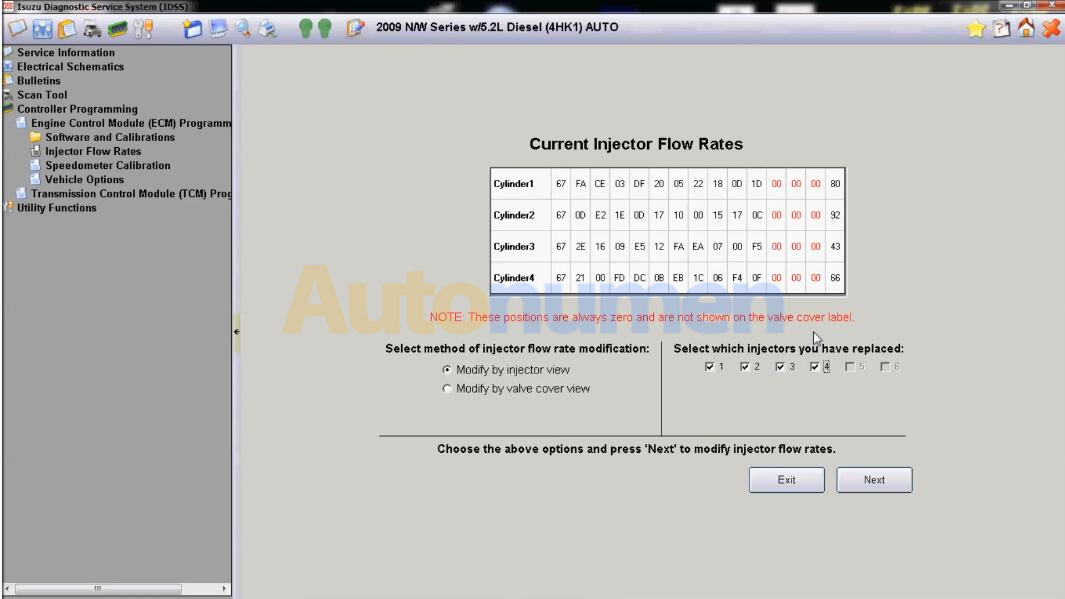
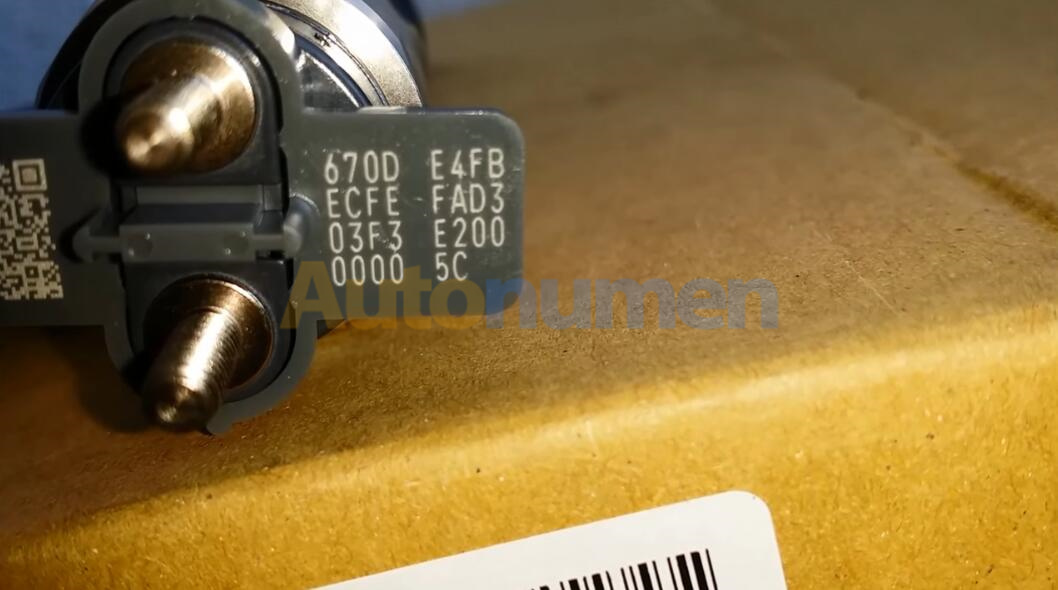
When replacing the injector,it is necessary to register the ID code printed on the upper part of the injector with handheld tester in the engine ECU.So here i will show you guide on how to use IDSS software to do fuel injector flow rate programming after replacement.

Note:If the ID code of the newly installed injector is not properly registered,rough idling,abnormal noise,or other symptoms may occur.

Preparations:

Isuzu G-IDSS Export 2019 Diagnostic Software Free Download

Video:


Procedures:

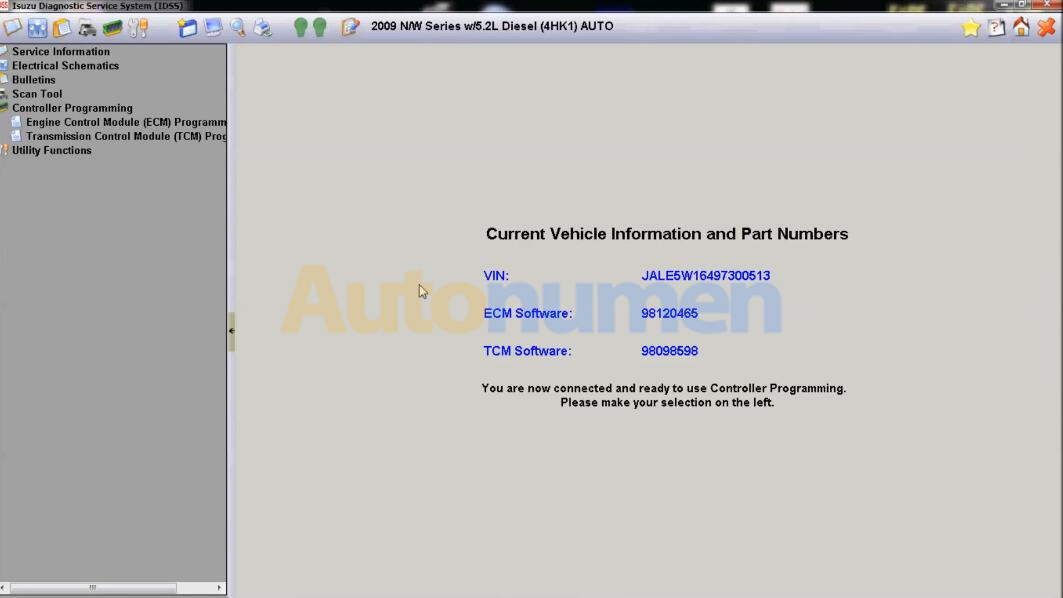
Connect Nexiq interface to ISUZU diagnostic port,then run IDSS software.

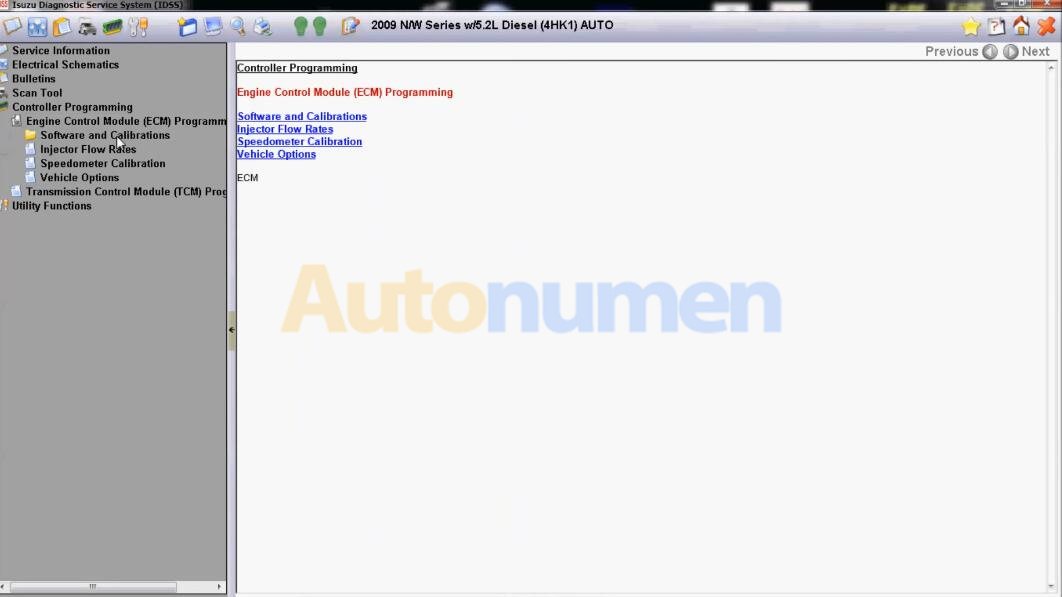
After vehicle identification,select “Control Programming”–>”Engine Control Module Programming”–>”Inject Flow Rates”
ISUZU N-Series Fuel Injector Flow Rate Programming by IDSS-1 ISUZU N-Series Fuel Injector Flow Rate Programming by IDSS-2 ISUZU N-Series Fuel Injector Flow Rate Programming by IDSS-3 ISUZU N-Series Fuel Injector Flow Rate Programming by IDSS-4

Select which injectors you have replaced,then click “Next”
ISUZU N-Series Fuel Injector Flow Rate Programming by IDSS-5

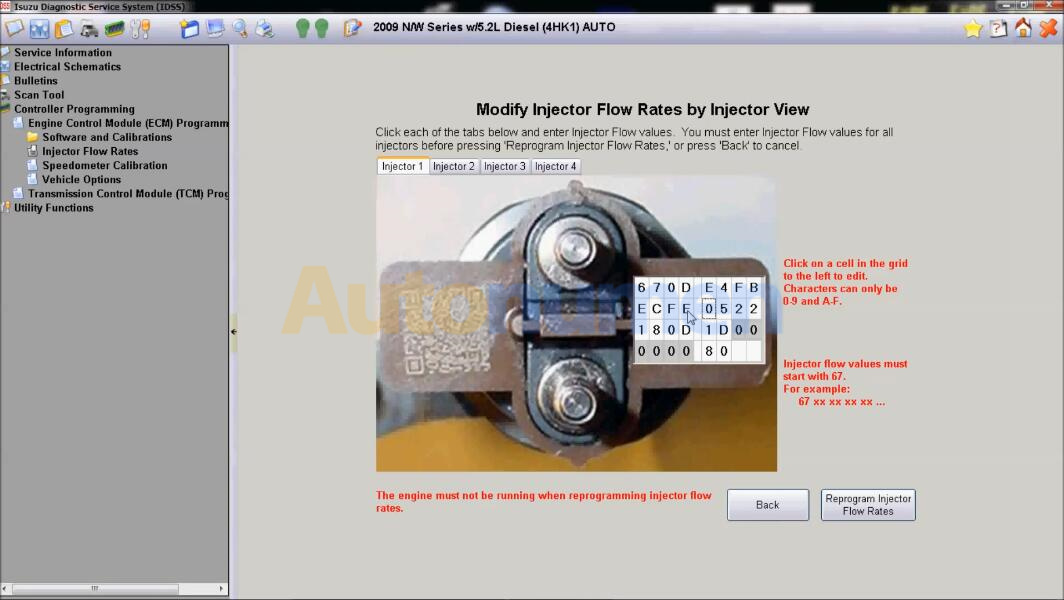
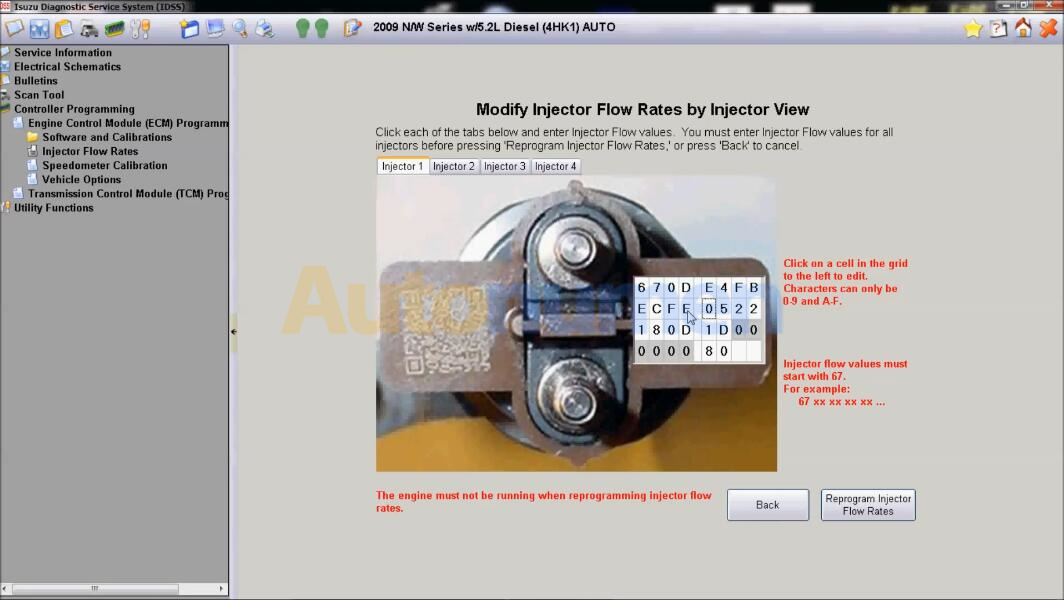
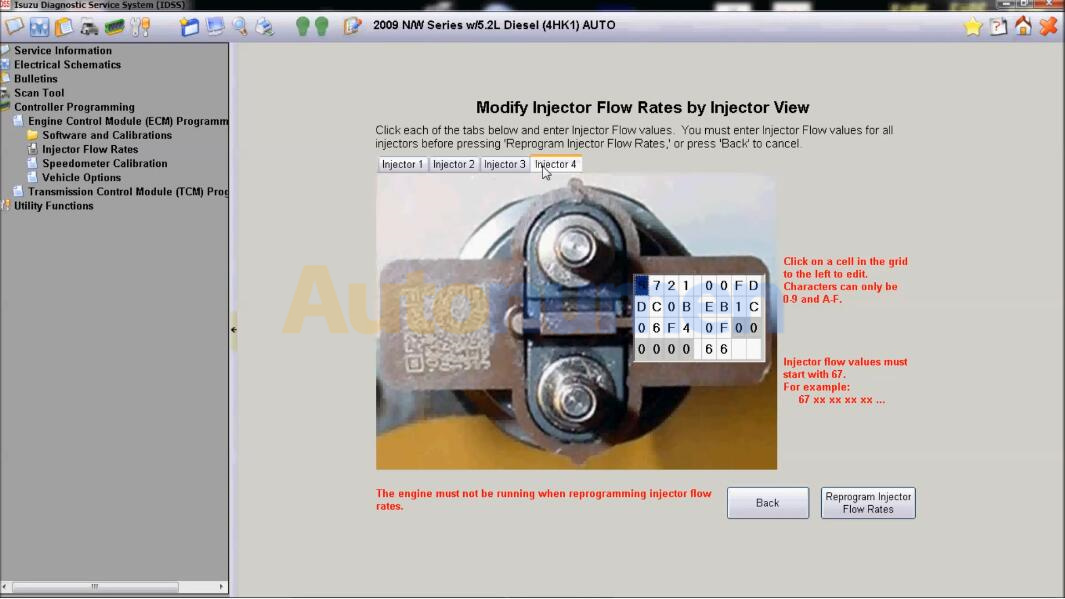
Click each of the tabs below and enter injector Flow values.You must enter injector flow values for all injectors before pressing “Reprogram Injector Flow Rates”,or press Back to cancel
ISUZU N-Series Fuel Injector Flow Rate Programming by IDSS-6ISUZU N-Series Fuel Injector Flow Rate Programming by IDSS-7 ISUZU N-Series Fuel Injector Flow Rate Programming by IDSS-8

ISUZU N-Series Fuel Injector Flow Rate Programming by IDSS-9 ISUZU N-Series Fuel Injector Flow Rate Programming by IDSS-10
ISUZU N-Series Fuel Injector Flow Rate Programming by IDSS-11
ISUZU N-Series Fuel Injector Flow Rate Programming by IDSS-12

Click on a cell in the grid to the left to edit.

Characters can only be 0-9 and A-F.
ISUZU N-Series Fuel Injector Flow Rate Programming by IDSS-13

When finish injector 1-injector 4,click “Reprogram injector Flow Rates”
ISUZU N-Series Fuel Injector Flow Rate Programming by IDSS-14

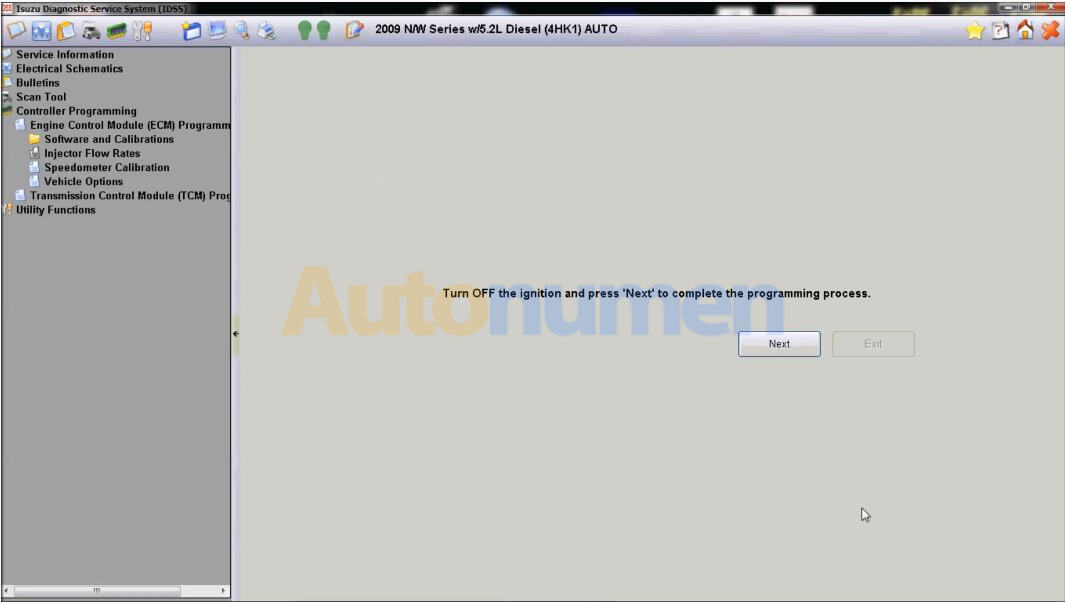
Turn off the ignition and press “Next” to complete the programming process.
ISUZU N-Series Fuel Injector Flow Rate Programming by IDSS-15

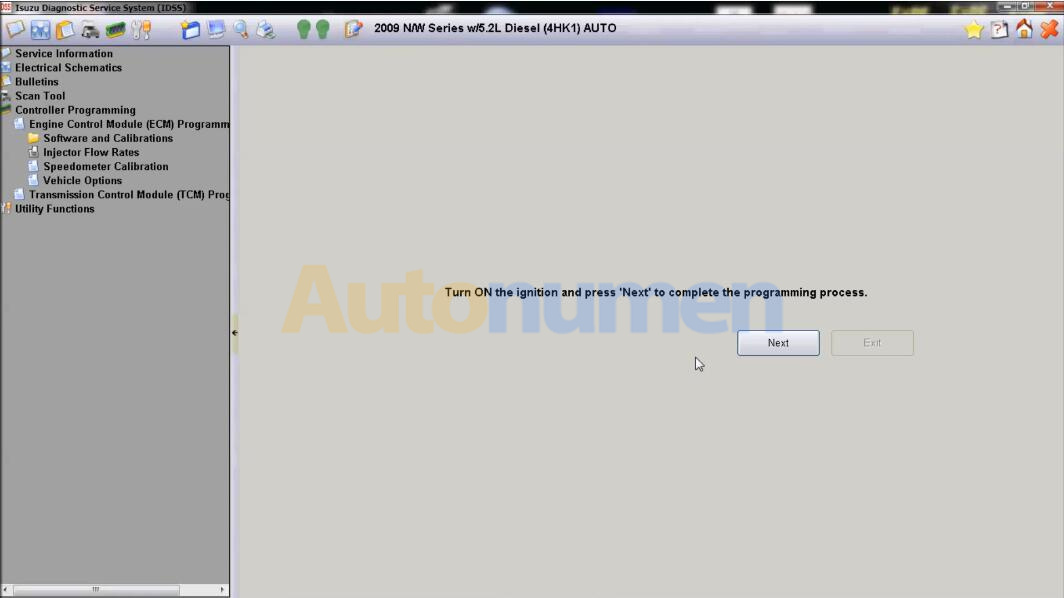
Turn ON the ignition and press “Next” to complete the programming process.
ISUZU N-Series Fuel Injector Flow Rate Programming by IDSS-16

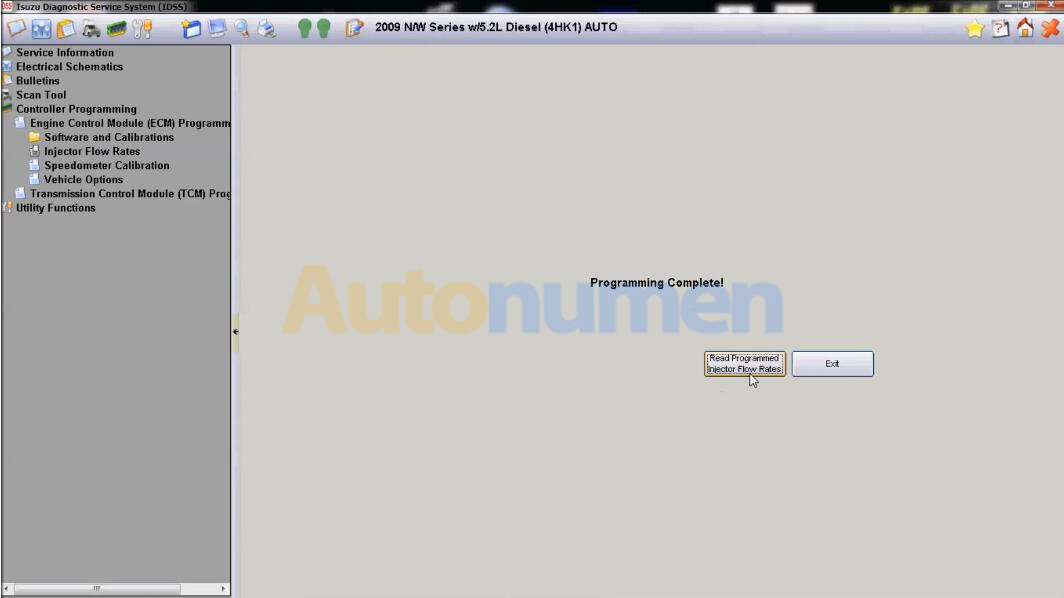
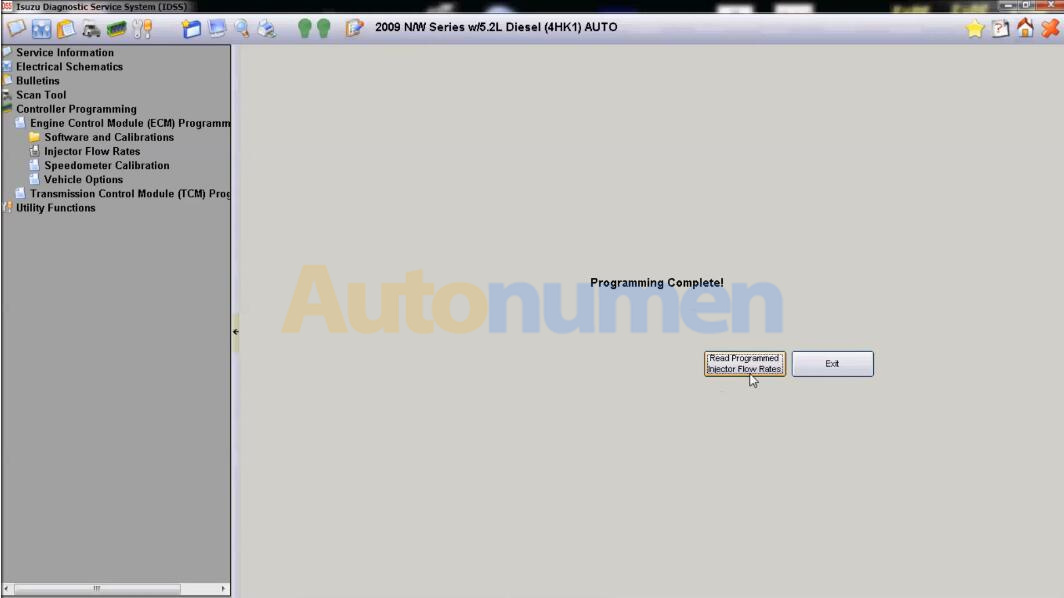
Programming Complete!
ISUZU N-Series Fuel Injector Flow Rate Programming by IDSS-17

2021年5月7日星期五

JCB Electronic Service tool Heavy Duty Truck Diagnostic Scanner with JCB Service Master 4 V17.0


JCB Electronic Service tool Heavy Duty Truck Diagnostic Scanner with JCB Service Master 4 V17.0

1. Software Version: V1.7.0(At the same time, we also have the old V8.1.0 and V1.45.3 software, we can also provide if you need)
2. Language:English, French, German, Italian, Portuguese, Spanish
3. Update By Email

Description:
You can reset EMS hours, edit speed limiters and use other functions what require special unlock.

JCB Service Master is a gateway application allowing a large number of Vehicle Support Applications to be linked using one familiar interface. The interface acts as a graphical tool for selecting the target vehicle from a groups of Vehicle Families and triggering the particular Service Tool Application desired. This removes the need for a user to ‘remember’ every individual service tool available and select which one if intended for a particular machine.

The JCB Service Master also provides several key features that will accompany all JCB projects, a Multi Language editing tool that provides a means of individual text string translation for all JCB Applications and a means to select a localised language translation for the each JCB Application.

Package including:
1.Data Link Adapter
2.USB cable
3.9-pin Deutsch adapter
4.8-pin cable
5.CB ServiceMaster4

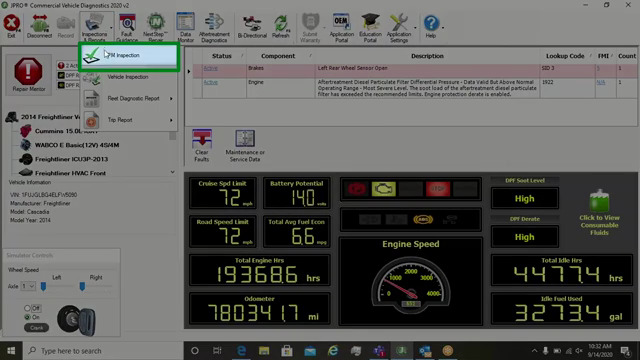
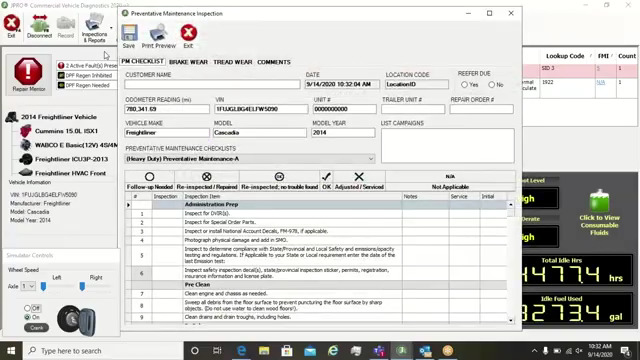
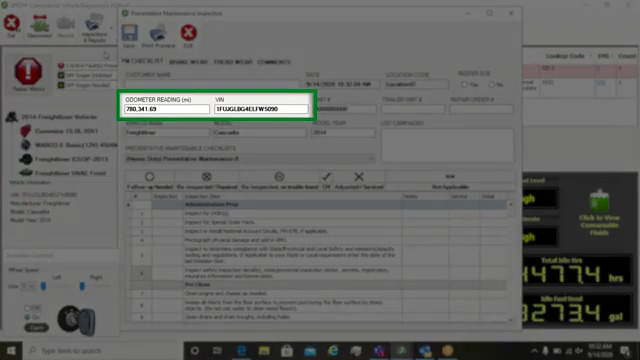
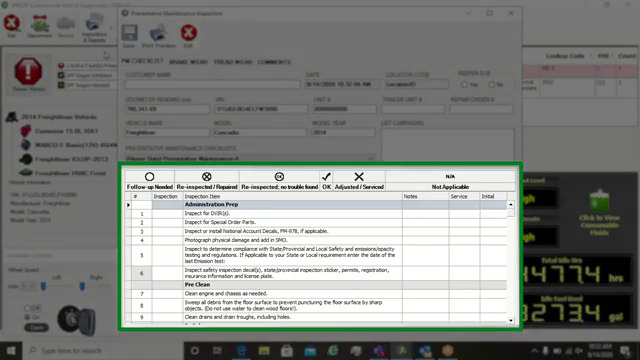
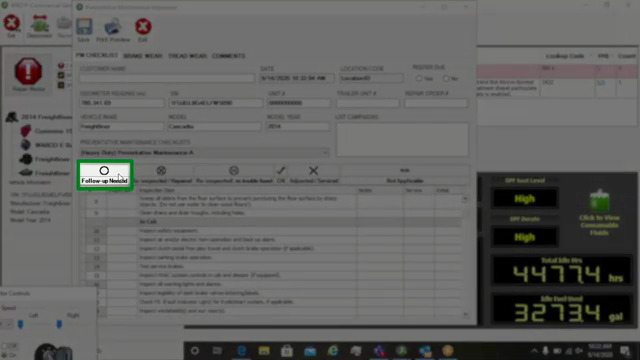
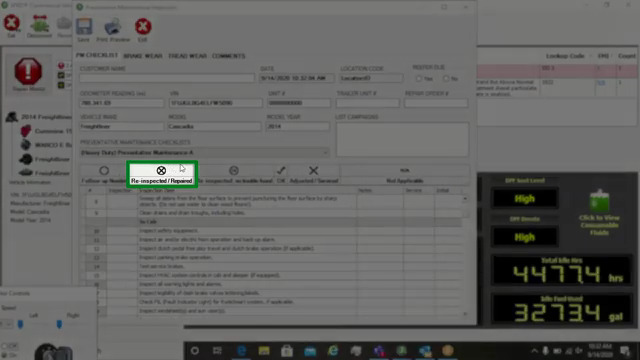
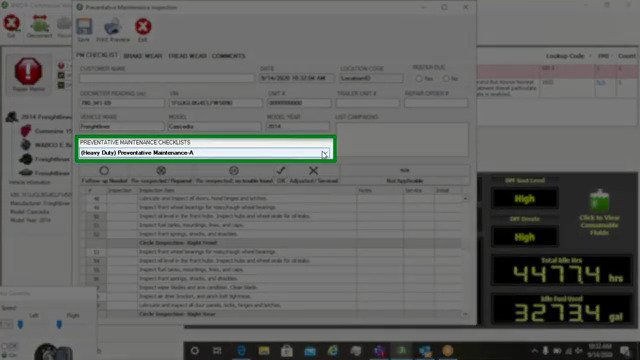
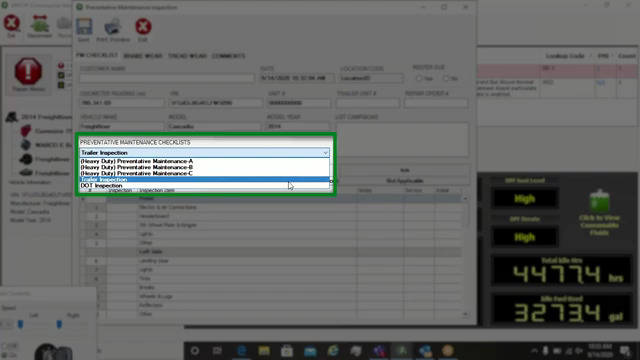
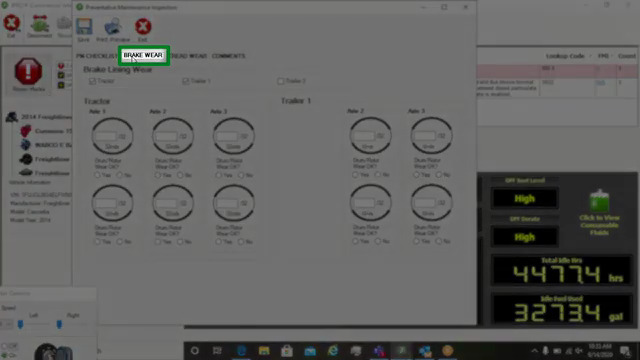
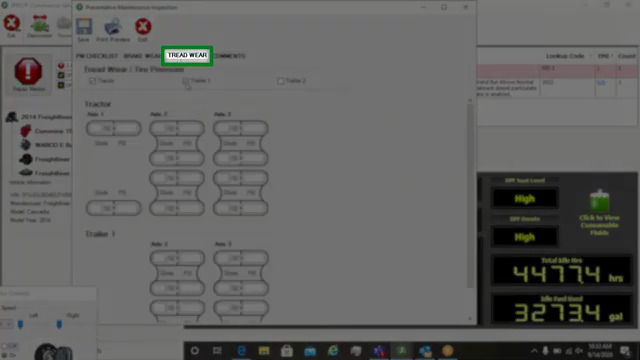
PM and Vehicle Inspection
12. JCB Electronic Service tool Heavy Duty Truck Diagnostic Scanner with JCB Service Master 4 V17.0  -1

12. JCB Electronic Service tool Heavy Duty Truck Diagnostic Scanner with JCB Service Master 4 V17.0  -2 12. JCB Electronic Service tool Heavy Duty Truck Diagnostic Scanner with JCB Service Master 4 V17.0  -3 12. JCB Electronic Service tool Heavy Duty Truck Diagnostic Scanner with JCB Service Master 4 V17.0  -4

12. JCB Electronic Service tool Heavy Duty Truck Diagnostic Scanner with JCB Service Master 4 V17.0  -5

12. JCB Electronic Service tool Heavy Duty Truck Diagnostic Scanner with JCB Service Master 4 V17.0  -6 12. JCB Electronic Service tool Heavy Duty Truck Diagnostic Scanner with JCB Service Master 4 V17.0  -7 12. JCB Electronic Service tool Heavy Duty Truck Diagnostic Scanner with JCB Service Master 4 V17.0  -8 12. JCB Electronic Service tool Heavy Duty Truck Diagnostic Scanner with JCB Service Master 4 V17.0  -9 12. JCB Electronic Service tool Heavy Duty Truck Diagnostic Scanner with JCB Service Master 4 V17.0  -10

12. JCB Electronic Service tool Heavy Duty Truck Diagnostic Scanner with JCB Service Master 4 V17.0  -11 12. JCB Electronic Service tool Heavy Duty Truck Diagnostic Scanner with JCB Service Master 4 V17.0  -12 12. JCB Electronic Service tool Heavy Duty Truck Diagnostic Scanner with JCB Service Master 4 V17.0  -13 12. JCB Electronic Service tool Heavy Duty Truck Diagnostic Scanner with JCB Service Master 4 V17.0  -14 12. JCB Electronic Service tool Heavy Duty Truck Diagnostic Scanner with JCB Service Master 4 V17.0  -15

12. JCB Electronic Service tool Heavy Duty Truck Diagnostic Scanner with JCB Service Master 4 V17.0  -16 12. JCB Electronic Service tool Heavy Duty Truck Diagnostic Scanner with JCB Service Master 4 V17.0  -17 12. JCB Electronic Service tool Heavy Duty Truck Diagnostic Scanner with JCB Service Master 4 V17.0  -18 12. JCB Electronic Service tool Heavy Duty Truck Diagnostic Scanner with JCB Service Master 4 V17.0  -19 12. JCB Electronic Service tool Heavy Duty Truck Diagnostic Scanner with JCB Service Master 4 V17.0  -20

12. JCB Electronic Service tool Heavy Duty Truck Diagnostic Scanner with JCB Service Master 4 V17.0  -21 12. JCB Electronic Service tool Heavy Duty Truck Diagnostic Scanner with JCB Service Master 4 V17.0  -22 12. JCB Electronic Service tool Heavy Duty Truck Diagnostic Scanner with JCB Service Master 4 V17.0  -23

2021年4月26日星期一

(Solved) Nissan Consult 3 Plus V75 software does not support this PC


(Solved) Nissan Consult 3 Plus V75 software does not support this PC

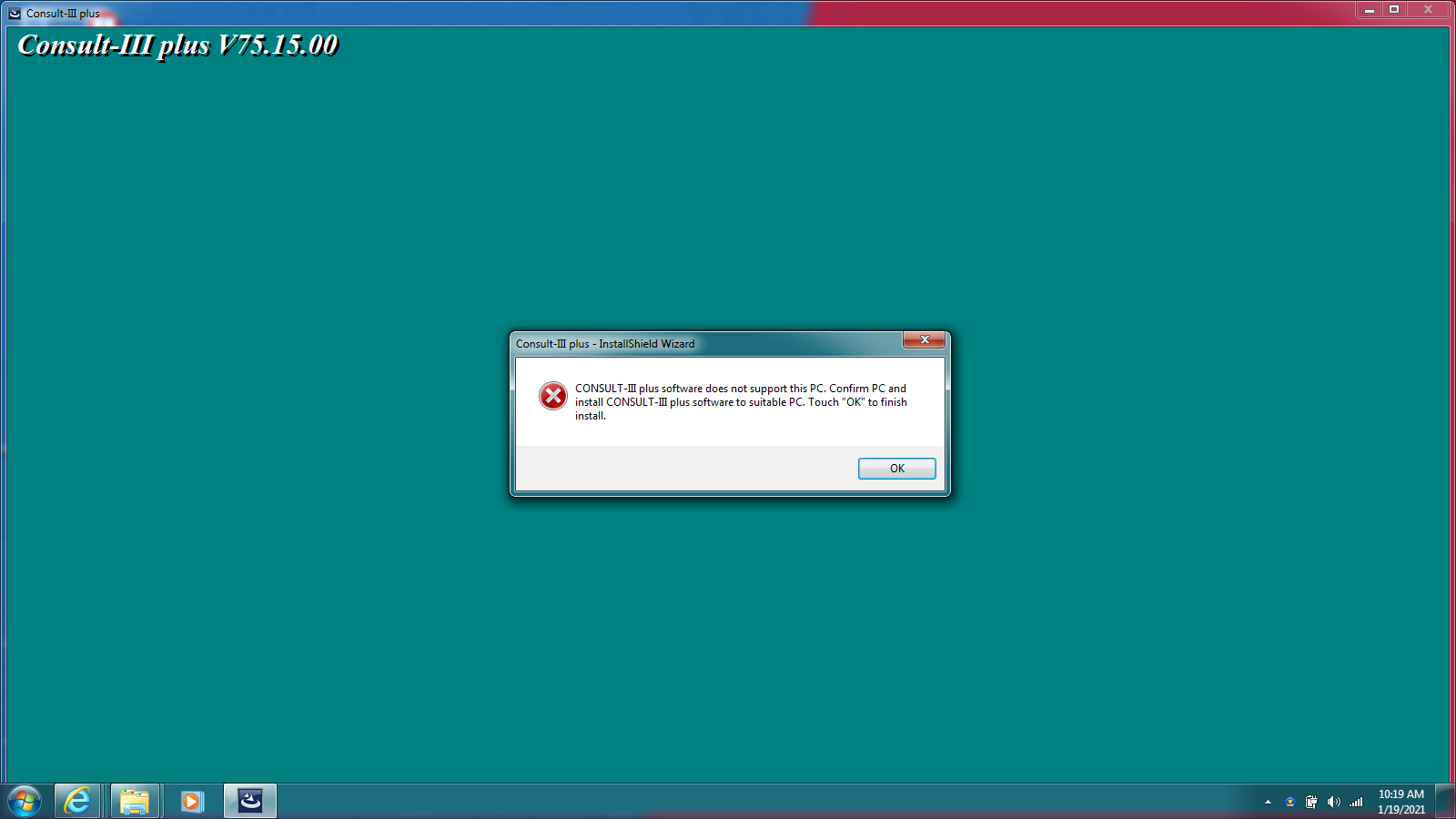
Error description: Installed Consult-III Plus V75 software on win7, got error ” CONSULT-III plus software is not supported by this computer. Check the computer and install CONSULT-III plus software on a suitable computer. Touch ‘OK * to finish the installation.” I also installed on Win 10 Pro, Win 7 Enterprise, Win Xp Sp2 etc, I got the same error message.
(Solved) Nissan Consult 3 Plus V75 software does not support this PC-1

Engineer replied:

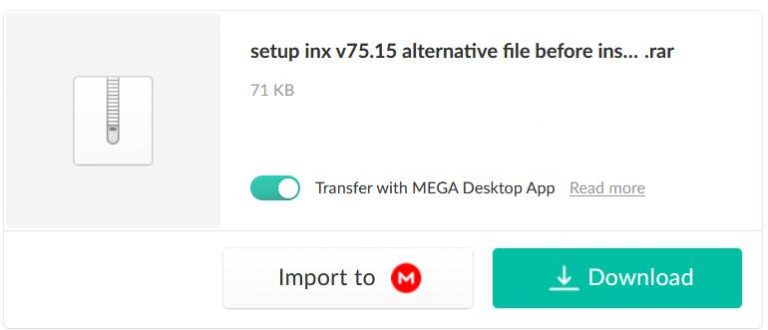
You have to put the following file into the software before installing consult-iii plus v75

https://mega.nz/#!RVxWkSDb!XbsvWRI90YScFLdq3AZUGJHDhu5Iq_rvpJ9VE-rHfFM

(Solved) Nissan Consult 3 Plus V75 software does not support this PC-2

Simple steps:

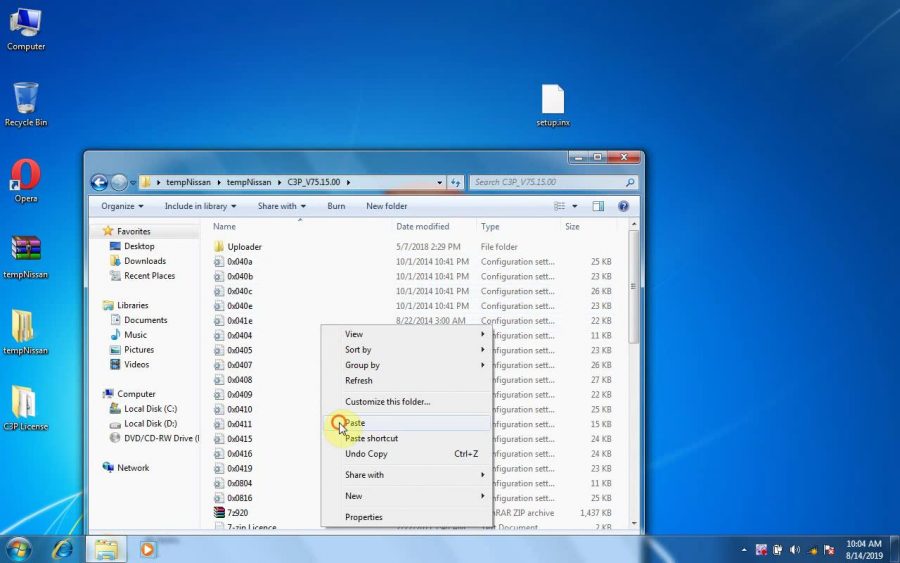
1.Open “tempNissan” -> “C3P_V75.15.00”

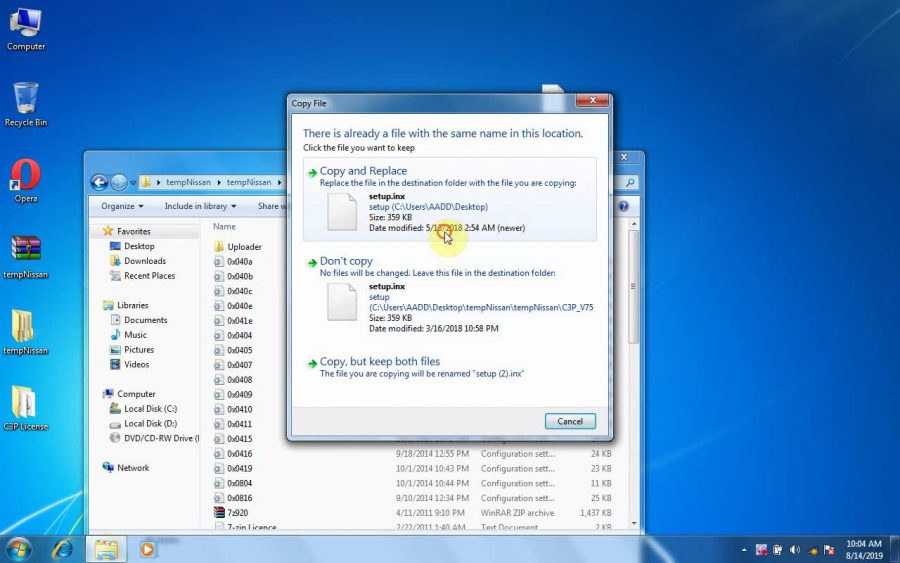
2.Copy “Setup.inx” on the desktop, paste it into “C3P_V75.15.00” to replace the original one.
(Solved) Nissan Consult 3 Plus V75 software does not support this PC-3

(Solved) Nissan Consult 3 Plus V75 software does not support this PC-4

(Solved) Nissan Consult 3 Plus V75 software does not support this PC-5

https://youtu.be/9VmC-ZU4W2w

2021年3月24日星期三

MAN Diagnostic Tool MAN CAT T200


MAN Diagnostic Tool MAN CAT T200

Top 4 Reasons to Get MAN CAT T200:

1. It is special dealer level diagnostic too for MAN trucks.
2. It support both Diagnose and Offline programming.
3. With one year warranty.
4. Support multi-languages: German, English, French, Spanish, Italian, Dutch, Portuguese, Russian, Greek, Croatian, Turkish, Polish, Romanian

Notice: This device software not support update.

Examples of Diagnosable Systems:

• Electronic brake systems (EBS).
• Electronically controlled air suspension (ECAS).
• Engine regulation (EDC).
• Retarder.
• Gearbox.
• Air-conditioning systems.
• Central computer.
• Instrumentation.
• Door module.
• Airbag.
• And much more.

Possibilities of Use:

• Simple testing of actuators.
• Visualisation and assessment of current sensor signals.
• Identification of control unit in assembled condition.
• Depiction of all stored diagnosis entries.
• Fast orientation on vehicle by means of integrated overview wiring diagrams.
• HD-OBD scantool (Heavy Duty On Board Diagnosis), read-out and presentation of data relevant to exhaust gas.

Package Including:

1pc x T200 Communication Interface
1pc x OBD2 Main Cable
1pc x 12-pin Round Cable
1pc x OBD2 Adapter Cable
1pc x USB Cable

more infomation about MAN Diagnostic Tool MAN CAT T200 please go to https://www.autonumen.com

Prev: Dr.ZX Hitachi Excavator Diagnostic Tool V2011A Free Shipping
Next: AdblueOBD2 Emulator For DAF Trucks Plug And Drive Ready Device By OBD2

2021年3月18日星期四

MAN Diagnostic Tool MAN CAT T200


MAN Diagnostic Tool MAN CAT T200

Top 4 Reasons to Get MAN CAT T200:

1. It is special dealer level diagnostic too for MAN trucks.
2. It support both Diagnose and Offline programming.
3. With one year warranty.
4. Support multi-languages: German, English, French, Spanish, Italian, Dutch, Portuguese, Russian, Greek, Croatian, Turkish, Polish, Romanian

Notice: This device software not support update.

Examples of Diagnosable Systems:

• Electronic brake systems (EBS).
• Electronically controlled air suspension (ECAS).
• Engine regulation (EDC).
• Retarder.
• Gearbox.
• Air-conditioning systems.
• Central computer.
• Instrumentation.
• Door module.
• Airbag.
• And much more.

Possibilities of Use:

• Simple testing of actuators.
• Visualisation and assessment of current sensor signals.
• Identification of control unit in assembled condition.
• Depiction of all stored diagnosis entries.
• Fast orientation on vehicle by means of integrated overview wiring diagrams.
• HD-OBD scantool (Heavy Duty On Board Diagnosis), read-out and presentation of data relevant to exhaust gas.

Package Including:

1pc x T200 Communication Interface
1pc x OBD2 Main Cable
1pc x 12-pin Round Cable
1pc x OBD2 Adapter Cable
1pc x USB Cable

more infomation about MAN Diagnostic Tool MAN CAT T200 please go to https://www.autonumen.com

Prev: Dr.ZX Hitachi Excavator Diagnostic Tool V2011A Free Shipping
Next: AdblueOBD2 Emulator For DAF Trucks Plug And Drive Ready Device By OBD2

2021年2月23日星期二

Volvo VOCOM II 88894000 with APCI PTT 2.7.25 Tech Tool Excavator Heavy Truck Diagnostic Scanner


Volvo VOCOM II and Premium Tech Tool (PTT) 2.7 is the latest diagnostic tool for Volvo Heavy Duty Diagnostic and programming. Premium Tech Tool is available as a connected version or as an unconnected version.
Volvo VOCOM II 88894000 with APCI PTT 2.7.25 Tech Tool

Premium Tech Tool vocom developer tool:
1. Dealer tool to access and program parameters in Level2 and Level3 without connecting to central severs;
2. Works with Tech Tool (VCADs Pro), Normal or Development mode, support 28 languages;
3. Support all brands and models supported by Tech Tool (VCADs Pro 3.06);
4. Make programmable more than 11000 parameters;
5. Program speed limit, change chassis ID, disable immobilizer;
6. Change minimum/maximum values of parameters, for example: increase speed limit;

Premium Tech Tool (PTT) is an application for the Aftermarket, developed to support efficient service and diagnosis. Premium Tech Tool is available as a connected version or as an unconnected version. The unconnected version is called Premium Tech Tool Connectionless (PTTC) and that is that we offer. PTTC is used in workshops that do not have internet access, but both versions are referred to as PTT. PTT provides access to the Guided Diagnostics and VCADS.

ABOUT Volvo VOCOM II 88894000:

Vocom Communication Unit is designed with focus on robustness and durability to withstand the tough workshop environment.
·Improved LED indicators
·Improved quality of cables
·Military standard on connectors
·Better liquid and dust ingress protectors
·Metal casing and rubber bumpers for better robustness
Vocom Key Facts Parts no. for Vocom Cables
Temperature Range: -40° – +85° (Wlan-20°- +65°) Protection Class: IP55
Shock Resistance: 2m
RoHS Conformance: Yes
Wlan: 802.11 b/g
Dev2tool is the Dealer tool to access and program parameters in Level2 and Level3 without connecting to central severs;
Works  with Tech Tool (VCADs Pro), Normal or Development mode, support 28 languages;
Support all brands and models supported by Tech Tool (VCADs Pro);Make programmable more than 11000 parameters.
Program speed limit, change chassis ID, disable immobiliser;
Change minimum/maximum values of parameters, for example:increase speed limit;
The new rugged Communication Unit Vocom 88890300 for the tough workshop environment and field service.

TRUCK COVERAGE

Volvo Trucks – Older electrical system, Vehicle electrical system ’98; VERSION2, VERSION3; VERSION4 – FH4/FM4;
Volvo Buses – Conventional, Multiplexed, Multiplexed v2, Multiplexed v3;

Volvo Construction Equipment;
Volvo Penta, Marine engines – VERSION2, VERSION3;
Volvo OEM Component Customer – VERSION2, VERSION3;
Mack Trucks – V-MAC I/II/III, ITC, IV, IV+;
Renault Trucks – VERSION2, VERSION3, VERSION4; (EURO 6, DXI, DTI)
UD Trucks – VERSION2, VERSION3.

For Volvo Vocom Trucks:
AC  Compo4  F10  F12  F16  FE FH FH12 FH16 FH565 FL FL10 FL12  FL6 FL7 FM FM10 FM12 FM9 FM7 Nh12 NH525 NH565 NL10 Nl12 VAh VHD Vm VN VT WC WG WI WX

For Volvo buses:
B10B  B10L B10M B10R B11R B12 B12B B12M B12R B13R B58 B5LH B5RH B6 B6R  B7FB B7L B7R B9L B9R B9S B9TL BXRC COMP12

PREVH PREVX OLYMPIAN SUPEROLY

Construction Equipment

Wheel Loader:
L110E  L110F L110G L120E L120F L120G L150E L150F L150G L180E L180F L180G L220E L220F L220G  L250G L330E L350F L45F-TP L45F-TPS L50F-TP L50F-TPS L50G-TP L50G-TPS L60E L60F L60G L70E L70F L70G L90E L90F L90G

Articulated Hauler:
A25D A25E A25F A30D A30E A30F A35D A35E A35F A40D A40E  A40F T450D

Excavator:
EC135B EC140B EC140C EC140D EC160B EC160C EC160D EC180B EC180C EC180D EC200B EC210B EC210C EC235D EC240B EC240C  EC250D EC290B EC290C EC300D EC330B EC330C EC340D EC360B  EC360C EC380D EC460B EC460C EC480D EC700B EC700C  ECR145C ECR235C ECR235D ECR305C EW140B EW140C EW140D EW145B EW160B EW160C EW160D EW180B EW180C EW180D  EW200B EW210C EW210D EW230C FB2800C FBR2800C FC2121C FC2421C FC2924C FC3329C PL3005D PL4608 PL4808D PL7015

Grader:
G710B G720B G726B G730B G740B G746B G780B G930 G930B G940 G940B G946 G946B G960 G960B G970 G976 G990

Skid Steer Loader:
MC110B MC60B MC70B MC80B MC90B

Compact Excavator:
EC55C EC80D ECR88 EW60C

Paver:
ABG7820B ABG8820B P7820C L882C

Other:
CARETRAC

Package includes:

1pc x Vocom 88890300 interface
1pc x 88890305 USB Cable
1pc x 88890304 OBD Cable
1pc x 88890306 FCI/8 PIN Cable

2021年2月4日星期四

How to Change John Deere Speed Limit with PLD File Editor


John Deere PayLoad (PLD) File Editor – this is Developer level tool, that allows you to change factory parameters in the PLD files using John Deere Service Advisor.

Example: How to change speed limit with  pld files?

Q1:Question about payload files:

I have pld files of my tractor (6330P) 11 in total.
I see in bottom of each files info about my tractor (option, serial number etc)
Question: My goal is up the speed limit from 40km to 50 km. I think I have to change OPTION=3 to OPTION=5, but do I have to edit each 11 pld file?
A1:You were right about the speed limit:
you can change OPTION=3 to OPTION=4 or any other you need.
Speed_30kmh = 1;
Speed_35kmh = 2;
Speed_40kmh = 3;
Speed_50kmh = 4;
Speed_ECO = 5;
Speed_NoiseRed_OOS = 6;

For R models the line is different. ROADSPEEDLIMIT=3 change to ROADSPEEDLIMIT=5 or any other you need.

var RoadSpeedLimit_30 = “1”;
var RoadSpeedLimit_35 = “2”;
var RoadSpeedLimit_3840 = “3”;
var RoadSpeedLimit_40E = “4”;
var RoadSpeedLimit_50 = “5”;
var RoadSpeedLimit_50E = “6”;
var RoadSpeedLimit_55 = “7”;
var RoadSpeedLimit_60 = “8”;
var RoadSpeedLimit_60E = “9”;

After you change it, sometimes you still need to lift the speed manually through the display (depending on the tractor model)

You only need to reprogram transmission controller for that.
If you reprogrammed all of them, some settings might have went to default so you might get up to 5 fault codes that you need to configure with SA.

Q2:Does it work with SA 4.2?
A2:Service Advisor is just a tool to use pld. Pld editor works without SA.

Q3:I have a question about trying to up the power of a 6330 to a 6430. If I compare the engine pld of both tractor they are identical (just the info in the bottom is different) So I don’t know how it could up the power if all the code is the same??
A3:most pld files are made for various models, the info at the bottom determines which part of the pld file will be used for programming. For example:
PRODUCT_MODEL_NO=6115
PERFORMANCE_OPTION_PART_NO=R546973
FACTORY_OPTIONS=RE570443

Q4: Do you have John Deere PLD file editor for sale?
A4: Sorry, we don’t have PLD files. You can search or download from google.

2021年1月27日星期三

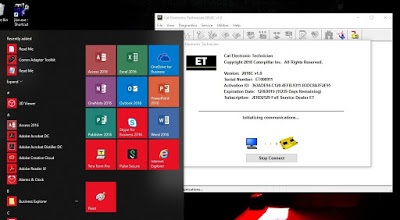
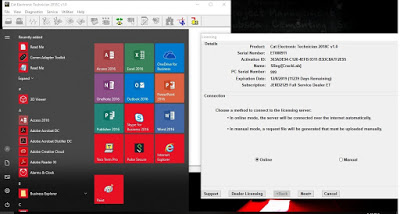
FREE Caterpillar ET-2018C Full Service Dealer, Diagnostic Software for Caterpillar Engines


FREE Setting CAT ET-2018C (CAT Caterpillar ET) Full Service Dealer, Diagnostic Software for Caterpillar Engine ET 2018C, for Windows 7 & 10.
Feel FREE to Contact Us
If you got problems while activation, I’ll help using TeamViewer, download here: TeamViewer_Setup


Instructions:
-Install Software CAT ET2018C, FREE download here: CAT ET2018C download
-Install Patch Installer Files (x86 or x64), download here:
2018C x64 Patch Installer.exe
2018C x86 Patch Installer.exe
-Open and get HWID From “0-HWID.exe”, download here: 0-HWID.exe
Copy and save to Notepad, then send to my email.
-I’ll help to create “keygen.key” + “activation.key”, to activate the CAT ET2018C
-Install license.zip to C:\Program Files (or Program Files x86)\Common Files\Offboard Information Products\2018C\Comet, download here: License.zip
-Install set SET Environment Variables, download here: SET Environment Variables.zip
-Copy and Paste folder “FlexLM” on “Comet” folder to drive C.

2021年1月20日星期三

JCB Electronic Service Tool SM4.1.45.3 Multi Language Diagnostic Interface


JCB Electronic Service Tool Diagnostic Interface

Top 3 Reasons To Get JCB:

1. Software Version: SM4.1.45.3
2. Language:English, French, German, Italian, Portuguese, Spanish
3. Update By Email

Description:

You can reset EMS hours, edit speed limiters and use other functions what require special unlock.

Supported Models and Engines:

JS Range, JZ70, BackHoe Loader, Loadall 2007-, Loadall 2007+, Robot, Teletruk, Midi Excavator, Dump Truck, Fastrac 2000-3000 Series, Fastrac 8250 Series 1, Fastrac 8250 Series 2, Fastrac 7000 Series 1, Large Wheel Loading Shovels, Vibromax, JCB Dieselmax Engine, JCB Engine (IPU OEM), JCB Engine (Base Engine OEM), JCB Generators, LiveLink.

The JCB Service Master also provides several key features that will accompany all JCB projects, a multi language editing tool that provides a means of individual text string translation for all JCB applications and a means to select a localized language translation for the each JCB application.

Package List:

1 x JCB Electronic Service Tool Diagnostic Interface
1 x 9 Pin and 6Pin Cable
1 x USB Cable
1 x JCB Service Master Diagnostic Software CD