2022年1月16日星期日

How to repair JCB K0415 oil pressure low alarm fault


This instruction show you guide on how to repair JCB K0415 oil pressure low alarm trouble.More repair case for JCB,please refer to:JCB Trouble Repair

How to Repair JCB K0415 Oil Pressure Low Alarm Trouble-1

Related Content:

WinEEM4s JCB Service Tool Free Download

The measured oil pressure is below the alarm limit. The low oil pressure signal may be caused by the following reasons:

The engine oil level is too low.

The oil quality is poor.

The oil filter is clogged.

The oil grade is not correct.

The oil is too hot.

The oil is diluted by fuel.

The oil pressure control valve is not operating correctly.

The oil pump has excessive wearing.

The oil pressure sensor wiring is defective.

The oil pressure sensor is defective.

Reaction in EEM

The FC is stored and the oil pressure the warning lamp is activated. The engine will stop after 30 seconds. The CAN message indicates that a shutdown is pending.

Solution

Find the cause for the low oil pressure indication. Check and repair the possible mechanical problems according to the service instructions:

Check the oil level and the condition of the oil.

Check the oil filter.

Check the mechanical condition of the engine.

To check the electrical defects, check the oil pressure sensor, the sensor wiring and the controller input: First save the error log and then erase it. Restart the ECU after erasing the error log. If the fault occurs again during the next driving cycle, check the following paths:

Check the oil pressure sensor wiring, the connectors and the contact surfaces of the connector pins (possible oxidation).

Check the operation with another oil pressure sensor to see if The oil pressure sensor is defective.

2022年1月7日星期五

John Deere Service Advisor 5.2 is the new version for agricultural equipment


Please select the correct version which you need before make the order
1. John Deere Service Advisor V5.2 AG Supports vehicles to 2018
2. John Deere Service Advisor V5.2 CF Supports vehicles to 2018
3. John Deere Service Advisor V4.2 CCE Supports vehicles to 2016

Operating System: Windows XP 32 bit, Windows 7 32 bit, Windows 7 64 bit, Windows 8/8.1 32 bit, Windows 8/8.1 64 bit, Windows 10 32 bit, Windows 10 64 bit

Multi-language available: English, French, Italian, Spanish, Portuguese
Package including:
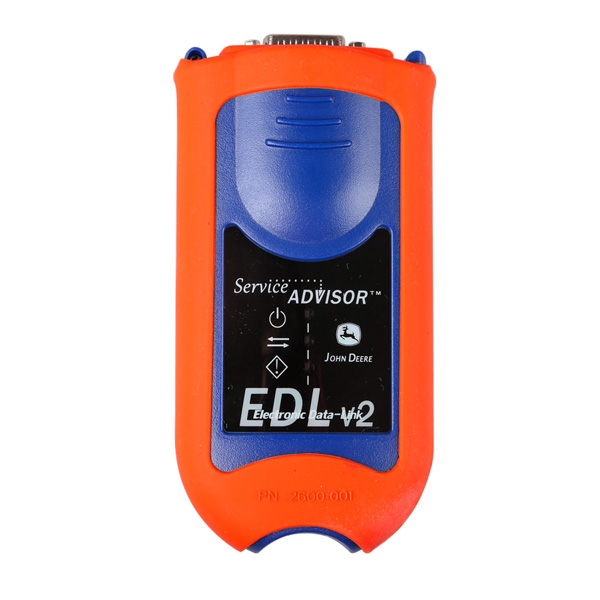
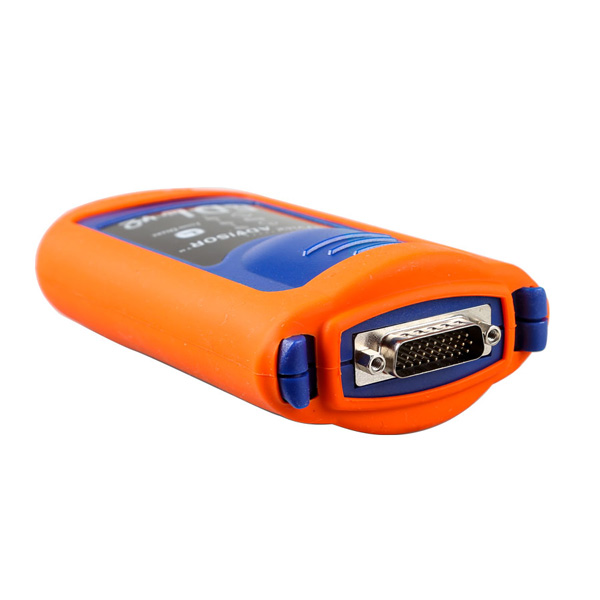
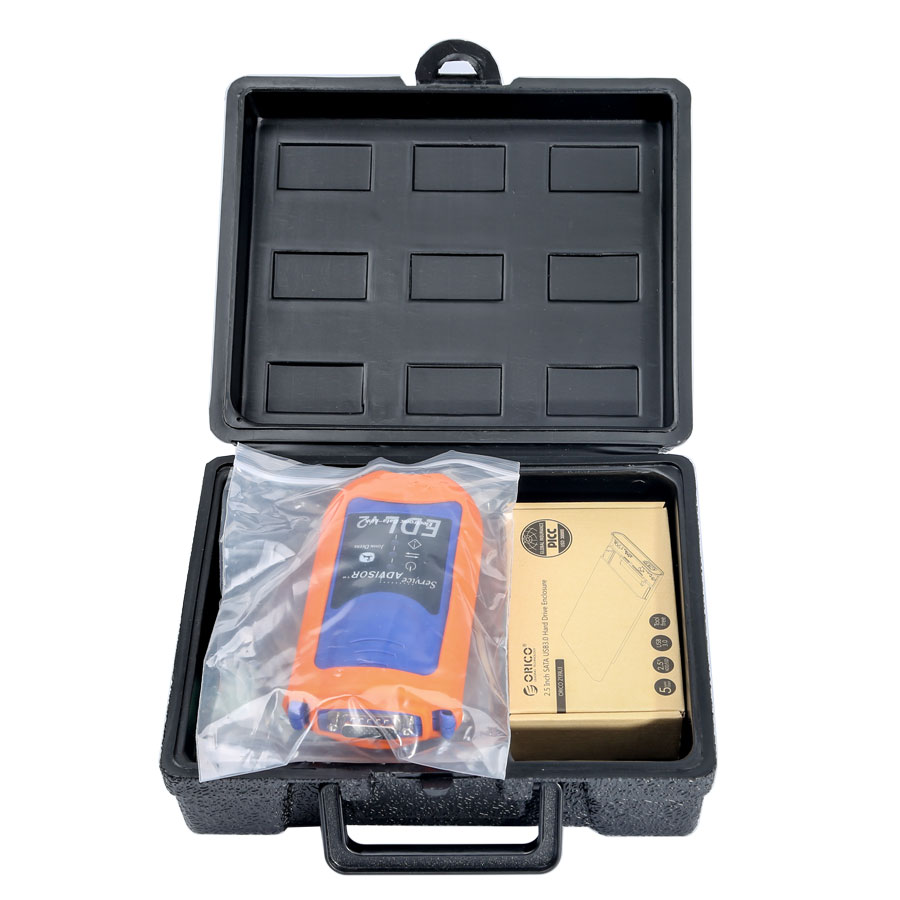
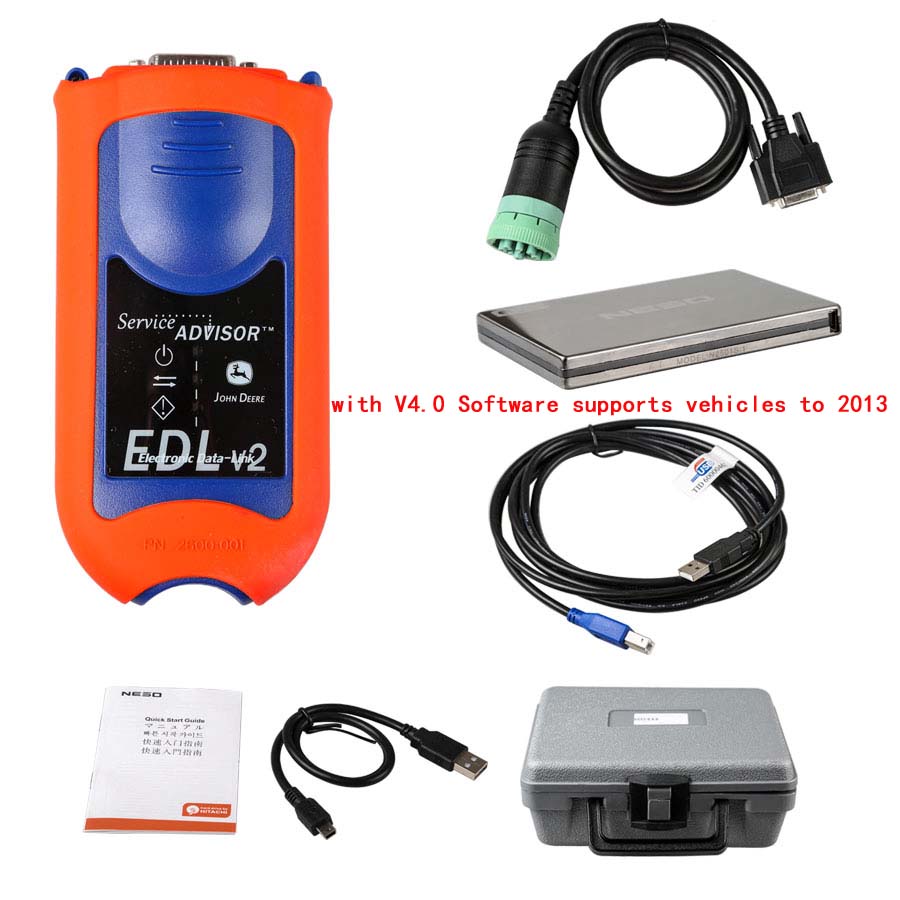
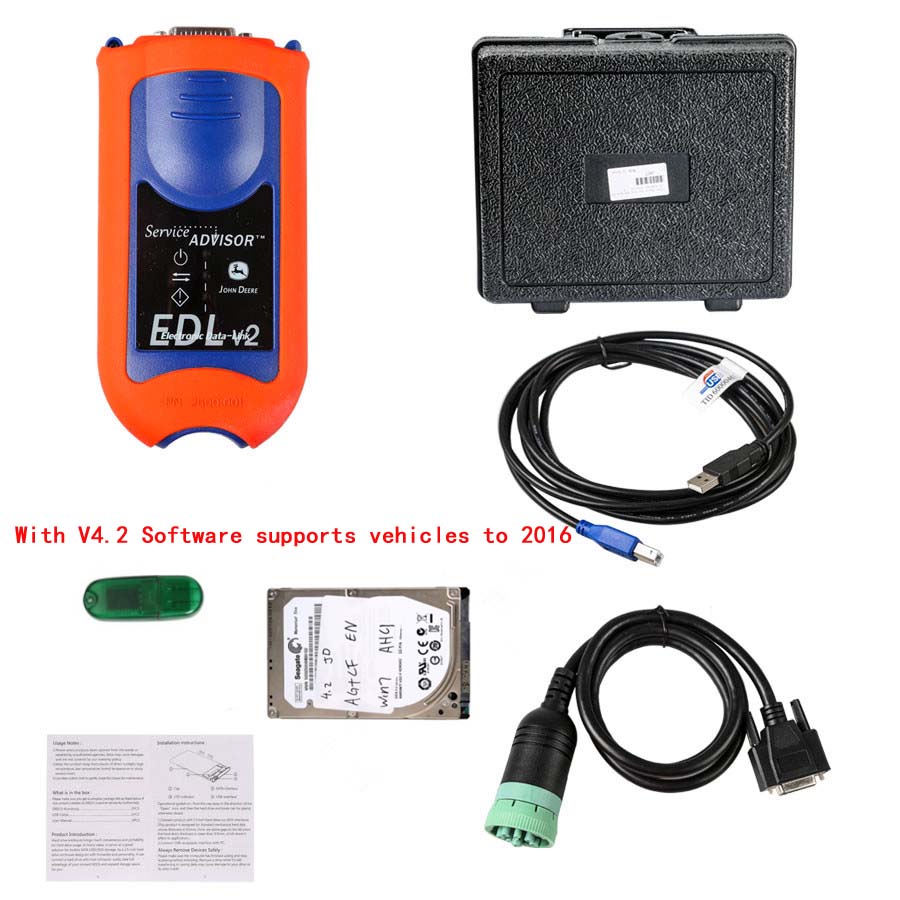
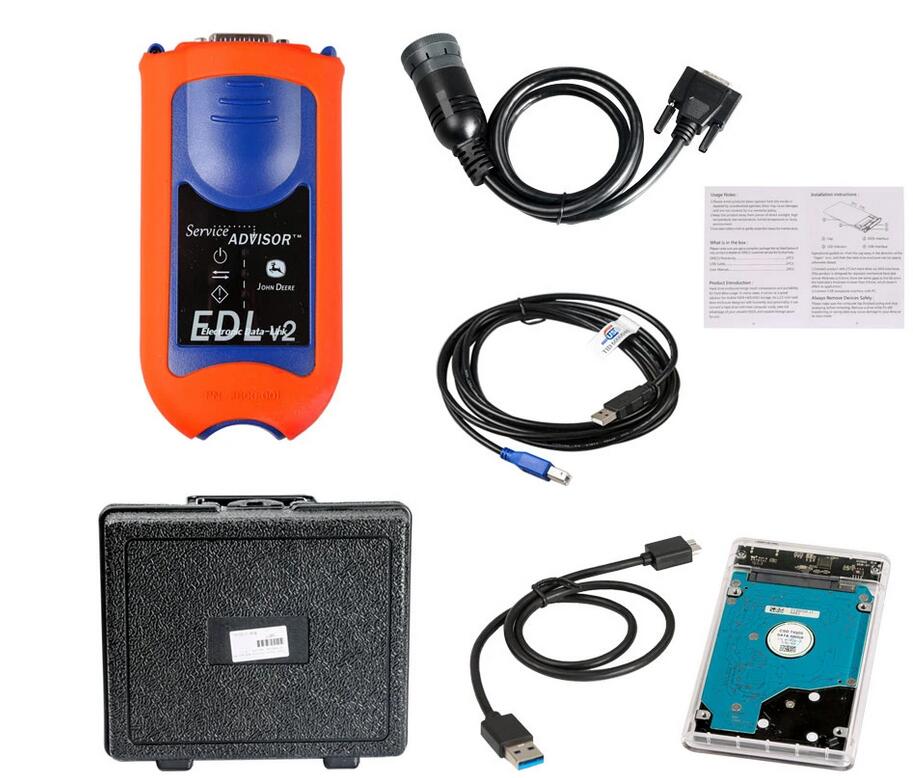
1pc x Electronic Data Link v2
1pc x USB cable
1pc x 9-pin Deutsch adapter
1pc x AG or CF or CCE software (optional )

John Deere Service Advisor 5.2 is the new version for agricultural equipment-1 John Deere Service Advisor 5.2 is the new version for agricultural equipment-2 John Deere Service Advisor 5.2 is the new version for agricultural equipment-3

Note: HDD comes in English in default. If you need other language, please contact our customer service before ordering.

John Deere Service Advisor EDL (Electronic Data Link) heavy duty diagnostic adapter for construction equipment, agriculture, engines John Deere.

John Deere Diagnostic kit includes software John Deere Service Advisor Agriculture or Construction and Forestry version.

John Deere Service Advisor Agriculture workshop service manual, repair manual, electrical wiring diagram, hydraulic diagram, diagnostic, assembly and disassembly engine, transmission.

John Deere AG Management Solutions, Attachments, Backhoes, Combines and Headers, Cotton Harvestings, Excavators, ForkLifts, Hay and Forages, MAte Hand Cut and Shredderses, Plantings and Seedings, Skid Steers, Sprayers, Sugar Cane Harvesters, Tillages, Tractors, Worksite Pro Attachments.

John Deere Service Advisor CF (Construction and Forestry), workshop service manual, repair manual, diagnostic, electrical wiring diagram, hydraulic diagram John Deere.

John Deere Service Advisor CCE (Commercial and Consumer Equipment)dealer technical assistance, diagnostics, connection readings, calibrations, interactive tests, specification, tools, assemble and disassemble presented all models John Deere Construction Equipment and some models Hitachi, Euclid, Bell and Timberjack.

Service Electronic Data Link (EDL) for John Deere is the dealer diagnostic PC-to-vehicle interface compatible with Service ADVISOR software.Service Advisor SA 5.2 AG 2018 Software 250G HDD for EDL V2 Electronic Data Link Truck Diagnostic Kit Multi-Language

V5.2 Software
Supports John Deere vehicles up to 2018
Size: 250 GB
Region: All regions
Type: Service and Repair Information
Version: V5.2

Service Advisor for John Deere contains:
Tractors
Tractor Attachments
Transmission
Combines and Headers
Cotton Harvesting
Cutting and Mowing
Harvester
Harvester Head
Hay and Forage
Landscaping
Mate. Hand Cut. and Shredders
Planetary Drive
Planting and Seeding
Scraper
Skid Steer
Loader
Compact Loader
4WD Loader
Snow Products
Sprayers
Sugar Cane Harvesters
Sugar Cane Planter
Tillage
Vertical Tillage
Utility Vehicles
Field and Crop Solutions
Golf and Turf Products
GPS Receiver
Guidance
Hydraulic Power Pack
Information Management
LG Attachments
Motor Inverter
OEM Engines
Commercial
Display
Excavator
Worksite Pro Attachment
Axles
AG
Apollo Series
Engine
Readings
Riding Lawn Equipment
Other
Boom
PTO
Telematics
John Deere 4WD Loader
John Deere Backhoe
John Deere Bundler
John Deere Compactor
John Deere Crawler
John Deere Delimber
John Deere Excavator
John Deere Feller Buncher
John Deere Felling Head
John Deere Forklift
John Deere Forwarder
John Deere Harvester
John Deere Harvester Heads
John Deere Landscape Loader
John Deere Log Loader
John Deere Logger
John Deere Mate. Hand Cut. and Shredders
John Deere Motor Grader
John Deere OEM Engines
John Deere Scraper
John Deere Skid Steer
John Deere Skidder
John Deere Slasher
John Deere Tractor
John Deere Tractors
John Deere Tree Harvester
John Deere Truck
John Deere Utility Vehicles
John Deere Winch
John Deere Worksite Pro Attachment
Model list:
John Deere 5720
John Deere 5820
John Deere 5620
John Deere 244J
John Deere 304J
John Deere JD904
John Deere JD1054
John Deere JD1204
John Deere JD1354
John Deere 70
John Deere 570
John Deere 40
John Deere 315
John Deere 240
John Deere 250
John Deere 260
John Deere 270
John Deere 3375
John Deere 4475
John Deere 5575
John Deere 6675
John Deere 7775
John Deere 8875
John Deere 60
John Deere 375
John Deere 328
John Deere 280
John Deere 70A
John Deere 44
John Deere 320
John Deere 575
John Deere 240 Series II
John Deere 250 Series II
John Deere 260 Series II
John Deere 270 Series II
John Deere 280 Series II
John Deere 332
John Deere 325
John Deere 51
John Deere 52
John Deere 67
John Deere 675
John Deere 675B
John Deere 313
John Deere 24A
John Deere 125
John Deere 317
John Deere CT322
John Deere CT332
John Deere CT315
John Deere 850
John Deere 260
John Deere 375
John Deere 385
John Deere 960
John Deere 900
John Deere 447
John Deere 7
John Deere 8
John Deere 8A
John Deere 10
John Deere 10A
John Deere 46
John Deere 485
John Deere 448
John Deere BH8
John Deere BH9
John Deere BH11
John Deere 911
John Deere BH7
John Deere 1905
John Deere 1200
John Deere 300
John Deere 305
John Deere 300CX
John Deere 300X
John Deere 553
John Deere HX10
John Deere HX14
John Deere MX10
John Deere MX8
John Deere MX5
John Deere MX6
John Deere MX7
John Deere HX20
John Deere CX20
John Deere RC60L
John Deere RC72L
John Deere RC72
John Deere RC78
John Deere 1800
John Deere E-GATOR
John Deere DB84
John Deere DB96
John Deere 50ZTS
John Deere 27ZTS
John Deere 35ZTS
John Deere 17ZTS
John Deere 27CZTS
John Deere 35CZTS
John Deere 50CZTS
John Deere 27D
John Deere 17D
John Deere 60D
John Deere 35D
John Deere 50D
John Deere CH8
John Deere 540
John Deere 2000
John Deere MCS
John Deere 2 Bag Bagger
John Deere 5080R
John Deere 5090R
John Deere 5100R
John Deere 5100RN
John Deere 5080RN
John Deere 5090RN
John Deere 5070M
John Deere 5080M
John Deere 5090M
John Deere 5100M
John Deere 790
John Deere 670
John Deere 770
John Deere 4300
John Deere 4700
John Deere 4400
John Deere 1050
John Deere 4200
John Deere 4720
John Deere 2320
John Deere 4600
John Deere 970
John Deere 2520
John Deere 4010
John Deere 4320
John Deere 4520
John Deere 4710
John Deere 4500
John Deere 4100
John Deere 4110
John Deere 4115
John Deere 4210
John Deere 4310
John Deere 4410
John Deere 4510
John Deere 4610
John Deere 870……

2022年1月6日星期四

How to Change Speed Limit for John Deere Service Advisor EDL V2?


Multi-language available: English, French, Italian, Spanish, Portuguese
Note: HDD comes in English in default. If you need other language, please contact our customer service before ordering.

John Deere Service Advisor EDL (Electronic Data Link) heavy duty diagnostic adapter for construction equipment, agriculture, engines John Deere.

John Deere Diagnostic kit includes software John Deere Service Advisor Agriculture or Construction and Forestry version.

How to Change Speed Limit for John Deere Service Advisor EDL V2-1How to Change Speed Limit for John Deere Service Advisor EDL V2-2

How to Change Speed Limit with PLD File Editor for John Deere Service Advisor EDL V2?

We have two version software v4.2 or V5.2 for John Deere Service Advisor EDL V2:

1.V4.0 software: Support Languages: English

2.V4.2 software:Support Languages: English, French, Italian, Spanish, Portuguese

Notice: If you want to do 3038E truck, then need to use V5.2 software (Hardisk Version).

With John Deere PLD File Encryptor/Decryptor you can:

-Decrypt PayLoad (PLD) file to txt/ini format

-Modify PLD file expiration

-Modify PLD factory options such as speed limit (for example change 40 km/h to 50 km/h)

-Adjust PLD file to different product serial

-Encrypt PLD file

-Program controller with modified PLD using Service Advisor

-Support Windows XP

How to change speed limit with pld files?

Q1:

Question about payload files:

I have pld files of my tractor (6330P) 11 in total.

I see in bottom of each files info about my tractor (option, serial number etc)

Question: My goal is up the speed limit from 40km to 50 km. I think I have to change OPTION=3 to OPTION=5, but do I have to edit each 11 pld file?

A1:

You were right about the speed limit:

you can change OPTION=3 to OPTION=4 or any other you need.

Speed_30kmh = 1;

Speed_35kmh = 2;

Speed_40kmh = 3;

Speed_50kmh = 4;

Speed_ECO = 5;

Speed_NoiseRed_OOS = 6;

For R models the line is different. ROADSPEEDLIMIT=3 change to ROADSPEEDLIMIT=5 or any other you need.

var RoadSpeedLimit_30 = “1”;

var RoadSpeedLimit_35 = “2”;

var RoadSpeedLimit_3840 = “3”;

var RoadSpeedLimit_40E = “4”;

var RoadSpeedLimit_50 = “5”;

var RoadSpeedLimit_50E = “6”;

var RoadSpeedLimit_55 = “7”;

var RoadSpeedLimit_60 = “8”;

var RoadSpeedLimit_60E = “9”;

After you change it, sometimes you still need to lift the speed manually through the display (depending on the tractor model)

You only need to reprogram transmission controller for that.

If you reprogrammed all of them, some settings might have went to default so you might get up to 5 fault codes that you need to configure with SA.

Q2:

Does it work with SA 4.2?

A2:

Service Advisor is just a tool to use pld. Pld editor works without SA.

Q3:

I have a question about trying to up the power of a 6330 to a 6430. If I compare the engine pld of both tractor they are identical (just the info in the bottom is different) So I don’t know how it could up the power if all the code is the same??

A3:

most pld files are made for various models, the info at the bottom determines which part of the pld file will be used for programming. For example:

PRODUCT_MODEL_NO=6115

PERFORMANCE_OPTION_PART_NO=R546973

FACTORY_OPTIONS=RE570443

2022年1月5日星期三

John Deere Diagnostic Kit EDL (Electronic Data Link V3)(Replaces EDL v2) Diagnostic Adapter


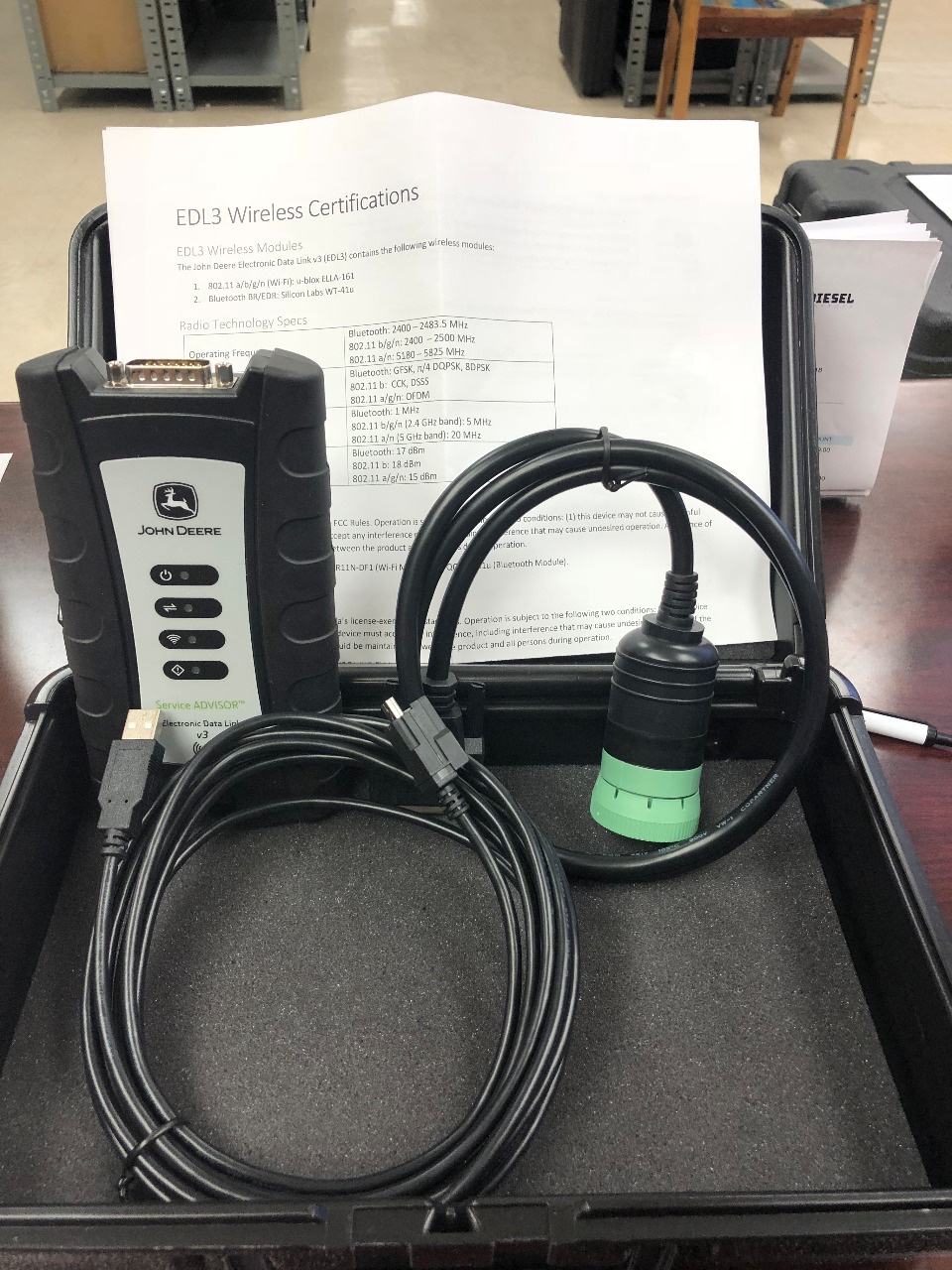
This is genuine John Deere Service Advisor EDL v3 Kit(replaces EDL v2). The product comes in a plastic case. The edl kit also includes the V3 Wireless Adapter, W1 Connector Cable DS10150 and the USB cable. There is not diagnostic software included with this item. If you need it, it can be purchased optionally. The links for the appropriate products located below.

Multifunctional John Deere dealer diagnostic tool is designed to serve the construction, agricultural and forestry equipment, as well as various engine technology produced by John Deere.

John Deere EDL v2 version has been replaced by JD EDL v3 kit. New EDL v3 kit doesn’t work with Service Advisor 4.2 version.

John Deere EDL v2/v3 drivers are built-in with Service Advisor application. Please do not try to install the driver by with yourself, using the setup files from any not reliable sources may lead to unstable work of your windows OS.

Important Notice. In some cases, after Service Advisor Setup the EDL drivers may be installed not correctly (the yellow exclamation mark near driver name) or even missing. The main reason is your anti-virus application or windows system settings. For this purpose, JD officially released the hotfix that allows reinstalling only the EDL driver. Please contact us for more information.

The communication unit s a part of the John Deere Service Advisor system

Functions and technical capabilities of John Deere diagnostic adapter:

– Troubleshooting;
– Setup and Calibration ECU;
– Interactive tests;
– Computer programming;
– Diagnostic Code Reader, and much more.

This scanner is compatible only with specialized software JD Service Advisor 5.2.461 or higher.

This product includes:
– Storage Box (Part # SA5025)
– USB Cable (Part # SA5026)
– DS10150 (Part # DS10150)
– EDL v3 Wireless Adapter (Part # SA5022)

The EDL (Electronic Data Link) v3 diagnostic adapter kit works in cooperation with the dealer software JD Service Advisor™.
With Service Advisor™ you can view service manuals, use DTAC (Dealer Technical Assistance Center) data, make diagnostics, readings, tests and calibrations, re-program controllers.

The most up-to-date versions of the software(The Service Advisor software is not included in the EDL kit; you need to purchase it separately):

JD Service ADVISOR 5.2 [2020] AG (Agriculture and Turf division),
JD Service ADVISOR 5.2 [2020] CF (Construction and Forestry division).

For notebooks running Windows 7/8.1, we can provide the previous version of the John Deere Service Advisor software (4.2)
John Deere no longer supports the Service Advisor v4.2. The last DATA update has been released in June 2016.
But due to lower system requirements (smaller amount of RAM and HDD space), old Service Advisor may be useful, as it supports all the JD models with up to 2016 release year and works great.

John Deere Service Advisor 4.2.006 – Construction & Forestry With History DVD 5/2016 no longer supported by EDL v3 kit
John Deere Service Advisor V 4.2.005 AG Agricultural Machinery 05/2016 With History DVDs no longer supported by EDL v3 kit

Optional products(we will gladly offer you the best price in case of bulk order):

JD Service ADVISOR 5.2 [2020] AG (Agriculture and Turf division)
JD Service ADVISOR 5.2 [2020] CF (Construction and Forestry division)
John Deere Service Advisor 4.2.006 – Construction & Forestry With History DVD 5/2016 no longer supported by EDL v3 kit
John Deere Service Advisor V 4.2.005 AG Agricultural Machinery 05/2016 With History DVDs no longer supported by EDL v3 kit
W1 Connector Cable for John Deere
W2 Connector Cable for John Deere
W3 Connector Cable for John Deere
W5 Connector Cable for John Deere
W6 Connector Cable for John Deere EDL v2
W7 Connector Cable for John Deere EDL v2
W9 Connector Cable for John Deere EDL v2
W12 Connector Cable for John Deere
W13 Connector Cable for John Deere
SA1002 Interface Cable for John Deere
John Deere Diagnostic Kit EDL (Electronic Data Link V3)(Replaces EDL v2) Diagnostic Adapter-1

2022年1月4日星期二

John Deere EDL V2 Diagnostic Kit User Manual


John deere EDL V2 diagnostic kit with Service Advisor EDL V2 V4.2 Software, you can view service manuals, use DTAC (Technical Assistance Center) data, make diagnostics, readings, tests and calibrations, re-program controllers.
John Deere EDL V2 Diagnostic Kit User Manual-1

John Deere EDL V2 Diagnostic Kit Overview

1. Support Languages: English

2. Software: the software come with the hard disk is John Deere Service Advisor 4.0, supports vehicle till 2016, newer software supports vehicles till 2018, check Service Advisor V5.2

3. HDD comes in default VMware Windows XP system only, supports host machine Win XP, Win 7, Win 8 and Win 10

4. Real test with John deer and 100% work great

5. Two year warranty

6. V4.2 software is multi-language too, support English, French, Spanish, Portuguese & Italian

John Deere EDL V2 Highlight

1. John Deere Service Advisor EDL (Electronic Data Link) heavy duty diagnostic adapter for construction equipment, agriculture, engines For John Deere.

2. John Deere Diagnostic kit includes software For John Deere Service Advisor 4.0 Agriculture or Construction and Forestry version.

3. John Deere Service Advisor 4.0 Agriculture workshop service manual, repair manual, electrical wiring diagram, hydraulic diagram, diagnostic, assembly and disassembly engine, transmission.

4. John Deere AG Management Solutions, Attachments, Backhoes, Combines and Headers, Cotton Harvestings, Excavators, ForkLifts, Hay and Forages, MAte Hand Cut and Shredderses, Plantings and Seedings, Skid Steers, Sprayers, Sugar Cane Harvesters, Tillages, Tractors, Worksite Pro Attachments.

5. John Deere Service Advisor 2.8 CF (Construction and Forestry), workshop service manual, repair manual, diagnostic, electrical wiring diagram, hydraulic diagram For John Deere.

6. John Deere Service Advisor 4.0 CCE (Commercial and Consumer Equipment)dealer technical assistance, diagnostics, connection readings, calibrations, interactive tests, specification, tools, assemble and disassemble presented all models For John Deere Construction Equipment and some models Hitachi, Euclid, Bell and Timberjack.
How To Install Service Advisor 4.0 Drive?

Tips:

4.0AG, 4.0 CCE and 2.8 CF standard software package comes in hard drive (HDD) format, easy to install.

HDD comes in default VMware Windows XP system only, supports host machine Win XP,Win 7,Win 8 and Win 10. (If your computer supports WinXP VMware, it should work).

2022年1月3日星期一

John Deere Service Advisor EDL (Electronic Data Link) v3 Truck Diagnostics replaces EDL v2


This is genuine John Deere Service Advisor EDL v3 Kit, and it is the newest adapter from John Deere and it replaces the John Deere EDL v2. The John Deere EDL3 was designed and manufactured by IDSC Holdings LLC for Cummins Inc. John Deere Electronic Data Link EDL is genuine dealer diagnostic PC-to-vehicle interface compatible with Service ADVISOR software installed in the Lenovo T420 laptop, so you can use directly after receiving the package, which is genuine dealer diagnostic PC-to-vehicle interface compatible with Service ADVISOR software.

The Multifunctional John Deere dealer diagnostic tool is designed to serve the construction, agricultural, and forestry equipment, as well as various engine technology produced by John Deere. The EDL3 source code is a confidential trade secret of ID SC Holdings LLC, they improved USB connector increased memory RAM and vehicle communicate.

Important Notice: John Deere EDL v3 drivers are built-in with the Service Advisor application. Please do not try to install the driver and the anti-virus application or set windows system by yourself, using the setup files from any not reliable sources may lead to unstable work of your windows OS.

The product includes in 1pc x Electronic Data Link v2, 1pc x USB cable, 1pc x 9-pin Deutsch adapter, 1pc x Second Hand Laptop Lenovo T420 Laptop (With AG or CF or CCE software)

Top 5 Reasons to get John Deere EDL V3 Adapter:
1.Latest version V5.2 John Deere Service Advisor EDL V3. It supports John Deere vehicles up to 2018
2. Multi-language available: English, French, Italian, Spanish, Portuguese
3. Online technical service remotely if you have the issues
4. Real test with Jd and 100% work greatly
5. John Deere EDL V3 is compatible with specialize software dealer JD.

What are the the advantages of EDL V3 Data Link?
Improvements on EDL v3 Improved USB connector utilizing automotive grade latching system Increased memory RAM Improved vehicle communications processor Support of multiple 500K baud rate CAN Bus recordings Longer range wireless connectivity Improved Bluetooth connection speeds utilizing Bluetooth 2.1 with EDR (J1939 compliant) Functions and technical capabilities of JD diagnostic adapter: Troubleshooting; Setup and Calibration ECU; Interactive tests; Computer programming; Diagnostic Code Reader, and much more.

2021年12月30日星期四

JPRO Professional Truck Diagnostic Tool “Error Validating Digital Signature” Solutions

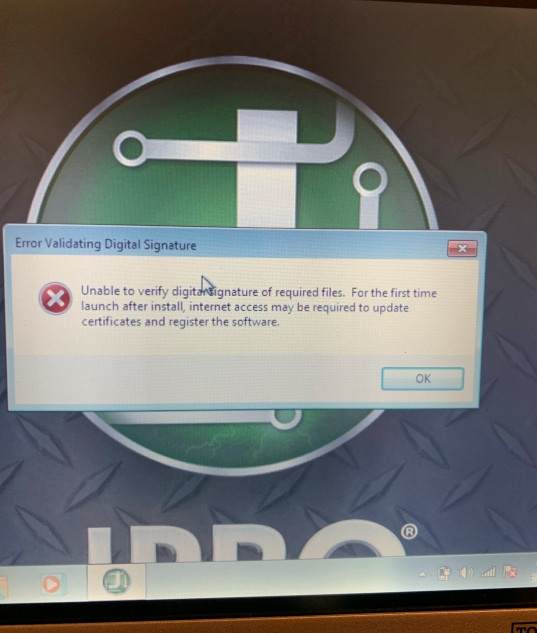
JPRO Truck Diagnostic Scan Tool for commercial vehicles famous on the market , but there have the part of customers have the issues “error validating digital signature” like bellowing :

“I’m having issues launching the software, i get a “error validating digital signature” message.
Can you please help me with this?”

“It reads the digital signature can not be verified ”

“hello, i have just received the purchase i made for you but the jpro commercial program asks me for a digital signature i need to know what i have to do to start using”

Issues display :
JPRO Professional Truck Diagnostic Tool “Error Validating Digital Signature” Solutions-1

Lets check the solutions :
1.Need change the laptop system date to 2021.01-01 , and set it not updated the date automatically .
2.Send us the remote id and password , let our engineer help you active the software again , after active it , cant update the laptop date too
Remote tool download links
Todesk : https://dl.todesk.com/windows/ToDesk_Setup.exe
Sunlogin:
https://dl-cdn.oray.com/sunlogin/windows/SunloginClient_11.1.0.37237_X64.exe

Contact us for technical support at service@autonumen.com , thank you

2021年12月29日星期三

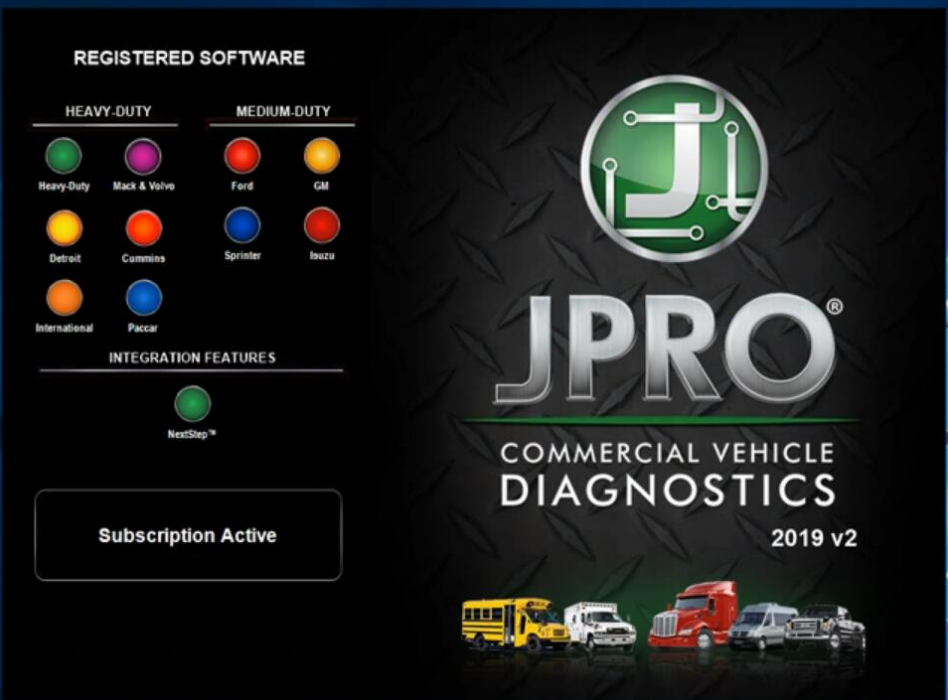
How to Install and Resigter JPRO Professional software 2019 v2


JPRO® Professional is the most comprehensive and powerful all makes, all models diagnostic tool available in the industry today. In one, easy annual subscription, JPRO provides a complete & unparalleled diagnostic service & repair solution with bi-directional functionality.

Next Step Service Information module helps speed up repair times by providing users with detailed engine repair information and troubleshooting guides for ABS and Transmissions – with the click of a button.

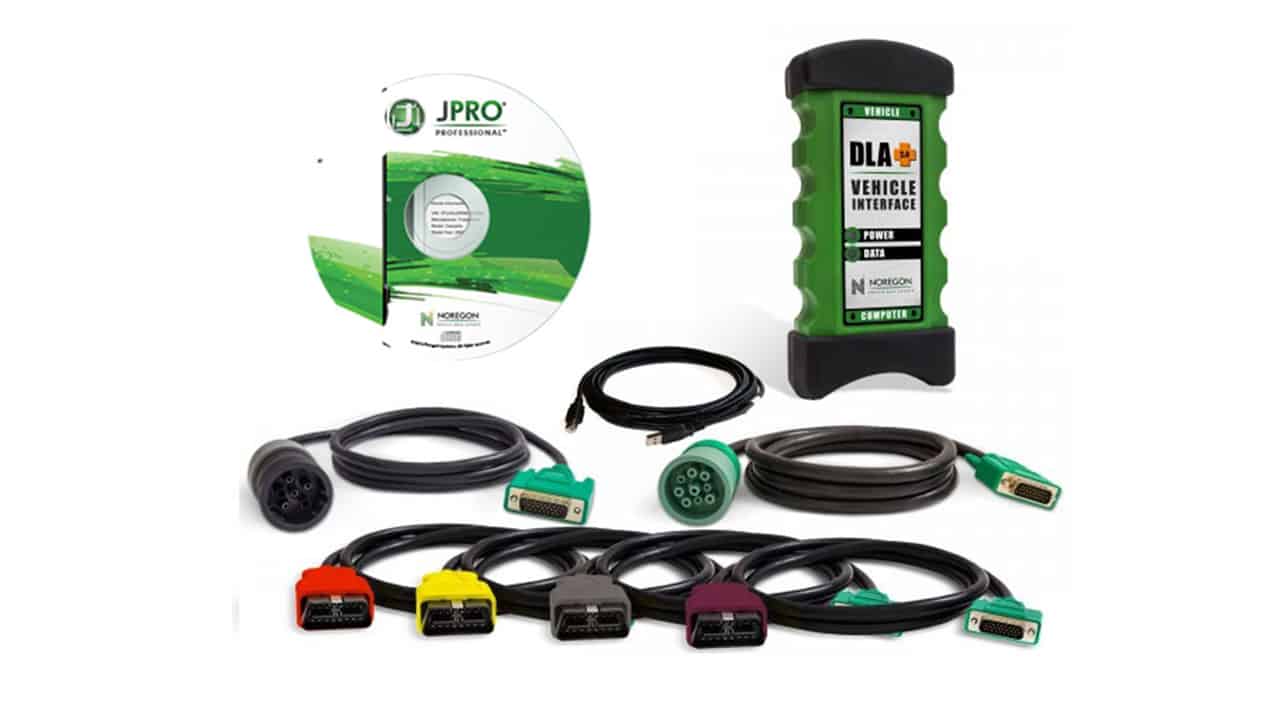
Noergon’s DLA+ 2.0 adapter is a diagnostic communication device designed to interface between a vehicle and PC via USB cable for diagnostic and vehicle information, re-programming or parameter adjustments.

Noregon JPRO Commercial Fleet Diagnostics 2019v2 Installation and Activation

Part 1. How to Install JPRO Professional software 2019 v2
How to Install and Resigter JPRO Professional software 2019 v2-1

1.Close all other running applications.
2.Insert the JPRO® USB Flash Drive into a USB port on your computer.
3.Open Windows/File Explorer and click on the USB drive.
4.Double click the “Setup” file to launch the installation window.
Internet connectivity is required for registration.

5.Click the “Install JPRO“ button. Follow the on-screen installation instructions.
6.When the installation has completed, close the Installation screen.
7.Install the DLA drivers by clicking the “Install DLA Drivers”
button.
8.Follow the on-screen instructions and the separate DLA QuickStart Guide to complete the installation.

Part 2. How to Resigter JPRO Professional software 2019 v2

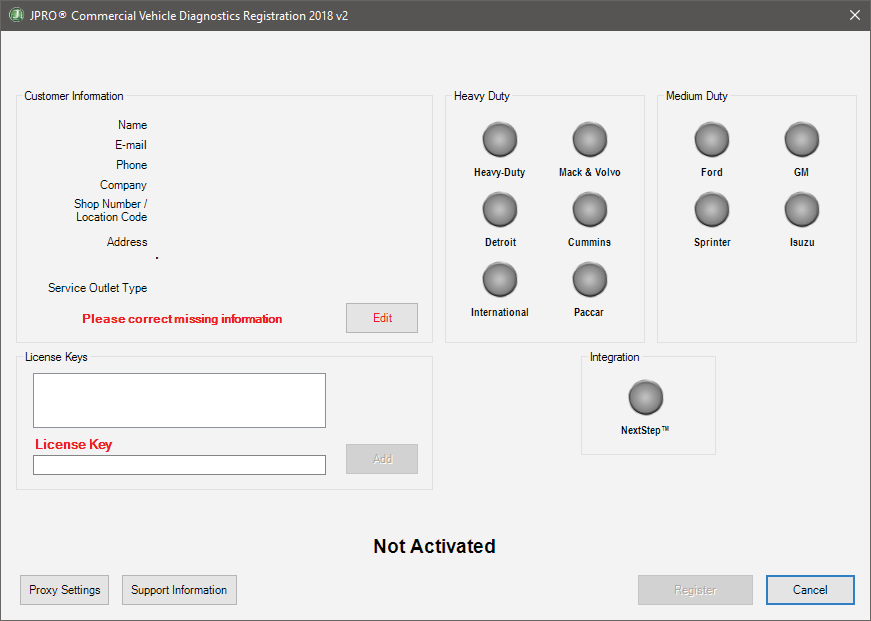
1.JPRO Commercial Vehicle Diagnostics requires registration before the application may be used. Double-click the application’s icon located on the desktop. You will be prompted to register the product.
2.Click the “Edit” Button in the Customer Information section to add your contact information. You will be required to provide an email. It must be a valid email that you can access.
3.Enter all license keys that you purchased in the License Key designated area and click the “Add” button.
How to Install and Resigter JPRO Professional software 2019 v2-2

4.Click the “Register” button. The information will be sent to Noregon’s licensing servers over the internet. The licensing servers will send you an email with a confirmation code. You must provide the confirmation code when prompted in order to complete the activation process.
Internet connectivity is required for registration.
5.Once registration is successful, you may begin using JPRO Professional.
6.Click “Help” then select “View User’s Guide” from the JPRO® Professional main toolbar for detailed information about application features. You can also access the User’s Guide by clicking “Connect” from the main menu then clicking the “How To” button from the Connect Window.

2021年12月28日星期二

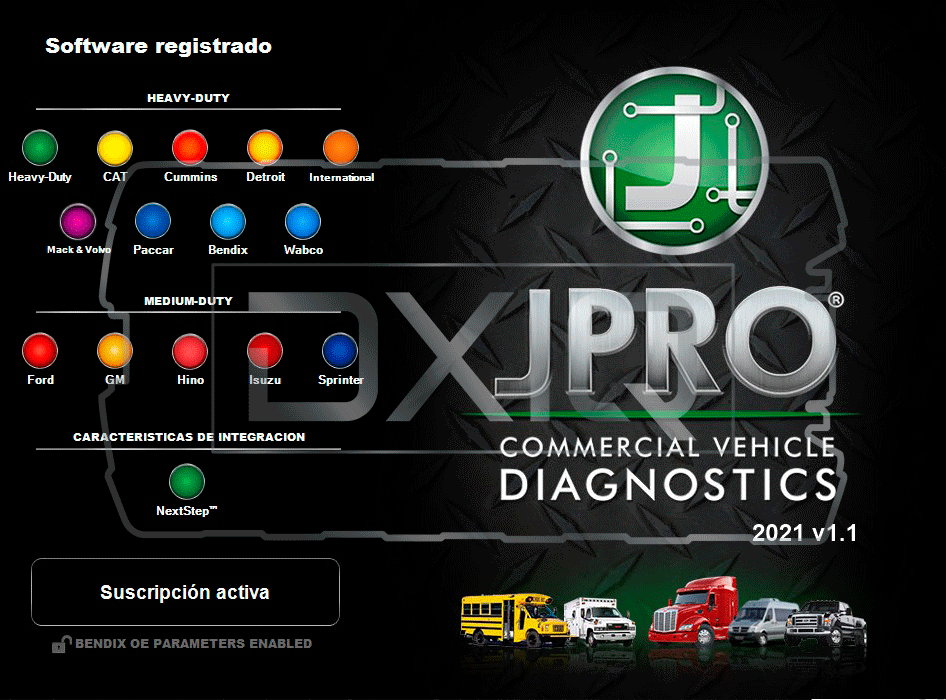
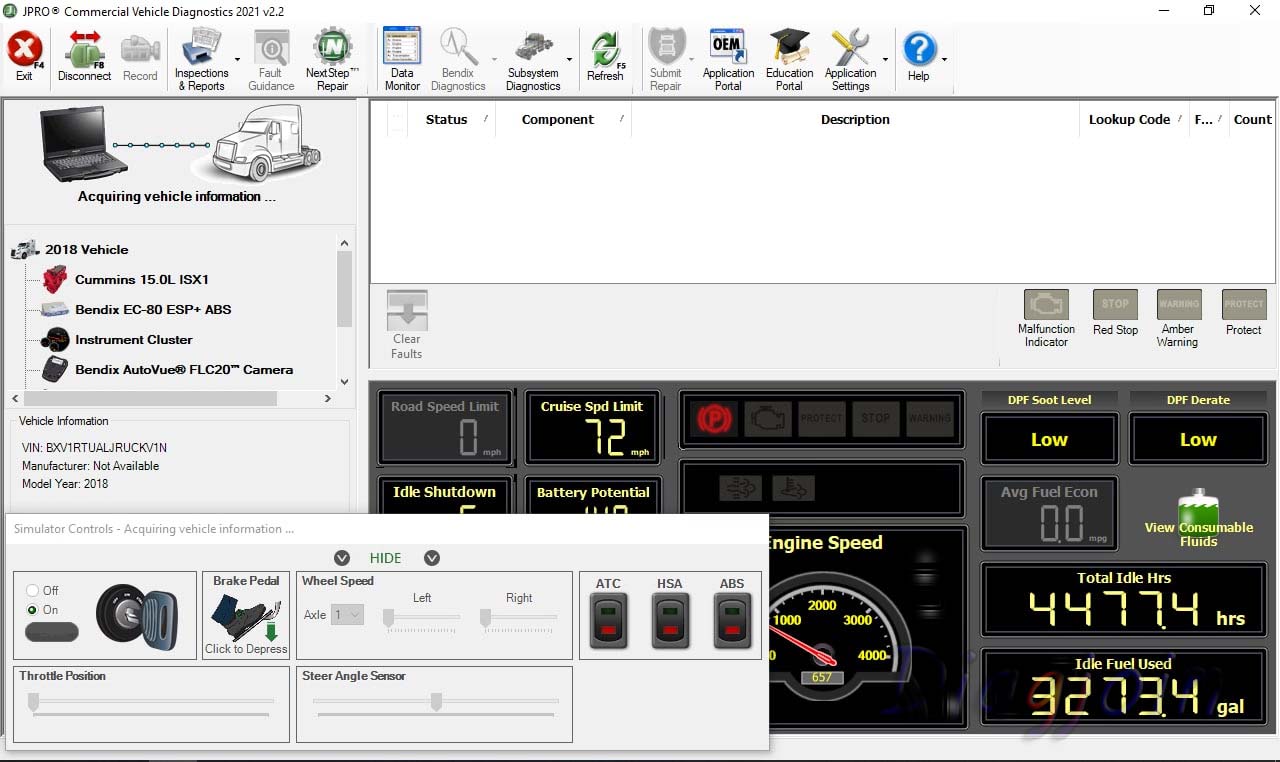
The latest software JPRO Commercial Vehicle Diagnostics 2021 v2.2


Newest Diagnostic Software JPRO Commercial Vehicle Diagnostics 2021 v2.2
Type of catalogue: Diagnostic Software
Region: WorldWide

System Requirements
Supported operating systems:
Windows 8 and 8.1 Pro (32 or 64 bit English, 32 bit Spanish)
Windows 10 (32 or 64 bit English, 32 bit Spanish)

Hardware requirements:
1. Minimum: 4GB RAM, 20 GB of available hard drive space, at least an Intel Core i3 processor and minimum of a 1024×768 sized monitor
2. Recommended: 8GB RAM, 20 GB of available hard drive space, Intel Core i5 processor
3. USB port for DLA+ 2.0 adapter or other RP1210C-compliant vehicle adapter
4. Noregon recommends using a Panasonic Toughbook, but JPRO will work on any current PC running Windows 8 or Windows 10
5. Only the Noregon® DLA+ 2.0, DLA+ 2.0 Wireless, Trailer Diagnostic Adapter, DLA+, DLA+ Wireless, and DLA+ PLC adapters are supported.

Note: Ensure your Noregon adapter driver and firmware is up to date
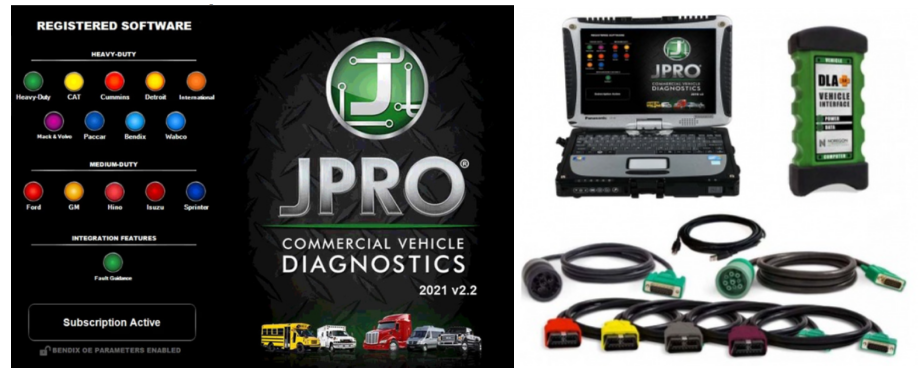
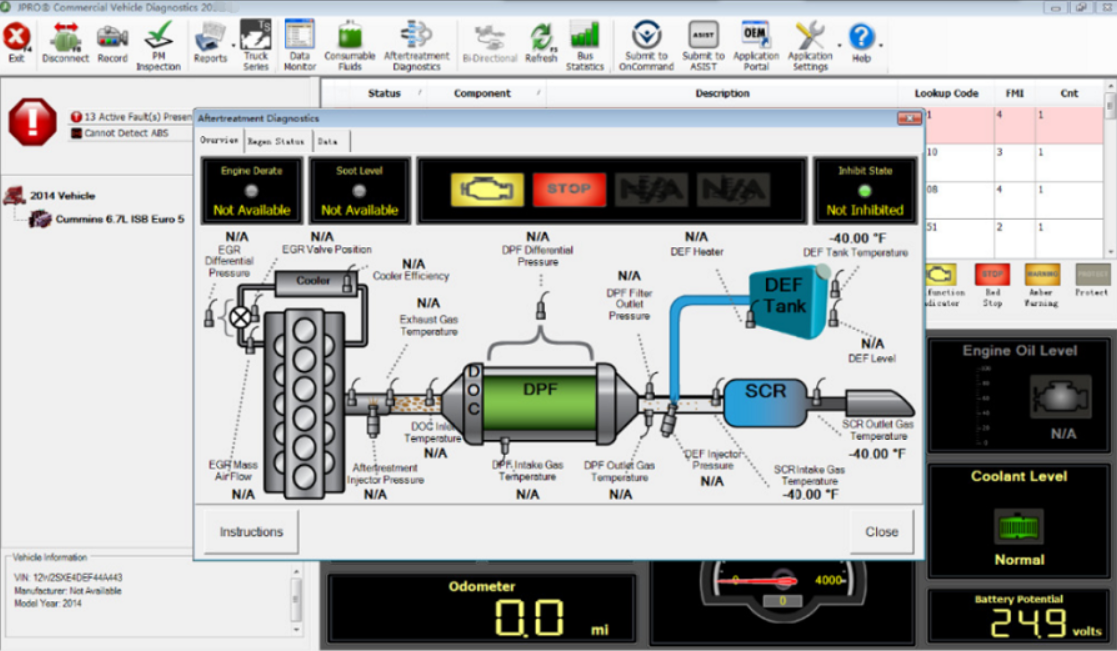
Newest software JPRO Commercial Vehicle Diagnostics 2021 v2.2-1 Newest software JPRO Commercial Vehicle Diagnostics 2021 v2.2-2 Newest software JPRO Commercial Vehicle Diagnostics 2021 v2.2-3

JPRO 2021 v2.2 is the most popular in-shop diagnostics software for heavy & medium-duty vehicles. JPRO has multi-brand coverage.

All JPRO information helps speed up repair times by providing users with detailed service & repair solutions with bi-directional functionality, including DPF regens, cylinder cutouts, parameter changes, and much more.

Activation performed using Teamviewer (included in product price) is required before the JPRO Commercial Vehicle Diagnostics application can be used.

New information in JPRO 2021 V2.2
Make and Models Coverage:
* BODY & CHASSIS
* ENGINES
* TRANSMISSIONS
* ABS

Bi-Directional Controls
Perform parameter changes (Mack & Volvo, Cummins, Detroit Diesel, and International), DPF Regens (Mack, Volvo, Cummins, Detroit Diesel, International, and PACCAR) and bi-directional tests with proprietary data and faults.

OE Level Fault Code Information
Display 99% of heavy-duty and medium-duty fault codes with detailed OEM level component and trailer descriptions

In addition, there is access to the document “What’s New” showing all supported features from the Connection Selection and Help menu. There is access to historical fault data from previous JPRO® connections which can be used to identify intermittent vehicle issues.

Notes:
– For the appropriate vehicle adapter driver must be installed in order to connect to an adapter device. This installation is separate and independent of the JPRO Commercial Vehicle Diagnostics installation.
– Are supported only next adapters:
Noregon DLA+ 2.0
DLA+ 2.0 Wireless
Trailer Diagnostic Adapter
DLA+
DLA+ Wireless
DLA+ PLC
– The Noregon DLA+ 2.0, DLA+ 2.0 Wireless, DLA+, or DLA+ Wireless adapters are required in order to connect to the Ford, GM, Isuzu, or Sprinter Medium-Duty vehicles. Please ensure you have the latest driver and firmware loaded.
– To connect to Ford, use the OBD-II cable for Ford (red).
– To connect to GM, use the OBD-II cable for GM (yellow).
– To connect to Sprinter, use the OBD-II cable for Sprinter (Blue for DLA+ adapter family and Gray for the DLA+ 2.0 adapter family).
– To connect to Hino or Isuzu use the generic OBD-II cable (Blue or Gray).
– The JPRO Off-Highway for Caterpillar only supports the following adapters and cables:
Noregon DLA+ 2.0 or DLA+ 2.0 Wireless Adapter

2021年12月27日星期一

FAQs for JPRO Professional Truck Diagnostic Scan Tool


Don’t see your question answered below? Contact us! service@autonumen.com
FAQs for JPRO Professional Truck Diagnostic Scan Tool-1

1.What does JPRO do?
JPRO empowers diesel technicians to diagnose and repair all makes, models, and components. JPRO reduces a technician’s dependency on OEM software by offering industry-leading bi-directional controls, including DPF regens, cylinder cutouts, parameter changes, and much more.

2.What trucks will JPRO work on?
For commercial vehicles, JPRO is an all makes, models, and components solutions. For detailed information, check out our coverage chart.

3.Can JPRO adjust parameters such as road speeds or idle shutdown settings?
Yes! JPRO allows for many parameter adjustments, including max road and cruise speeds, idle shutdown, PTO, VSS, Trip Information, and more! Coverage varies by manufacturer, so please visit our coverage chart for complete details.

4.What adapters work with JPRO?
For the most reliable connection and functionality, we recommend a Noregon DLA+ 2.0 adapter but any RP1210C compliant adapter should work with JPRO.

5.If I buy JPRO, do I need anything else?
JPRO software requires a compatible Windows based PC, laptop, or tablet, RP1210C compliant adapter, and the appropriate cable that connects the computer to the vehicle’s OBD-II, 9-pin, or 6-pin port.

PLEASE NOTE: JPRO’s HD support for Mack and Volvo only supports the following adapters: • Noregon DLA+, DLA+ Wireless, DLA+ 2.0, DLA+ 2.0 Wireless, and DLA+ PLC • Vocom 88890300 • NEXIQ USB-Link, USB-Link 2

PLEASE NOTE: Ford, GM, Isuzu or Sprinter mediud-duty vehicle require any of the following adapters for connection: Noregon DLA+, DLA+ Wireless, DLA+ 2.0, DLA+ 2.0 Wireless

6. Do I need internet access for JPRO?
An internet connection is not necessary for connecting to the vehicle, or for using many features in JPRO, but certain tools like Fault Guidance and NextStep Repair require an active connection. Additionally, setup, updates, license verification, or submission of information to third-party warranty systems require internet access.

7. Can JPRO perform bi-directional vehicle tests?
Yes! JPRO comes loaded with industry-leading bi-directional tests for the makes and models you commonly repair. For a full list of included tests, visit our coverage chart.

8. Can JPRO perform ECU programming?
Due to security and safety concerns, JPRO does not allow users to reprogram ECUs.

9.Does JPRO support OBDII?
Yes.

10. What kind of computer and operating system do I need to run JPRO?
Supported Operating Systems:
Windows 8 and 8.1 Pro (32 or 64 bit English, 32 bit Spanish)
Windows 10 (32 or 64 bit English, 32 bit Spanish)
Hardware Requirements:
Minimum: 4GB RAM, 20 GB of available hard drive space, Intel Core i3 processor, and 1024×768 sized monitor
Recommended: 8GB RAM, 20 GB of available hard drive space, Intel Core i5 processor
USB port for Noregon DLA+ or DLA+ 2.0 adapter
Noregon recommends using a Panasonic Toughbook, but JPRO will work on any current PC running Windows 8 or Windows 10

11.Does JPRO work internationally?
JPRO is designed to work on vehicle utilizing communication protocols used in North American manufacturing standards. These protocols include:

Support for heavy-duty SAE J1587/J1708, J1939, ISO 15765, and KWP2000 messages
Support for reading and display of HD-OBD Emissions faults in standard fault display
Medium Duty support for reading emissions faults and data from all standard US OBD vehicles since 2007
Support for medium-duty ISO 15765, IS 14229, J1850, GMLAN (CAN-based), and KWP2000 (CAN-based) messages
If you have other questions or you want to purchase the JPRO, please log in our website and contact the sellers: https://www.autonumen.com/goods-6596-JPRO-Professional-Heavy-Truck-Diagnostic-Scanner-Tool.html
FAQs for JPRO Professional Truck Diagnostic Scan Tool-2

2021年12月26日星期日

JPRO Professional Buyers Guide & Reviews


Providing some of the most advanced and thorough diagnostic tools, Noregon is the premier diagnostic and repair company used by the largest garages and fleets of cars today. With JPro you benefit from a detailed insight into every vehicle that you are currently working on. If you want to identify vehicle problems quickly and accurately, JPRO’s exceptional capabilities will give you the vehicle solutions you are looking for.

After 26 years of developing advanced vehicle repair solutions, it’s easy to see why Noregon is the best heavy-duty software in the industry. The JPRO Professional diagnostic tool is becoming the first choice when it comes to helping technicians and businesses maximize their productivity.

The high-performance JPRO Professional scan tool is incredibly easy to use and will help you spot the problem quickly and efficiently. In this useful guide, we want to dig a deep dive into this advanced tool, reviewing its key features, plus its pros and cons. You can also find the answers to some frequently asked questions there.

Whether you are a large service center or an independent repair shop, if you are considering adding the Noregon JPRO professional to your repair kit, this guide is sure to be helpful. So without further ado, let’s take a look at this extraordinary vehicle diagnostic tool.

Noregon JPro Product Overview
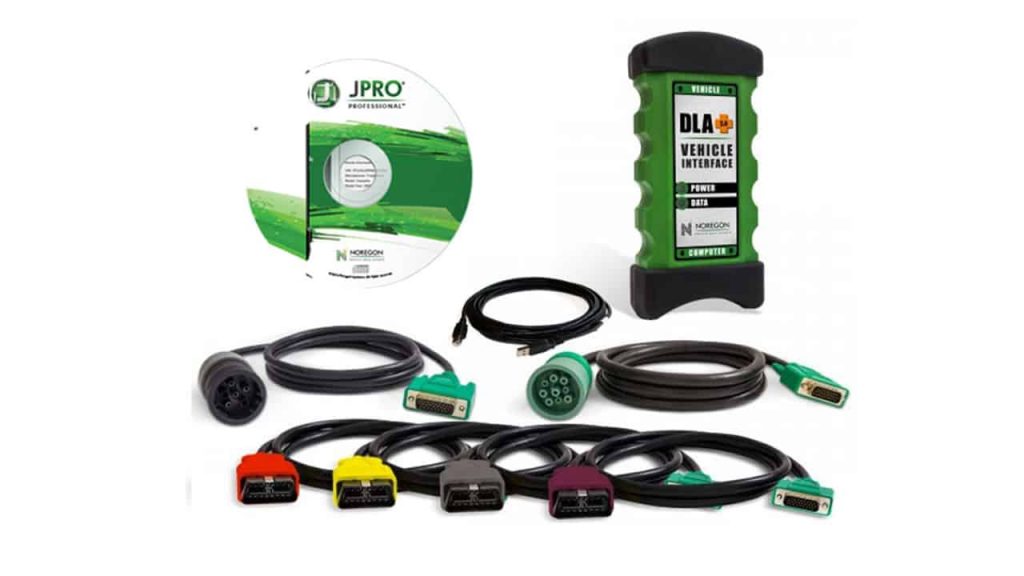
Key Features:

1 – Next Step Fault Guidance Feature

This feature allows users to make a full diagnosis of the truck in under 60 seconds. The Heavy Duty Diagnostic diagnostic software requires only one screen and it will offer technicians over 44,000 possible OE level fault codes, and will also give in-depth repair information for a fast vehicle solution.

With an incredibly easy to use interface, the vehicle systems are listed and can be read easily in one place on just one screen. FMI assistance has also been added to help you find, read, and understand all FMI definitions. The functionality was also improved on Cummins and Detroit Diesel engines. Not only that but the heavy-duty emissions fault support was improved.

The NextStep Repair is also an annual subscription feature – add it to your JPRO Professional subscription for the ultimate diagnostics and repairs powerhouse.

2 – Virtual Truck Feature

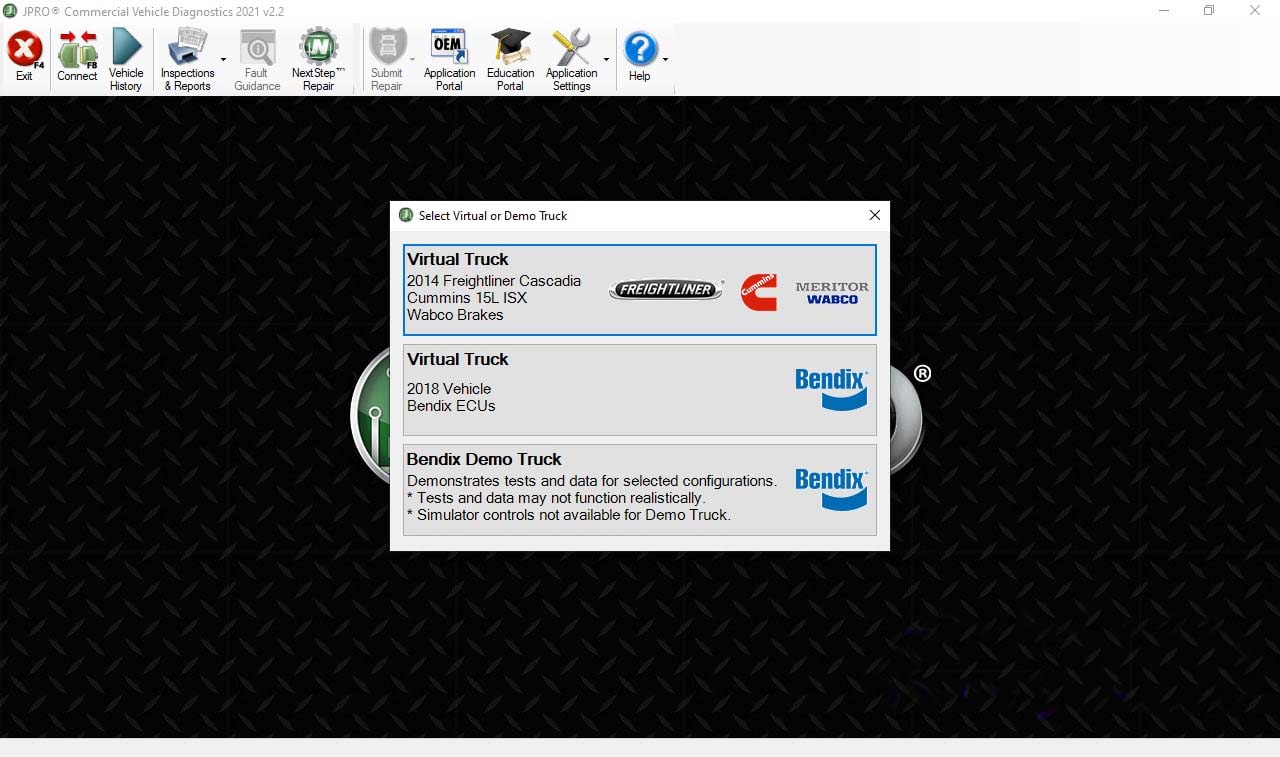
The Virtual Truck is an incredibly useful feature that allows you to use all of JPRO’s advanced features without even pairing to a vehicle. If you have trainees you’ll likely find this will be an invaluable feature for them. It would also be ideal for classrooms when connecting to a vehicle isn’t feasible. Students will have hands-on practice and knowledge without the inconvenience of visiting an actual service center.

Bi-directional tests can be simulated without the risk of an actual connection. You will also be able to view live data in Data Monitor, experience the guidance of NextStep when diagnosing vehicle health, and lots more. It also allows potential customers to use the diagnostic tool before deciding to purchase it.

3 – TripVision Feature

TripVision is a new feature designed to prevent easily-fixed issues that could become extremely costly. With TripVision, you’ll be able to detect errors that will affect fuel consumption, issues with emissions, and many more, helping you to keep your vehicle road-worthy and avoid expensive fines and potential violations.

TripVision will alert you to any faults that could potentially become bigger problems so you avoid time consuming and inconvenient roadside breakdowns and expensive repair bills.

In the trucking industry, it’s vital to be prepared for any obstacle that could prevent you from being productive and therefore unprofitable. Thanks to TripVision, you can increase your productivity and decrease any potential repair and maintenance bills.

The diagnostic software helps make sure your equipment is working correctly and safely, making it possible to get trucks back into use quickly, in a more economical manner.

Unfortunately, when a vehicle fails, the repair costs and lack of transport are just two factors that could affect your fleet. The additional expenses can add up as well, from towing costs to mobile breakdown services.

The great news is, breakdowns are not the only issue that this software helps to prevent. It’ll also alert you to potential CAS violations, fuel inefficiencies, and issues with emissions.

Noregon has also made the TripVision function available in an app form, from Apple and Google Play stores. This gives managers and technicians lightning-quick access to essential information even if they happen to be away from their PC or laptop, thus increasing productivity and profits.

4 – Repair Mentor Feature

This improved Noregon vehicle health indicator and diagnostic tool prioritizes issues with the vehicle and offers help with the diagnosis and repairs. Repair Mentor shows all of the current issues with the vehicle and offers alerts to the high priority issues.

It also guides the user to start the correct repair process. Repair Mentor guides the operating technician to the correct starting point for the highlighted issue. For example, the DPF Regen screen or NextStep for troubleshooting guidance.

5 – Vehicle Data Acquisition Feature

In order to perform the correct repairs on any truck, it’s essential to obtain the right vehicle data and decipher it correctly. Quite often, it’s easy to know what information you’re looking for, but you do not know how to interpret the right data.

The Noregon Vehicle Data Acquisition service is an unprecedented and expert feature that helps you to interpret data correctly. By choosing the Noregon Vehicle Data Acquisition, your technicians will save time trying to clarify vehicle data, time that can be spent reducing vehicle downtime, and increasing profits.

If you’re looking for innovative technology, Noregon is the company you’ll want to partner with. They are the go-to brand for vehicle data acquisition, which could revolutionize the way you collect data and manage your fleet or center.

As a business, not only does this feature improve the services and products you provide your customers with, there are many more advantages and benefits to VDAs. You’ll be able to provide your customer with accurate data. A lot of vehicles produce at least 1500 data points so it’s time-consuming to evaluate these points.

A VDA will enable you to evaluate these data collections easily. Any downtime can be costly to your customers. You can’t afford to ignore a potential problem or have a truck sent in for unnecessary services. With accurate and detailed OEM fault descriptions and codes, you’ll have perfect knowledge of what is wrong with the vehicle and how to solve it without affecting profits.

Increase the safety and performance of the vehicle by changing the parameters remotely without the hassle of a shop visit. This will also reduce liability and potential violations.
Pros

• The industry leader in diagnostic and repair software
• Incredibly user friendly
• Helps to decrease repair bills and increase your profits by maximizing efficiency
• Quickly diagnoses problems and provides vehicle solutions
• Heavy-duty diagnostic software is time-saving and cost-effective
• Easy for average truck enthusiasts, but sophisticated enough for professional service centers
• Easy to read wiring diagrams, vehicle temperatures, and other vital information
• Product updates three times a year, free of charge with an active subscription
• Provides the option of test driving JPRO software and functions before purchasing

Cons
• It is quite pricey

JPro Compatibility

The JPRO Professional heavy-duty diagnostic software is compatible with all car models and types. This is great news for professional garages who deal with all manner of different vehicle brands. Not only will it save time, but it’ll also allow you to increase your profits by being able to work on many different vehicle makes.

The time-saving benefit comes from the fact that you can scan the car in one go and all of the vehicle data and repair information will be available on one screen, making it easy and convenient. Parameter changes are also possible with this vehicle diagnostic software.

If you’re looking to extract reliable repair information and vehicle data, then the JPRO Professional heavy-duty vehicle diagnostic software can do it. Not only that, it’s compatible with iOS or Android devices and if you have Windows 8 or later models, you’re all set. Using the JPRO Professional diagnostic software, you can also obtain a reading on your phone, for even more convenience.
Functionality

Noregon is the industry leader in vehicle diagnostic tools. The functions are so comprehensive, it’s no wonder it’s the most trusted scanning tool you can buy. The software has bi-directional controls and is capable of making parameter changes for Volvo and Mack.

The heavy-duty JPRO Professional also performs DPF Regens for Detroit Diesel and Cummins. It also provides OE level fault code information. The easy to use Noregon systems means you get quick fault detection and diagnosis. You’ll be able to view and print off files containing LOV reports and vehicle health results.

Save and store the vehicle data even when the truck isn’t connected to the software. In a single scan, you can see the entire vehicle stats so a swift diagnosis can be made. The JPRO Professional has powerful software and a DLA 2.0 adapter. On top of that, it has a Panasonic Toughbook for an even more effective diagnosis.
Verdict

What is making the JPRO Professional heavy-duty diagnostic tool stand out is the sheer amount of functions it boasts and how many different uses it has. The functions enable you to read and diagnose problems so quickly and efficiently, it’s easy for anyone. The results from the Noregon diagnostic and repair tool are displayed in easy to decipher graphs, meaning you’ll be able to read all of the codes easily and make the correct repairs.

If you own a heavy-duty truck or you’re a professional mechanic, this advanced and comprehensive piece of software will save you time, money and will give you the vehicle solutions you need to improve your business.

FAQs
How to install the JPro software:

Because JPRO is a software program, you’ll need a PC or laptop in order to run it. You’ll also need the correct diagnostic cable and an RP1210C compliant adapter. You don’t need OEM software as JPRO is a standalone device.

It’s clear to see that Noregon JPRO is exceptionally easy to use and the installation is no different. Updating to the latest version of JPRO Professional simply requires that version 5.0 or later is installed on your PC already.

To run your software a Panasonic Toughbook is recommended, however, you can use a modern PC that uses Windows 7, 8 or 10, to run your JPRO software. You can use any RP1210C compliant adapter, but if you want full functioning capacity, you can purchase the Noregon DLA+ 2.0 adapters.

For the initial startup and activation process, you’ll need access to the internet. You’ll also need internet access if you choose to add on any modules.

What makes JPRO so convenient is the fact that it’s an annual subscription. JPRO updates happen three times a year and if you keep your subscription active, these updates are given free of charge.

How to use the JPro software:

Whether you’re a complete novice or a professional service center owner, the JPRO Professional is super easy to use. The education portal offers easy access to a library of JPRO specific resources and educational opportunities.

From the education portal landing page, you can navigate to the JPRO certification course, webinar, discover technology tips, view educational videos, and lots more.

As soon as JPRO scans your vehicle, it will display easy to understand wiring diagrams, the vehicle temperatures, battery voltage, switches, and much more. It will read and clear inactive fault codes and will also detect active ones. It’ll also perform commanded tests, bi-directional tests, and cylinder cut-out functions.

In one simple and easy to read screen, the JPRO heavy-duty software lets you see your vehicle’s overall health in the after-treatment system. You’ll be able to clearly see information such as Soot Level and DPF Regen status.

Noregon has made their software incredibly user friendly. You simply connect your heavy-duty vehicle to your PC via a USB cable, to diagnose, reprogramme, or adjust any parameters.

There are six different annual subscription packages to choose from. This allows you to select the package that is most suitable for your fleet so you get a perfectly tailored match.

What can the JPro software be used for?

The JPRO software has a multitude of uses. Whether you’re a first time user or an experienced mechanic, you’ll find this heavy-duty diagnostic software extremely useful. Use it to quickly and efficiently diagnose your truck’s problems so you can get a swift and easy repair.

Trucks that are off the road are not cost-effective, but the efficient Noregon systems mean you get a quick diagnosis which in turn results in a swift repair, so you can get your truck back on the road and back to work.

Simply put, the JPRO diagnostic repair software can help your fleet run smoothly and efficiently. Not only will you benefit from the myriad of technical benefits, but you’ll discover that Noregon’s products and services are specially engineered to be flexible and versatile.

The competitively comprehensive diagnostic and repair software ensures that you only need to use one system to diagnose different truck brands. Mack, Volvo, and Freightliner are just a few brands you’ll be able to work on with ease. The software also works with all the components from engines to brakes and chassis.

Is the Noregon software easy to use?

Simple to use but incredibly effective and comprehensive, the Noregon Software is compatible with all car models, making it the perfect addition to any professional service center. Providing complete and real-time diagnostic solutions, it’s specifically designed to give an accurate diagnosis and vehicle information.

It’s also fully supplied with bi-directional functions. If you’re looking for hassle-free vehicle diagnosis, the Noregon diagnostic software is the way to go. As a heavy-duty truck owner, you’ll be able to get to the root cause and fully diagnose your car without leaving your garage.

Another easy and useful benefit to the Noregon software is that it allows you to print out reports and give them to your customers. This enables the customer to see exactly what’s wrong with their vehicle and whether they want the problem repaired straight away or not. If you’re a service center manager this benefit could be invaluable to your company.

Noregon prides itself on its incredibly fast, user-friendly products. Business life is busy and you’ll require software that works with you and can keep up with hectic schedules. Noregon products do just as they say, ensuring that your fleet runs like clockwork, resulting in increased profits and happy customers.

The friendly US-based customer service is always at hand to make sure you have a great shopping experience. If you have any problems or you need advice about a product you’ve bought, they’ll be happy to help. All Noregon products come complete with a warranty for worry-free shopping.
2021年11月7日星期日

Isuzu G-IDSS Export 2020 2019 Diagnostic Software Free Download


What is Isuzu G-IDSS?

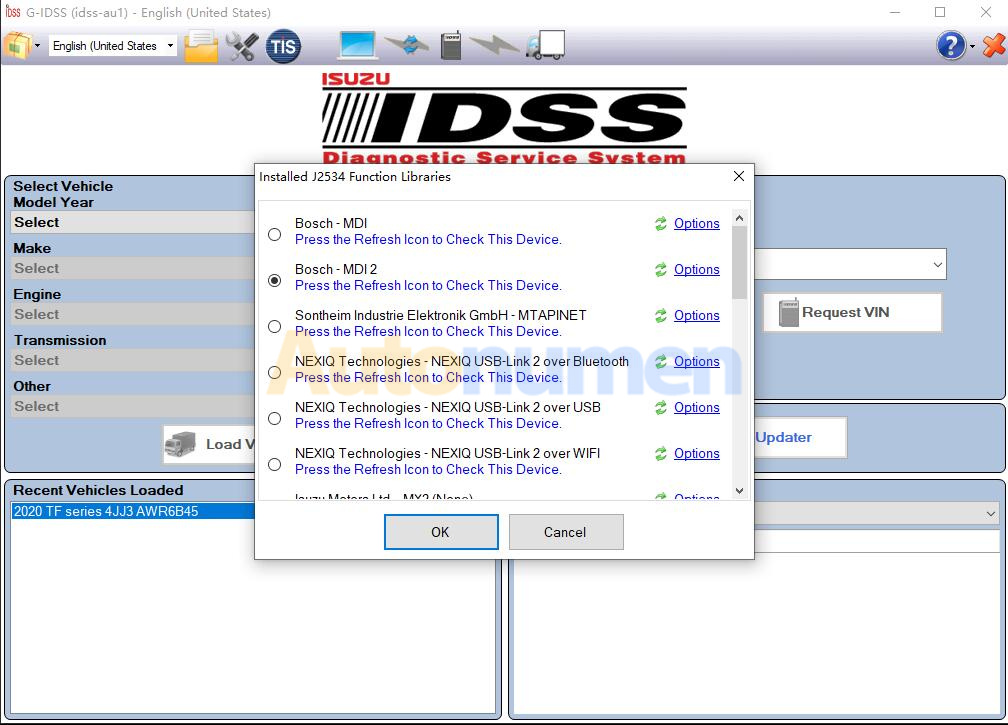
Isuzu G-IDSS is short called of Global Isuzu Diagnostic Service System (G-IDSS),is designed to support Isuzu Commercial Vehicles. Vehicle / engine configurations and controller systems will be supported for future vehicles. Program supports Isuzu manufactured product models. Export (all regions except Norht America) and Domestic.
Isuzu G-IDSS Export 2020 2019 Diagnostic Software Free Download-1

Isuzu G-IDSS Features:

• Service Infomration;
• Diagnostics (Engine, Transmission, Chasis, Body);
• Controller Programming

G-IDSS ISUZU Support Languages:

English, Spanish, Chinese, German, French, Japanese, Thai, Turkish, Ukrainian, Greek, Hungarian, Italian, Indonesian, Vietnamese

Isuzu G-IDSS Support OS:

VISTA, Win7 x32, Win7 x64, Win98, Windows 8 x32, WinJapan, WinNT, WinXP

Isuzu G-IDSS Support Vehicle List:

ISUZU_G-MC:

1996-1999 NPR Diesel and F Series Include NPR/W 3500, NPR HD/W 4500, This is for 6.0L V-8 Gasoline Engines only, 7.8L
Heavy-duty

ISUZU 6HK1 Engine 6WG1 6WF1.
Isuzu:

NPR, NPR HD, NQR, NRR, FTR, FVR, FXR with 6HK1 LG4 Engine, NPR, NPR HD,NQR, NRR with 5.2L (4HK1) or 3.0L (4JJ1) Diesel engine. 6.0L V-8 Gasoline Engine

Isuzu G-IDSS Free Download:

ISUZU G-IDSS 2020 100% Work Solution:

ISUZU G-IDSS 2020 Diagnostic Software Download & Installation Service

Isuzu G-IDSS 2019:

https://mega.nz/#F!37RnyQDR!pvaNrOJbh4MrG-S0I-Ql1g

2021年10月31日星期日

ISUZU US-IDSS II 2020 2019 Diagnostic Software Free Download


What is ISUZU US-IDSS II?
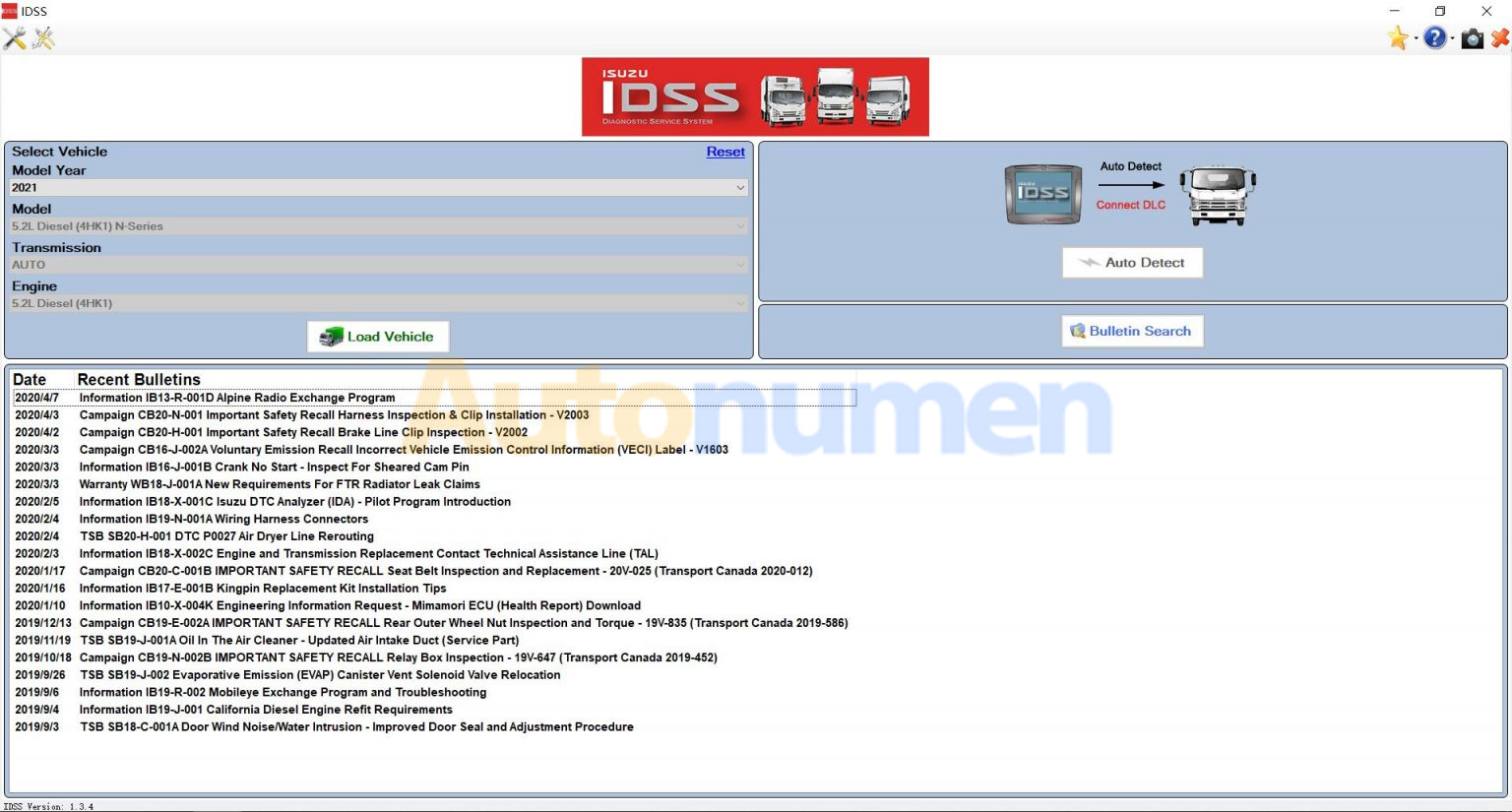
US-IDSS is intended for diagnostics Isuzu equipment and contains step-by-step recommendations for collecting the necessary information and also supports vehicle engine and controller systems.

US-IDSS is a comprehensive diagnostic tool which houses Service Information (including Electrical Troubleshooting Manual), Scan Tool, Service Programming, Bulletins and some training to support all Isuzu manufactured products. The system utilizes a laptop in conjunction with an industry standard J2534 vehicle interface device.
ISUZU US-IDSS II 2020 2019 Diagnostic Software Free Download-1

G-IDSS 2018 ISUZU Features:
Only English
Market for USA and Canada
5.38 Gb
repair manual, Diagnostic Software

ISUZU US-IDSS II Support Windows Systems:
Windows 7 32 bit, Windows 7 64 bit, Windows 8/8.1 32 bit, Windows 8/8.1 64 bit, Windows 10 32 bit, Windows 10 64 bit

ISUZU US-IDSS II Functions:
Diagnostics of each system (Engine, Transmission, Chasis, Body);

Programming control modules
Download data from Mimamori / DRM
Communication between scanner and repair manual
Latest data is distributed through software updates over the Internet
Wireless communication between the interface unit and the PC
Electronic Service Bulletin
Remote technical support
Dealer Management System

ISUZU US-IDSS II Support Interface:
1Dearborn Group DPA 5
2IDS MX1 (Isuzu Interface Device)
3IDS MX2 (Isuzu Interface Device)
4CarDAQ (Drew Technologies)
5Nexiq (Nexiq Technologies)
6Nexiq 2 (Nexiq Technologies)
7Noregon DLA + (JPRO Fleet Products)
8Noregon DLA 2.0+ (JPRO Fleet Products)
9Bosch (J2534 Interface Device)

ISUZU US-IDSS II Cover Models:

2021
– 5.2L Diesel (4HK1) N-Series

2020
– FTR 5.2L (4HK1-TC Diesel)
– NPR / NPRHD / NQR/ NRR 5.2L (4HK1-TC Diesel)
– 6.0L Gas N-Series

2019
– FTR 5.2L (4HK1-TC Diesel)
– NPR / NPRHD / NQR/ NRR 5.2L (4HK1-TC Diesel)
– NPR / NPRHD 6.0L Gasoline

2018
– NPR Stripped Chassis
– NPR / NPRHD / NQR/ NRR 3.0L (4JJ1-TC Diesel)
– FTR 5.2L (4HK1-TC Diesel)
– NPR / NPRHD / NQR / NRR 5.2L (4HK1-TC Diesel)
– NPR / NPRHD 6.0L Gasoline

2017-2012

– NPR Stripped Chassis
– NPR / NPRHD / NQR / NRR 3.0L (4JJ1-TC Diesel)
– NPR / NPRHD / NQR / NRR 5.2L (4HK1-TC Diesel)
– NPR / NPRHD 6.0L Gasoline

2011
Isuzu / Chevrolet or GMC
– NPR / NPRHD / NQR / NRR 3.0L (4JJ1-TC Diesel)
– NPR / NPRHD / NQR / NRR 5.2L (4HK1-TC Diesel)

2010
– NPR / NPRHD / NQR / NRR 5.2L (4HK1-TC Diesel)

2009
Chevrolet or GMC / Isuzu
W3500 / W4500 / W5500 5.2L (4HK1-TC Diesel)
W3500 / W4500 6.0L Gasoline
C6500 / C7500 / C8500 7.8L (6HK1-TC Diesel)
T6500 / T7500 / T8500 7.8L (6HK1-TC Diesel)

2008-2005
Isuzu / Chevrolet or GMC
– NPR / NPRHD / NQR / NRR 5.2L (4HK1-TC Diesel)
– NPR / NPRHD 6.0L Gasoline
– FTR / FVR / FXR 7.8L (6HK1-TC Diesel)
– HTR / HVR / HXR 7.8L (6HK1-TC Diesel)

2004
Isuzu / Chevrolet or GMC
– NPR / NPRHD / NQR 4.8L (4HE1-TC Diesel)
– NPR / NPRHD 6.0L Gasoline
– FRR 7.8L (6HK1-TC Diesel)
– FTR / FVR / FXR 7.8L (6HK1-TC Diesel)

2003
Isuzu / Chevrolet or GMC
– NPR / NPRHD / NQR 4.8L (4HE1-TC Diesel)
– NPR / NPRHD 5.7L Gasoline
– NPR / NPRHD 6.0L Gasoline
– FRR 7.8L (6HK1-TC Diesel)

2002-2000
Isuzu / Chevrolet or GMC
– NPR / NPRHD / NQR 4.8L (4HE1-TC Diesel)
– NPR / NPRHD 5.7L Gasoline
– FRR 7.8L (6HK1-TC Diesel)
– FSR / FTR / FVR 7.8L (6HK1-TC Diesel)

1999
Isuzu / Chevrolet or GMC
– NPR / NPRHD / NQR 4.8L (4HE1-TC Diesel)
– NPR / NPRHD 5.7L Gasoline
– FSR / FTR / FVR 7.8L (6HK1-TC Diesel)

1998
Isuzu / Chevrolet or GMC
– NPR 3.9L (4BD2-TC Diesel)
– NPR / NPRHD 5.7L Gasoline
– FRR 7.1L (6HE1-TC Diesel)
– FSR / FTR / FVR 7.1L (6HE1-TC Diesel)
– FSR / FTR / FVR 7.8L (6HE1-TC Diesel)

1997-1995
Isuzu / Chevrolet or GMC
– NPR 3.9L (4BD2-TC Diesel)
– NPR 5.7L Gasoline
– FRR 7.1L (6HE1-TC Diesel)
– FSR / FTR / FVR 7.1L (6HE1-TC Diesel)

1994
Isuzu / Chevrolet or GMC
– NPR 3.9L (4BD2-TC Diesel)
– NPR 5.7L Gasoline
– FSR / FTR / FVR 6.5L (6BG1-TC Diesel)
– NRR 6.5L (6BG1-TC Diesel)

1993
Isuzu / Chevrolet or GMC
– NPR 3.9L (4BD2-TC Diesel)
– NPR 5.7L Gasoline
– FSR / FTR 6.5L (6BG1-TC Diesel)
– NRR 6.5L (6BG1-TC Diesel)

1992
Isuzu / Chevrolet or GMC
– NPR 3.9L (4BD2-TC Diesel)
– FSR / FTR / FVR / EVR 6.5L (6BG1-TC Diesel)
– NRR 6.5L (6BG1-TC Diesel)

1991
Isuzu / Chevrolet or GMC
– NPR 3.9L (4BD2-TC Diesel)
– FSR / FTR 5.8L (6BD1-T Diesel)
– FSR / FTR 6.5L (6BG1-TC Diesel)
– FVR / EVR 6.5L (6BG1-TC Diesel)
– NRR 6.5L (6BG1-NA Diesel)

1990
Isuzu / Chevrolet or GMC
– NPR 3.9L (4BD2-TC Diesel)
– FSR / FTR 5.8L (6BD1-T Diesel)
– FSR / FTR 6.5L (6BG1-TC Diesel)
– FVR / EVR 6.5L (6BG1-TC Diesel)
– NRR 6.5L (6BG1-NA Diesel)
– FVR / EVR 8.4L (6SA1-T Diesel)

1989-1988
Isuzu / Chevrolet or GMC
– NPR 3.9L (4BD1-T Diesel)
– FSR / FTR 5.8L (6BD1-T Diesel)
– NRR / FSR 6.5L (6BG1-NA Diesel)
– FVR / EVR 8.4L (6SA1-T Diesel)

1987
Isuzu / Chevrolet or GMC
– NPR 3.9L (4BD1-NA or 4BD1-T Diesel)
– FSR 5.8L (6BD1-T Diesel)
– FSR 6.5L (6BG1-NA Diesel)

1986
Isuzu / Chevrolet or GMC
– NPR 3.9L (4BD1-NA or 4BD1-T Diesel)

1985
Isuzu
– KS22 3.9L (4BD-1 Diesel)

ISUZU US-IDSS II Free Download:
IDSS II 2019
https://mega.nz/#F!5XRUTCrD

US-IDSS 04.2020 100% Work
ISUZU US-IDSS Diagnostic Software for USA/Canada 100% Work