2023年5月23日星期二

Difference between John Deere EDL v2 and new EDL v3

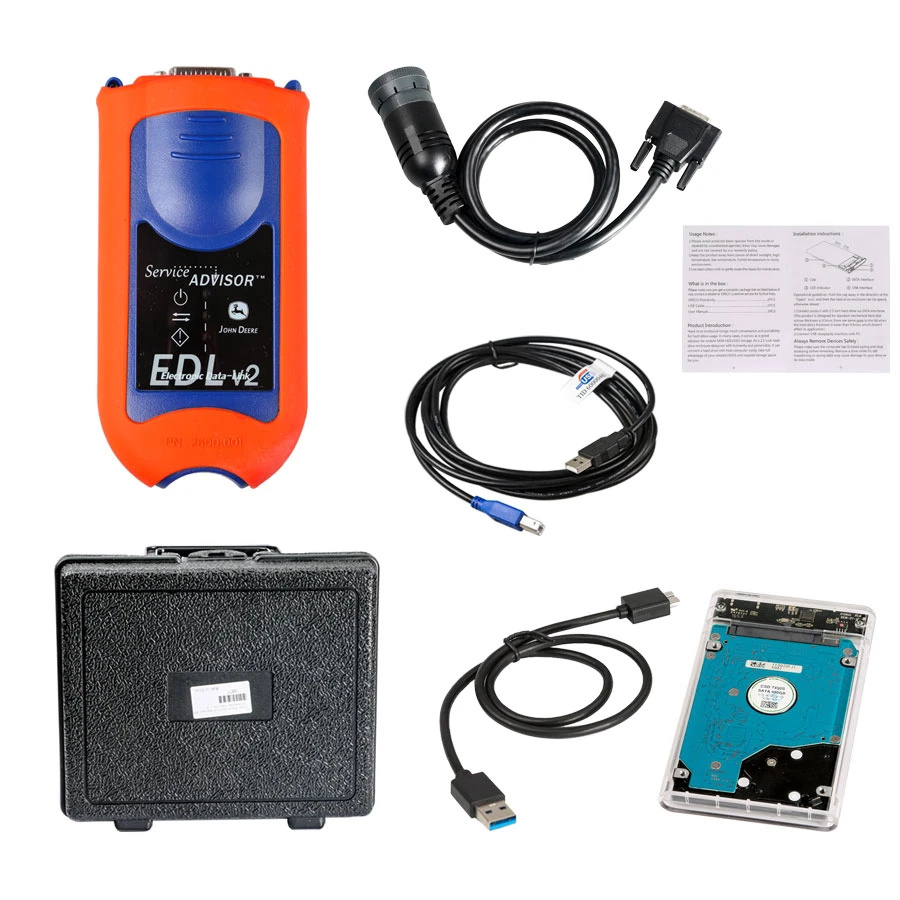
The John Deere diagnostic adapter for the diagnosis of special equipment and agricultural machinery John Deere and works in conjunction with the Service Advisor EDL (Electronic Data Link) software. The adapter allows you to diagnose construction and agricultural machinery, as well as John Deere engines. John Deere EDL v2/v3 drivers are built-in with the Service Advisor application.

Functions and technical capabilities of John Deere diagnostic adapter:
– Troubleshooting;
– Setup and Calibration ECU;
– Interactive tests;
– Computer programming;
– Diagnostic Code Reader, and much more.


what’s the main difference of the John Deere EDL v2 and the new EDL v3
Here are the improvements EDL V3 over the EDL V2
Improved USB connector utilizing automotive grade latching system
Increased memory RAM
Improved vehicle communications processor
Support of multiple 500K baud rate CAN Bus recordings
Longer range wireless connectivity
Improved Bluetooth connection speeds utilizing Bluetooth 2.1 with EDR (J1939 compliant)

If you want to know more information about Heavy Duty Diagnostic Tools ,please visit our website: https://www.autonumen.com .


2023年2月13日星期一

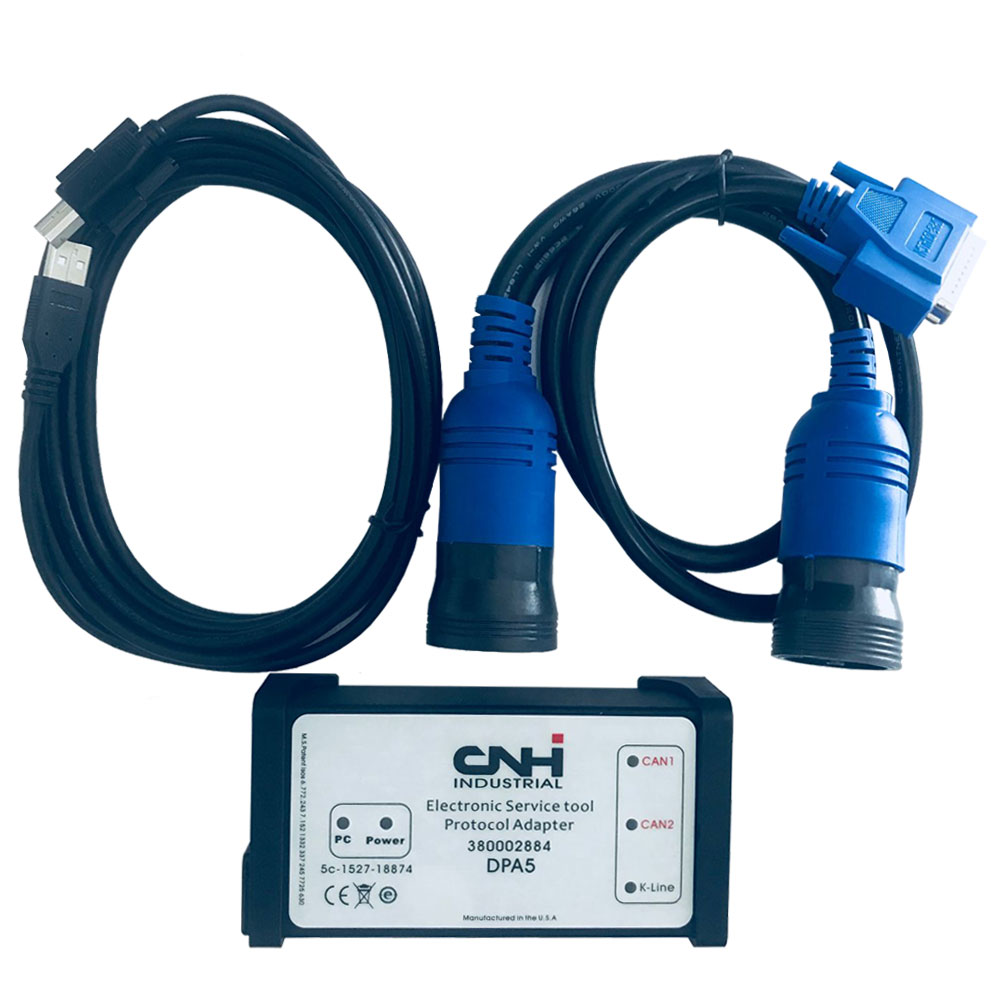
New Holland Electronic Service Tools compatible with CNH DPA5 suite of diagnostic tools


New Holland Electronic Service Tool Download:

https://mega.nz/#F!WVghzKwY!anc22uzd2t41QLiGgAt88Q


New Holland Electronic Service Tools DESCRIPTION

Electronic Service Tool (EST) Engineering Level* (software only) – used by New Holland dealer technicians to connect with vehicles that have a Controller Area Network (CAN) BUS.


Supported languages: English, Italian, Russian, Polish, Spanish, French, Portuguese, German, Dutch, Danish.

OS: VISTA,Win 8 x32 x 64, Win7 x32 x64, WinXP


With this service tool you can:

  • Check status of parameters;
  • Retrieve faults;
  • Run diagnostic tests;
  • Make ECU and parameter programming;
  • Monitor active and logged diagnostics;
  • View and change ECU configuration;
  • View diagnostic procedures and schematics.
  • Troubleshoot problems;
  • Use asist database;
  • Run scope diagnostics.


New Holland Electronic Service Tool Supported Brands:

New Holland (Agriculture and Construction);

New Holland FK (Fi at-Kobelco);

New Holland O&K (Orenstein & Koppel);

CASE (Agriculture and Construction);

STEYR;

KOBE-LCO;

Iveco (Astra) (articulated dump trucks only);

Flexi-Coil;

Sumitomo (S.H.I.)

 If you need more about the latest Heavy Duty Diagnostic , please visit our website : https://www.autonumen.com .

2023年2月8日星期三

JPRO Professional Truck Diagnostic Scan Tool FAQs

 Don’t see your question answered below? Contact us! Service@autonumen.com.

1.What does JPRO do?
JPRO empowers diesel technicians to diagnose and repair all makes, models, and components. JPRO reduces a technician’s dependency on OEM software by offering industry-leading bi-directional controls, including DPF regens, cylinder cutouts, parameter changes, and much more.

2.What trucks will JPRO work on?
For commercial vehicles, JPRO is an all makes, models, and components solutions. For detailed information, check out our coverage chart.

3.Can JPRO adjust parameters such as road speeds or idle shutdown settings?
Yes! JPRO allows for many parameter adjustments, including max road and cruise speeds, idle shutdown, PTO, VSS, Trip Information, and more! Coverage varies by manufacturer, so please visit our coverage chart for complete details.

4.What adapters work with JPRO?
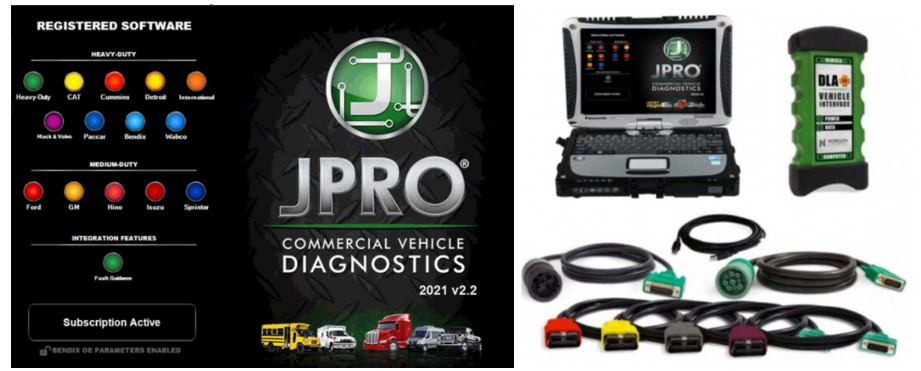
For the most reliable connection and functionality, we recommend a Noregon DLA+ 2.0 adapter but any RP1210C compliant adapter should work with JPRO.

5.If I buy JPRO, do I need anything else?
JPRO software requires a compatible Windows based PC, laptop, or tablet, RP1210C compliant adapter, and the appropriate cable that connects the computer to the vehicle’s OBD-II, 9-pin, or 6-pin port.

PLEASE NOTE: JPRO’s HD support for Mack and Volvo only supports the following adapters: • Noregon DLA+, DLA+ Wireless, DLA+ 2.0, DLA+ 2.0 Wireless, and DLA+ PLC • Vocom 88890300NEXIQ USB-Link, USB-Link 2

PLEASE NOTE: Ford, GM, Isuzu or Sprinter mediud-duty vehicle require any of the following adapters for connection: Noregon DLA+, DLA+ Wireless, DLA+ 2.0, DLA+ 2.0 Wireless

6. Do I need internet access for JPRO?
An internet connection is not necessary for connecting to the vehicle, or for using many features in JPRO, but certain tools like Fault Guidance and NextStep Repair require an active connection. Additionally, setup, updates, license verification, or submission of information to third-party warranty systems require internet access.

7. Can JPRO perform bi-directional vehicle tests?
Yes! JPRO comes loaded with industry-leading bi-directional tests for the makes and models you commonly repair. For a full list of included tests, visit our coverage chart.

8. Can JPRO perform ECU programming?
Due to security and safety concerns, JPRO does not allow users to reprogram ECUs.

9.Does JPRO support OBDII?
Yes.

10. What kind of computer and operating system do I need to run JPRO?
Supported Operating Systems:
Windows 8 and 8.1 Pro (32 or 64 bit English, 32 bit Spanish)
Windows 10 (32 or 64 bit English, 32 bit Spanish)
Hardware Requirements:
Minimum: 4GB RAM, 20 GB of available hard drive space, Intel Core i3 processor, and 1024×768 sized monitor
Recommended: 8GB RAM, 20 GB of available hard drive space, Intel Core i5 processor
USB port for Noregon DLA+ or DLA+ 2.0 adapter
Noregon recommends using a Panasonic Toughbook, but JPRO will work on any current PC running Windows 8 or Windows 10

11.Does JPRO work internationally?
JPRO is designed to work on vehicle utilizing communication protocols used in North American manufacturing standards. These protocols include:

Support for heavy-duty SAE J1587/J1708, J1939, ISO 15765, and KWP2000 messages
Support for reading and display of HD-OBD Emissions faults in standard fault display
Medium Duty support for reading emissions faults and data from all standard US OBD vehicles since 2007
Support for medium-duty ISO 15765, IS 14229, J1850, GMLAN (CAN-based), and KWP2000 (CAN-based) messages
If you have other questions or you want to purchase the JPRO, please log in our website and contact the sellers: https://www.autonumen.com/goods-7190-JPRO-Professional-Truck-Diagnostic-Scan-Toolbox-Plus-lenovo-T420-laptop.html .

2022年10月17日星期一

Top 5 Reasons to Get VXSCAN T8 Diesel Diagnostic Tool


http://www.autonumen.com/images/201504/goods_img/5012_P_1429781549153.jpg

Top 5 Reasons to Get VXSCAN T8 diesel diagnostic tool:
1. Quick communication with the most vehicle system
2. Intergrated conncetor for all Can Bus systems
3. High resolution VGA color with 8-inch super TFE LCD touch screen
4. Intergrated high speed thermal printer
5. 12 Months warranty with 1 Year software online update

The Original VXSCAN T8 Diesel Diagnostic Tool software configuration is all-round, vehicle model data and materials are complete. It fully meets the customers’ strict requirements of the inspection breadth and depth. The software covers tens of thousands of kinds of vehicle model data, and provides strong repair material help systems to allow Heavy Duty Diagnostic users  to easily deal with problems  in practical work so as to improve work efficiency and technical level.

The appearance design is luxury and comfortable with the large TFT touch screen  display  for  operations;  the mode  setup function  for multi working  conditions can  satisfy the working  demands in different environments. The VXSCAN T8 automobile fault diagnostic computer which adopts the flexible drive technology has good scalability, and it fully meets requirements of various communication bus tests for current automobile electronic control systems.

2022年10月15日星期六

how to remove and install turbocharger assembly for JCB HP 2010 with ISUZU INT-Tier4 engine

This instruction show you guide on how to remove and install turbocharger assembly for JCB HP 2010 with ISUZU INT-Tier4 engine.

Removal Guide:

1 Battery Ground Cable Disconnect

Disconnect the battery ground cable from the battery.

Caution: Do not disconnect the battery cable for 1 minute after turning OFF the ignition switch.


2 Coolant Drain

Drain the coolant from the radiator.

Caution: After the coolant is discharged, make sure to tighten the drain plug.


3 Turbocharger Assembly Removal

Remove the air cleaner duct from the air cleaner assembly and the turbocharger assembly.

Remove the air intake hose from the turbocharger assembly and the intercooler.

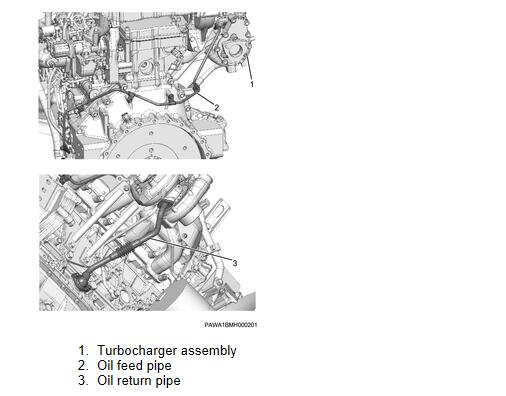
Remove the exhaust pipe from the turbocharger assembly.is connect the oil feed pipe from the turbocharger assembly.

Note: Remove the clip.

Disconnect the oil return pipe from the turbocharger assembly.
Disconnect the water return pipe from the turbocharger assembly.

Disconnect the water feed pipe from the turbocharger assembly.

Note: Remove the clip.

Remove the exhaust manifold stay from the cylinder block and the turbocharger assembly.
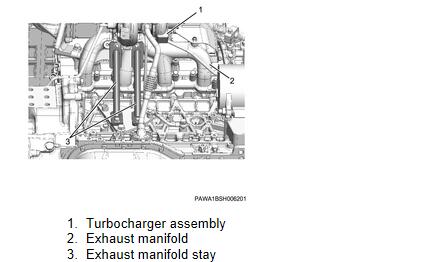
Disconnect the harness connector from the turbocharger assembly.

Remove the turbocharger assembly from the exhaust manifold.
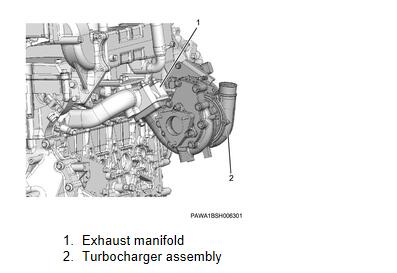
 

Installation Guide:

Temporarily tighten the turbocharger assembly to the exhaust manifold.
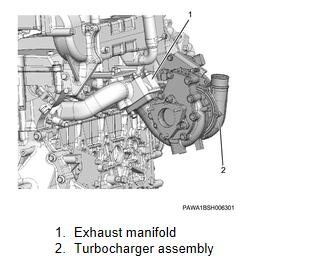
Temporarily tighten the exhaust manifold stay to the cylinder block and the turbocharger assembly.

Securely tighten the turbocharger assembly to the exhaust manifold.

tightening torque: 52 N・m { 5.3 kgf・m / 38 lb・ft }

Securely tighten the exhaust manifold stay to the cylinder block and the turbocharger assembly.

tightening torque: 52 N・m { 5.3 kgf・m / 38 lb・ft } Nut

tightening torque: 50 N・m { 5.1 kgf・m / 37 lb・ft } Bolt

Note: Tightening order
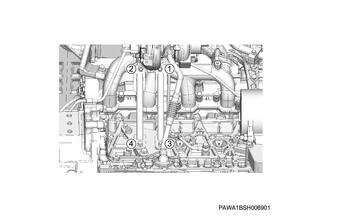
Connect the water feed pipe to the turbocharger assembly.

Caution: Use new gaskets.

tightening torque: 35 N・m { 3.5 kgf・m / 25 lb・ft } Eyebolt

tightening torque: 14 N・m { 1.4 kgf・m / 119 lb・in } Clip

Connect the water return pipe to the turbocharger assembly.

tightening torque: 35 N・m { 3.5 kgf・m / 25 lb・ft } Eyebolt

Connect the oil return pipe to the turbocharger assembly.

Caution: Use new gaskets.

tightening torque: 9 N・m { 0.9 kgf・m / 78 lb・in }

Replenish the turbocharger assembly with the engine oil.

Connect the oil feed pipe to the turbocharger assembly.

Caution: Use new gaskets.

tightening torque: 29 N・m { 3.0 kgf・m / 21 lb・ft } Eyebolt

tightening torque: 24 N・m { 2.4 kgf・m / 17 lb・ft } Clip

Install the exhaust pipe to the turbocharger assembly.

Install the air intake hose to the turbocharger assembly and the intercooler.

Install the air cleaner duct to the air cleaner assembly and the turbocharger assembly.

Connect the harness connector to the turbocharger assembly.


Coolant Filling

Loosen the valve using a wrench.

Replenish the coolant with the radiator.

Caution: Be careful not to let coolant overflow splash on the exhaust system parts.

Caution: Coolant overflow should be wiped off.

Tighten the valve using a wrench.

Caution: Use new gaskets.

tightening torque: 28 N・m { 2.8 kgf・m / 20 lb・ft }

Replenish the coolant with the radiator.


Battery Ground Cable Connect

Connect the battery ground cable to the battery.

More repair cases for ISUZU engine,please refer to:ISUZU Engine Trouble Repair

More repair tool for ISUZU engine,please refer to: JCB Electronic Service tool

2022年2月10日星期四

John Deere Service Consultant 5.2.554 Offline 2020 Construction & Forestry Equipment


Important Notice. Installation and activation are possible only with remote assistance using Teamviewer.

The laptops with ARM CPUs(Snapdragon 8cx, Microsft SQ1, etc) type are not supported!

The installation of AG and CF on the same Laptop is possible. Please let us know if you need to install Agriculture and Construction versions of the Service Advisor on the same PC before we process the order.

You are buying John Deere Service Advisor V5.2 for Construction and Forestry equipment online on USB HDD with international delivery or easy digital download! If you want to download the program. The download link along with PDF instruction file emailed to your email address within 2 hours (up to 12 hours in a weekend) of your purchase. If you would like the same software shipped to you on a USB HDD please select the appropriate delivery method during checkout.

The John Deere Service Advisor combines several versions of the program. As well as a number of related programs and diagnostic equipment

For Agriculture division please check the John Deere Service Advisor 5.2 2020 Agriculture Equipment Division product link

Before you proceed, please check the product requirements below.

EDL V2 Diagnostic Kit System requirements:
– O.S.: Windows 7 Pro/Ultimate; Windows 8 Pro, Windows 8.1 Pro, Windows 10 Pro/Home
– CPU: Any CPU for Windows platform
– RAM: 8 GB of system memory (Recommended), 4 GB is the minimum required amount.
– Hard Drive: 150 GB of available space + ~110 Gb for the setup files if you want to download the software.

JD Service Advisor v5.2 support only Genuine JD EDL V3/V2 DLA Adapter kit (The previous version V2 USB and BT is also supported). If you’re using any other diagnostics tool we do not make any warranties

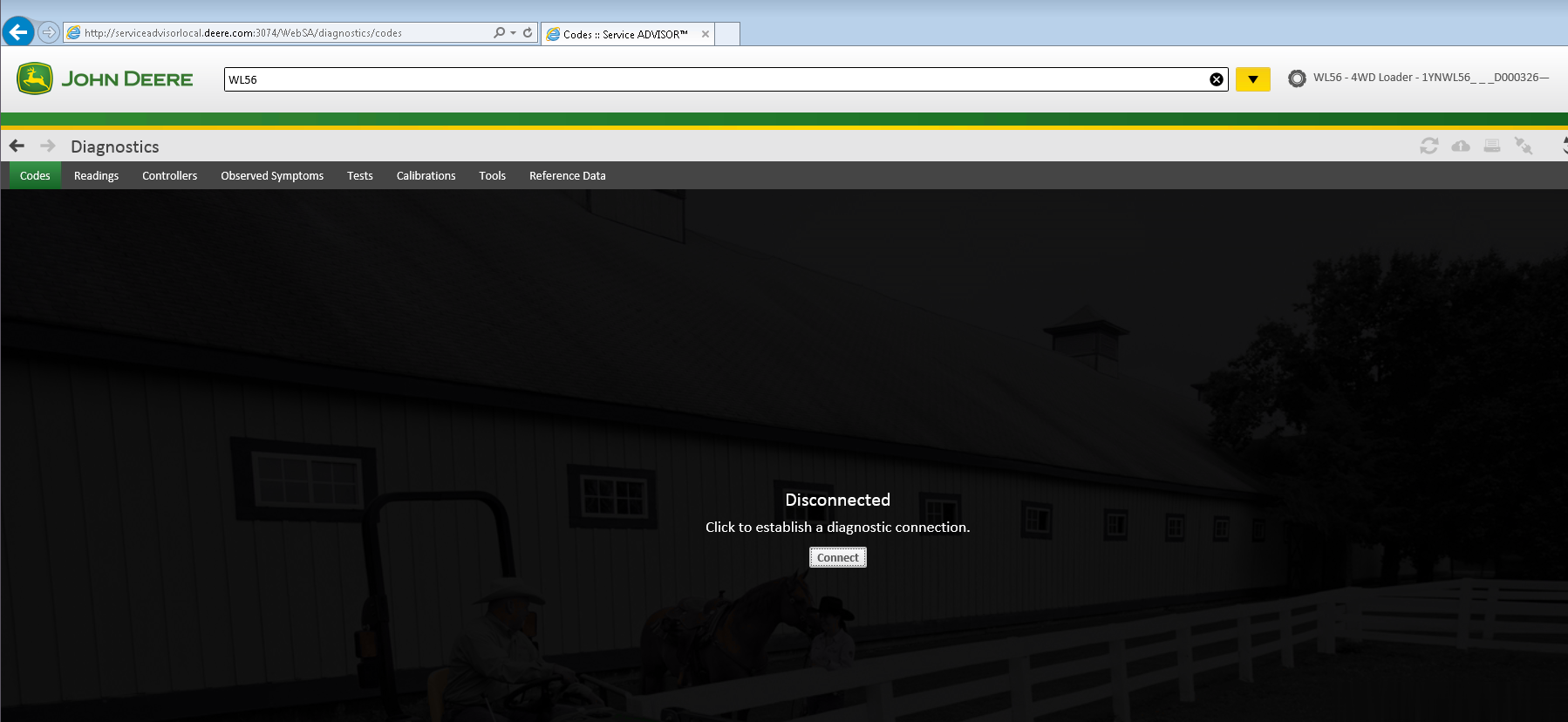
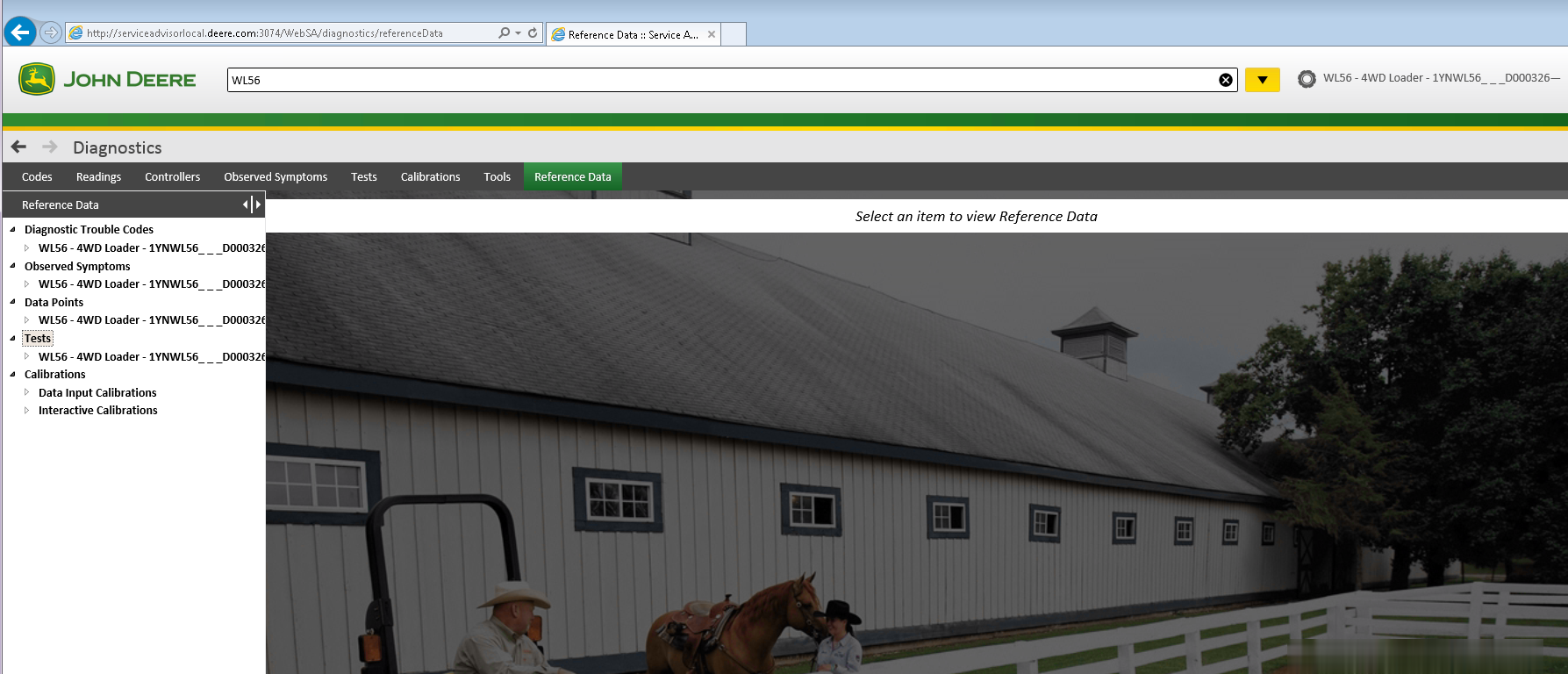
The new version of Service Advisor comes as a complete solution for those who do a repair, diagnostics, and maintenance of all John Deere construction and forestry equipment. It’s completely different from its previous version 4.2. JD Service Advisor functions are available from the Internet Explorer Web browser. At this moment this is only one officially supported browser version. To start work with any model, you need to enter the model name or its PIN.

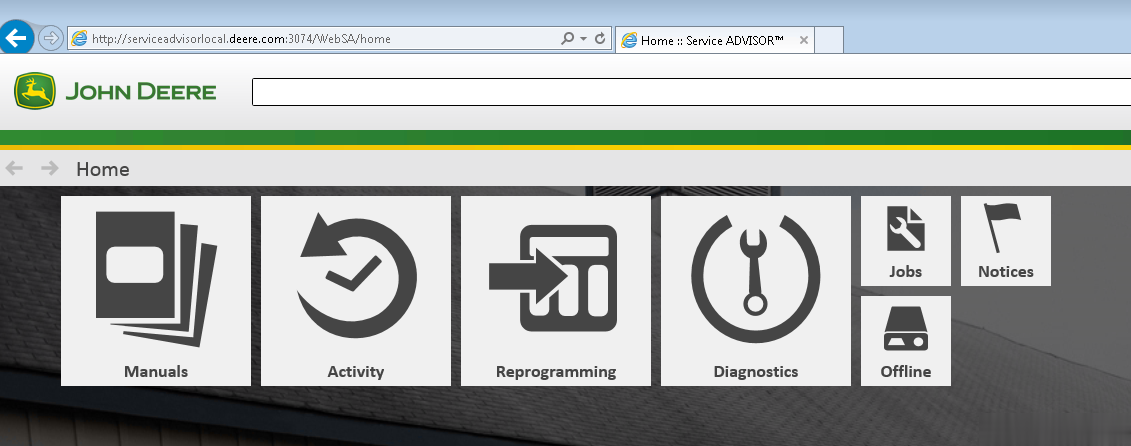
Available program futures divided into a few main sections: – Manuals – Reprogramming – Diagnostics

Manuals Section. First of all, most of the manuals now have a more convenient web interface and you can read/print all you want using Internet Explorer. A part of the manual is still available as pdf files only. So you need Adobe Reader installed.

The reprogramming section requires dealer credentials to access the payload database. At this moment this future is not available.

Diagnostics section. The avaiable menus are

– Codes – Readings – Controllers – Observed Symptoms – Tests – Calibrations

John Deere Service Advisor 5.2 covers:

Hint: Click show all

4WD Loader:
ADT:
AG:
Alternate:
Attachment:
Apollo Series:
Axles:
Backhoe:
Boom Harvester:
Bundler:
CF Management Solutions:
Communication:
Compact Excavator:
Compact Loader:
Compactor:
Crawler:
Delimber:
Excavators:
Feller Buncher:
Felling Head:
Forestry Swing Machine:
Forklift:
Forwarder:
Harvester:
Harvester Head:
Information:
JD Hand-Held Portable Products:
Landscape Loader:
Landscaping:
Loader:
Log Loader:
Logger:
Mate. Hand Cut. and Shredders:
Measuring System:
Motor Grader:
OEM Engines:
OEM Winch:
Other:
Planetary Drive:
PTO:
Pump Drive:
Scraper:
Shovel Logger:
Skid Steer:
Skidder:
Software:
Telematics:
Tracked Harvester:
Tractor Loader:
Tractors:
Transmission:
Truck:
Utility Vehicles:
Wheeled Harvester:
Winch:
Worksite Pro Attachment:
john-deere-service-advisor-5.2-2017-construction-and-foresty-equipment-1-2 john-deere-service-advisor-5.2-2017-construction-and-foresty-equipment-2-2 john-deere-service-advisor-5.2-2017-construction-and-foresty-equipment-3-2 john-deere-service-advisor-5.2-2017-construction-and-foresty-equipment-4-2 john-deere-service-advisor-5.2-2017-construction-and-foresty-equipment-5-2 john-deere-service-advisor-5.2-2017-construction-and-foresty-equipment-6-2 john-deere-service-advisor-5.2-2017-construction-and-foresty-equipment-7-2 john-deere-service-advisor-5.2-2017-construction-and-foresty-equipment-8-2

2022年2月9日星期三

How to Change the John Deere Speed Limit Using the PLD File Editor


John Deere PayLoad (PLD) File Editor – this is Developer level tool, that allows you to change factory parameters in the PLD files using John Deere Service Advisor.

Example: How to change speed limit with  pld files?

Q1:Question about payload files:

I have pld files of my tractor (6330P) 11 in total.
I see in bottom of each files info about my tractor (option, serial number etc)
Question: My goal is up the speed limit from 40km to 50 km. I think I have to change OPTION=3 to OPTION=5, but do I have to edit each 11 pld file?
A1:You were right about the speed limit:
you can change OPTION=3 to OPTION=4 or any other you need.
Speed_30kmh = 1;
Speed_35kmh = 2;
Speed_40kmh = 3;
Speed_50kmh = 4;
Speed_ECO = 5;
Speed_NoiseRed_OOS = 6;

For R models the line is different. ROADSPEEDLIMIT=3 change to ROADSPEEDLIMIT=5 or any other you need.

var RoadSpeedLimit_30 = “1”;
var RoadSpeedLimit_35 = “2”;
var RoadSpeedLimit_3840 = “3”;
var RoadSpeedLimit_40E = “4”;
var RoadSpeedLimit_50 = “5”;
var RoadSpeedLimit_50E = “6”;
var RoadSpeedLimit_55 = “7”;
var RoadSpeedLimit_60 = “8”;
var RoadSpeedLimit_60E = “9”;

After you change it, sometimes you still need to lift the speed manually through the display (depending on the tractor model)

You only need to reprogram transmission controller for that.
If you reprogrammed all of them, some settings might have went to default so you might get up to 5 fault codes that you need to configure with SA.

Q2:Does it work with SA 4.2?
A2:Service Advisor is just a tool to use pld. Pld editor works without SA.

Q3:I have a question about trying to up the power of a 6330 to a 6430. If I compare the engine pld of both tractor they are identical (just the info in the bottom is different) So I don’t know how it could up the power if all the code is the same??
A3:most pld files are made for various models, the info at the bottom determines which part of the pld file will be used for programming. For example:
PRODUCT_MODEL_NO=6115
PERFORMANCE_OPTION_PART_NO=R546973
FACTORY_OPTIONS=RE570443

Q4: Do you have john deere edl v3 PLD file editor for sale?
A4: Sorry, we don’t have PLD files. You can search or download from google.

2022年2月8日星期二

how ‘s install john deere service advisor 4.2.005 on win 10 64bit


John deere EDL V2 diagnostic kit with Service Advisor EDL V2 V4.2 Software, you can view service manuals, use DTAC (Technical Assistance Center) data, make diagnostics, readings, tests and calibrations, re-program controllers.

John Deere EDL V2 Highlight
1. John Deere Service Advisor EDL (Electronic Data Link) heavy duty diagnostic adapter for construction equipment, agriculture, engines For John Deere.
2. John Deere Diagnostic kit includes software For John Deere Service Advisor 4.0 Agriculture or Construction and Forestry version.
3. John Deere Service Advisor 4.0 Agriculture workshop service manual, repair manual, electrical wiring diagram, hydraulic diagram, diagnostic, assembly and disassembly engine, transmission.
4. John Deere AG Management Solutions, Attachments, Backhoes, Combines and Headers, Cotton Harvestings, Excavators, ForkLifts, Hay and Forages, MAte Hand Cut and Shredderses, Plantings and Seedings, Skid Steers, Sprayers, Sugar Cane Harvesters, Tillages, Tractors, Worksite Pro Attachments.
5. John Deere Service Advisor 2.8 CF (Construction and Forestry), workshop service manual, repair manual, diagnostic, electrical wiring diagram, hydraulic diagram For John Deere.
6. John Deere Service Advisor 4.0 CCE (Commercial and Consumer Equipment)dealer technical assistance, diagnostics, connection readings, calibrations, interactive tests, specification, tools, assemble and disassemble presented all models For John Deere Construction Equipment and some models Hitachi, Euclid, Bell and Timberjack.

How to install john deere service advisor 4.2.005 on win 10 64bit
1/you must have enough disk space to download the full set of February 2016 data base (52Gb); it comes with seven iso images and the SA4.0 image and a February 2015 update which you don’t need and of course the activator.
2/use an iso mounter software to mount the SA4.0 image to a virtual drive.
3/browse to the setup file in your virtual drive and run it as administrator
follow the steps (it will prompt for a username and password use those of your windows user account if you’re under 7-8 or 10 windows version)
it will take a while! don’t turn off the computer and don’t worry about the incompatibility messages that windows will show you during the installation process specially for the SQL 2005 server installation.
4/after completing the installation of the SA4.0 reboot the computer and set back the system time to mars 2016.
5/mount the first iso image of the data discs to a virtual drive, browse the sauce folder and run setup file as administrator; wait for it to complete the installation it will launch the SA 4.2.005 at this step you may have a message that the SA 4.2.005 is not capable of launching the search engine don’t worry close it and go to task manager (ctr+alt+sup)
click on services and look for the LightweightIDOL service if it’s stopped than run it.
6/run the activator as administrator and activate the service advisor; don’t use the prolongation tool at this step!.
7/now go to the task manager again and look for the SAupdater service and disable it.
8/re-open the service advisor, click the accept button for the license agreement, and configure the path for the data access you can use the mapping for a virtual drive choice to map each data disc image to a virtual drive it will take more than an hour to load all the data disk.
it will ask you for scheduling the update choose the end of the week and create the task.
9/Now close the SA, use the activator again but this time just use the prolongation tool choose 9000 days or whatever you want.
10/Look for the task scheduler and run it, choose the SAupdate task and modify the time for the task to begin to 2030 or whatever you want.
11/reboot the computer and set back the time machine to the actual time, launch SA and everything must work ok.
if you have any trouble than you messed something just clean up and reinstall.

2022年2月7日星期一

The John Deere Service Advisor EDL(Electronic Data Link) v3 Truck Diagnostic Replaces EDL v2


This is genuine John Deere Service Advisor EDL v3 Kit, and it is the newest adapter from John Deere and it replaces the John Deere EDL v2. The John Deere EDL3 was designed and manufactured by IDSC Holdings LLC for Cummins Inc. John Deere Electronic Data Link EDL is genuine dealer diagnostic PC-to-vehicle interface compatible with Service ADVISOR software installed in the Lenovo T420 laptop, so you can use directly after receiving the package, which is genuine dealer diagnostic PC-to-vehicle interface compatible with Service ADVISOR software.

The Multifunctional John Deere dealer diagnostic tool is designed to serve the construction, agricultural, and forestry equipment, as well as various engine technology produced by John Deere. The EDL3 source code is a confidential trade secret of ID SC Holdings LLC, they improved USB connector increased memory RAM and vehicle communicate.

Important Notice: John Deere EDL v3 drivers are built-in with the Service Advisor application. Please do not try to install the driver and the anti-virus application or set windows system by yourself, using the setup files from any not reliable sources may lead to unstable work of your windows OS.

The product includes in 1pc x Electronic Data Link v2, 1pc x USB cable, 1pc x 9-pin Deutsch adapter, 1pc x Second Hand Laptop Lenovo T420 Laptop (With AG or CF or CCE software)

Top 5 Reasons to get John Deere EDL V3 Adapter:
1.Latest version V5.2 John Deere Service Advisor EDL V3. It supports John Deere vehicles up to 2018
2. Multi-language available: English, French, Italian, Spanish, Portuguese
3. Online technical service remotely if you have the issues
4. Real test with Jd and 100% work greatly
5. John Deere EDL V3 is compatible with specialize software dealer JD.

What are the the advantages of EDL V3 Data Link?
Improvements on EDL v3 Improved USB connector utilizing automotive grade latching system Increased memory RAM Improved vehicle communications processor Support of multiple 500K baud rate CAN Bus recordings Longer range wireless connectivity Improved Bluetooth connection speeds utilizing Bluetooth 2.1 with EDR (J1939 compliant) Functions and technical capabilities of JD diagnostic adapter: Troubleshooting; Setup and Calibration ECU; Interactive tests; Computer programming; Diagnostic Code Reader, and much more.

2022年2月6日星期日

John Deere Service Advisor “Unable to Start Search Engine” Solution


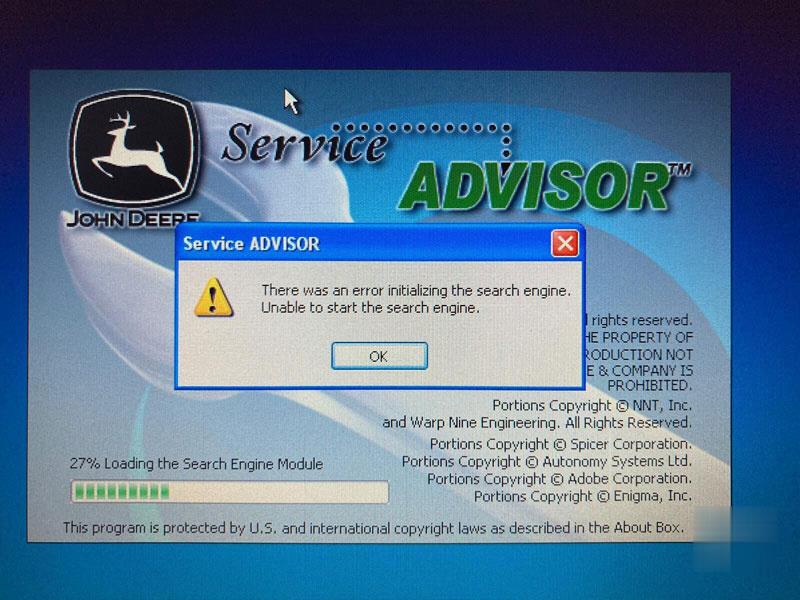
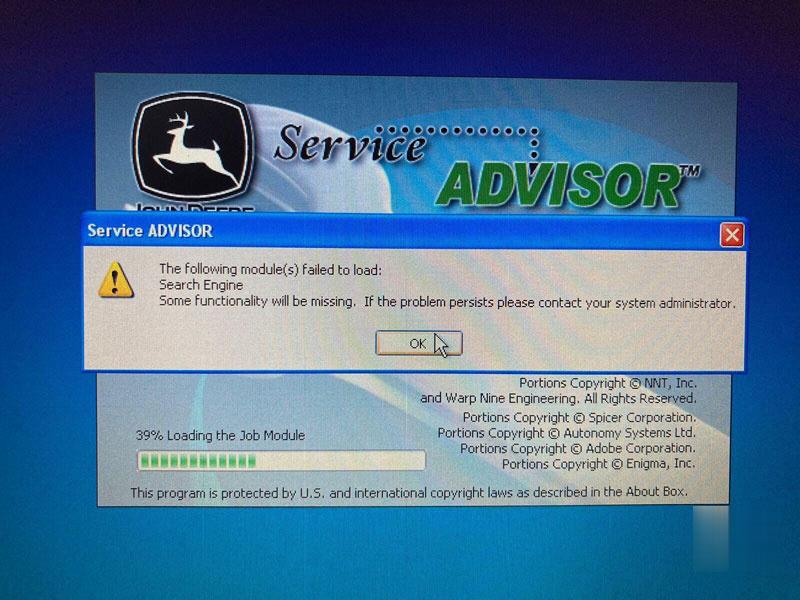
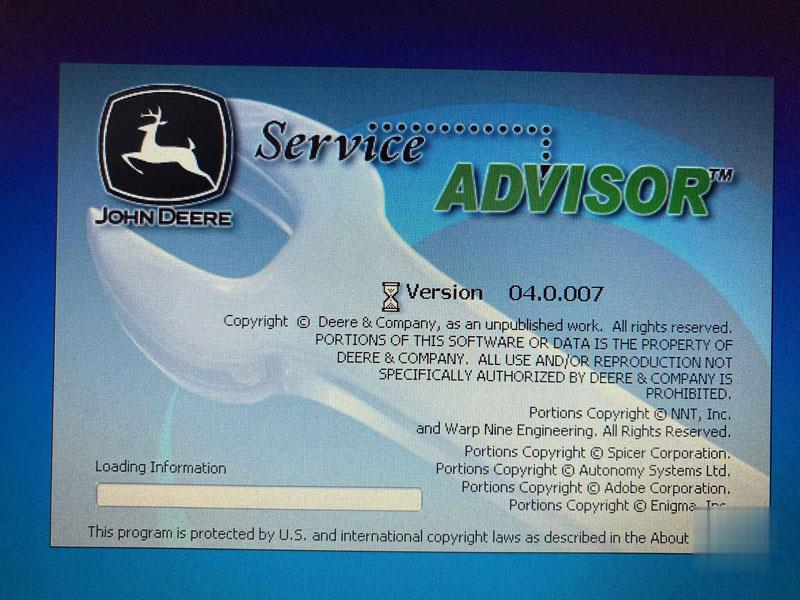
Problem: when I run the John deere service advisor software, an error occurred “There was an error initializing the search engine. Unable to start the search engine.” (27% loading the search engine module), and then when it goes to 39% loading the search engine module, it says ” the following module(s) failed to load: search engine.” (image 2). and then the program ends (image 3). PS: I am using version 04.0.007.

service-advisor-unable-to-start-search-engine-01 (2) service-advisor-unable-to-start-search-engine-02 (2) service-advisor-unable-to-start-search-engine-03 (2)

5 Tips to Follow:

The software is not well installed, delete the file and reinstall it. It is supposed to be an installation guide in the packed software file.

Tip 1. V2.8 software and V4.0 software cannot be installed on the same computer, they must be installed separately.

Tip 2. For V2.8 software: Back the date to 2019 (year), for V4.0 software: back the date to 2012 (year).

Tip 3. Unzip and install the software after changing the time.

Tip 4. Both V2.8 software and V4.0 software must be installed in the virtual machine.

If the software cannot detect EDL v2. It should be that the USB of the EDL v2 device is not mapped to the virtual machine, or the driver is not installed properly.

Tip 5. If the problem is fixed by following the above 4 tips, contact us to arrange remote installation (www.autonumen.com).

Here is one user’s successful experience for sharing:

Run as system administrator, roll back pc date reactivate using activator. Then roll date back to normal date if error still renew once again. Been working for me so far. don’t know how long it stay working but works im sure someone will have solution for it soon.

Also advice if doing fresh install roll back the date on pc do the install after then install and activations have been done.
goto task manager look for the service adviser on have it start its tasks in 2030 :save and then reset your pc date should be good for while.

Alright, hope it helps!

2022年1月20日星期四

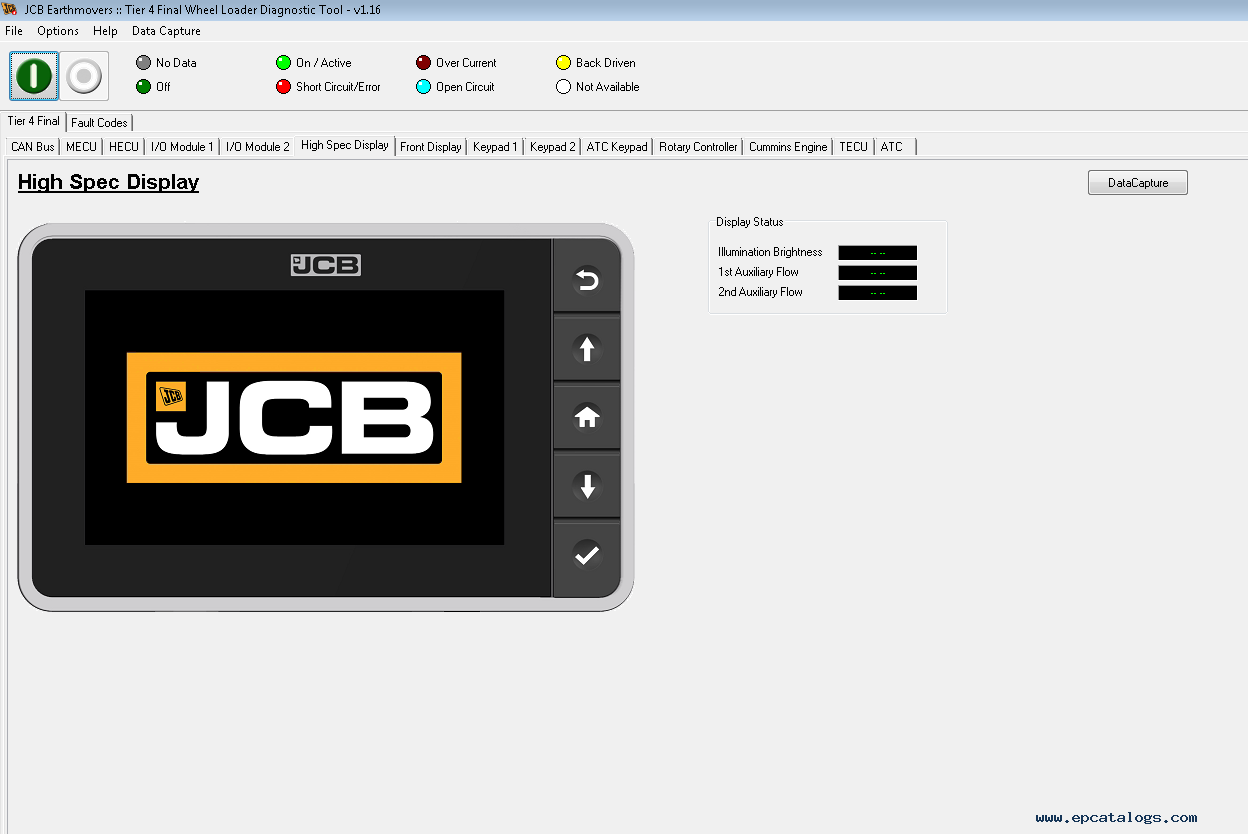
JCB ServiceMaster 4 v1.88.3 2020 Free Diagnostic Software


IMPORTANT NOTICE. We have JCB Service Master Challenger values Password Generator available for Normal, High Security, and WinEEM4 values. Please contact us, for more information

JCB ServiceMaster 4 v1.88.3 is diagnostic software for agricultural machinery and engines JCB. Electronic product JCB ServiceMaster 4  is diagnostic software, which contains complete information for diagnostics and calibration of agricultural machinery and engines company JCB.

Setting the diagnostic program Heavy Duty Truck Scanner JCB ServiceMaster to a personal computer, users have access to view a variety of information, including information that is stored on the DVD.
The program will allow you to perform the following functions:
– Troubleshooting;
– Standard Test service;
– View and edit generated data;
– ECU Flash files with the correct data.
Calibration program JCB ServiceMaster 4 v1.88.3 allows the user to diagnose the construction, agricultural machinery, and engines JCB. On our site, you can order a diagnostic program. Once you get the software, we will send all the instructions necessary to install and provide after-sales service.

NOTE: JCB ServiceMaster does not require installation.

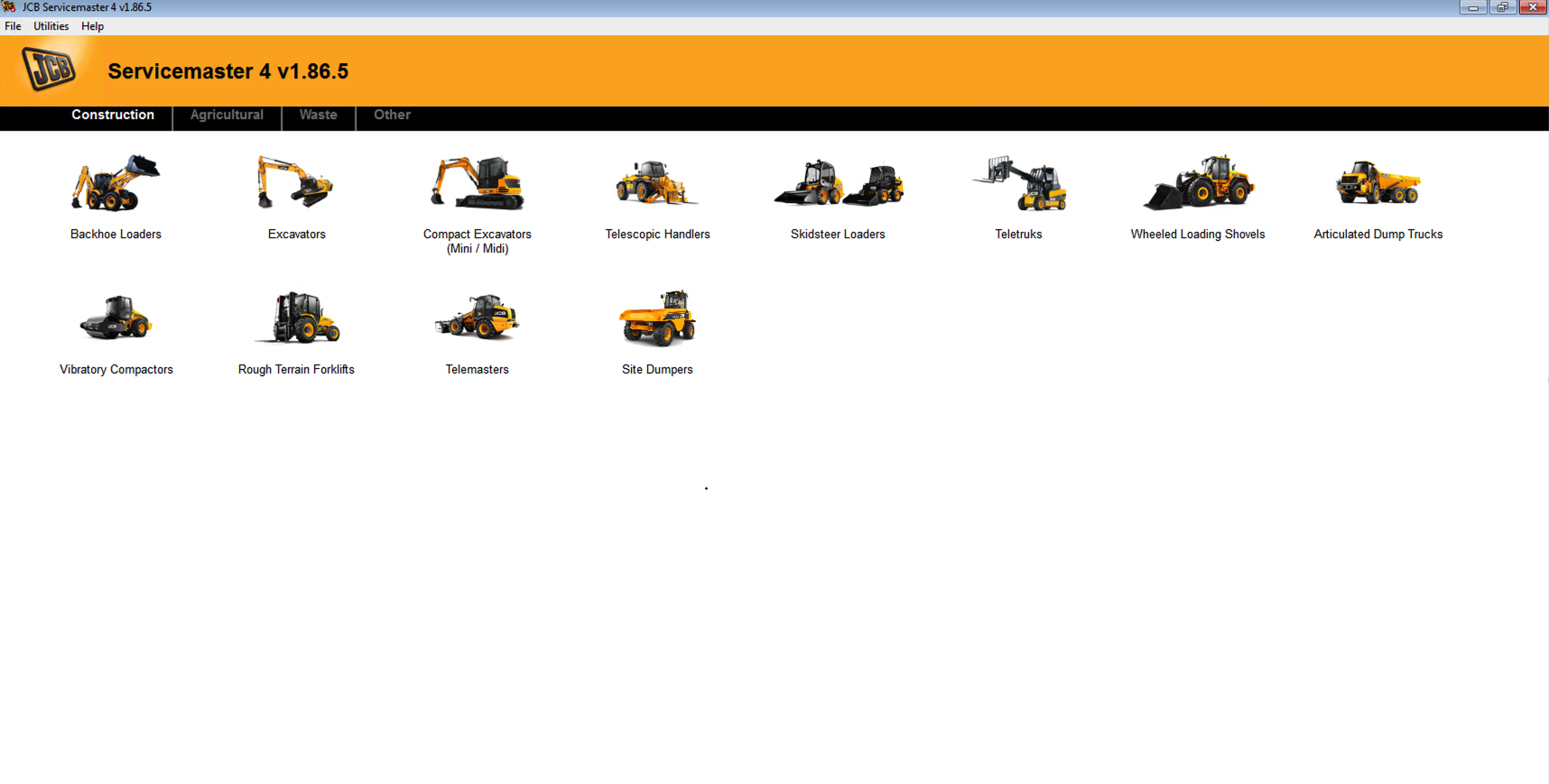
The program covers information for:

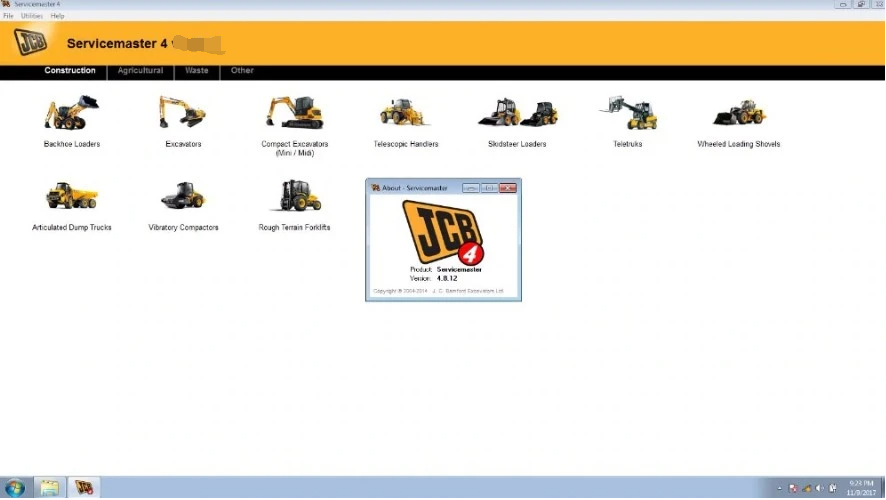
Construction:
1. Backhoe Loaders (Compact Backhoe Loaders, Backhoe loader 3DX series India)
2. Excavators (AMS machines, DECU machines, X series, Excavators (hydrating), India DECU machines).
3. Compact Excavators Mini / Midi (8000 Series Machines, NXG Machines)
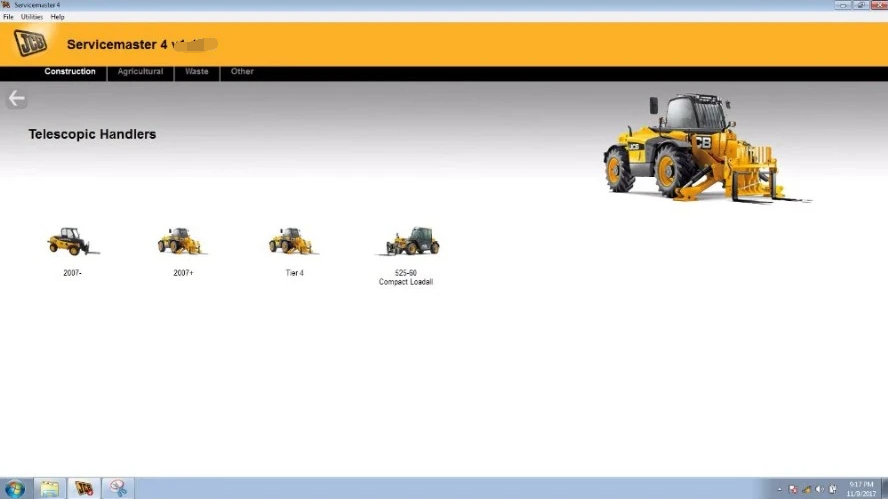
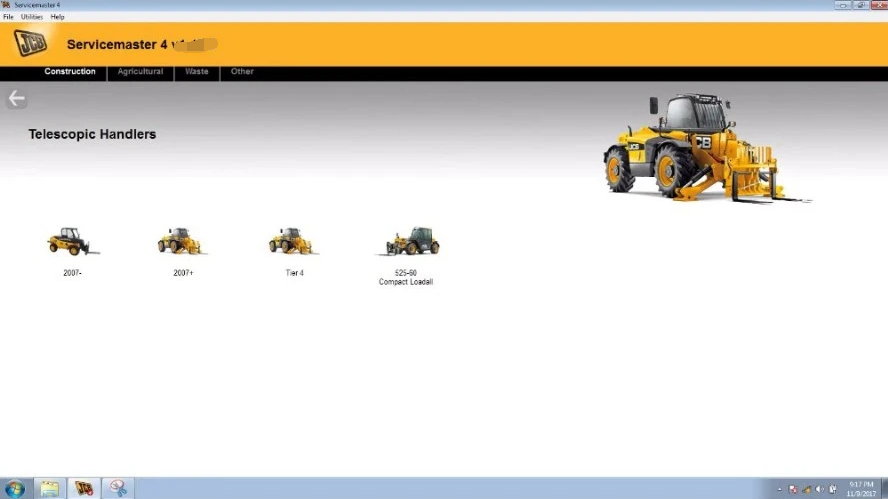
4. Telescopic Handlers (2007-, 2007+, Tier 4, 525-60 Compact Loadall, 430 Dieselmax)
5. Skid Steer Loaders (Robot, Skid Steer Loaders and Compact Track Loaders, Skid Steer Loaders India)
6. Teletruk (Tier4 Teletruk)
7. Wheeled Loading Shovels (Compact, Medium, Large, Global WLS, Telemasters)
8. Articulated Dump Trucks
9. Vibratory Compactors (Tier 3, Interim Tier 4, VMT380/430, VM116)
10. Rough Terrain Forklifts (Tier 2/3 RTFL, Tier 4 RTFL)
11. Telemasters (TM 220, TM 310, TM 320 T4i, TM 320 Tier 4 Final Mk 1, TM 320 Tier 4 Final Mk 2, TM 420 Tier 4 Final)
12. Site Dumpers

Agricultural:
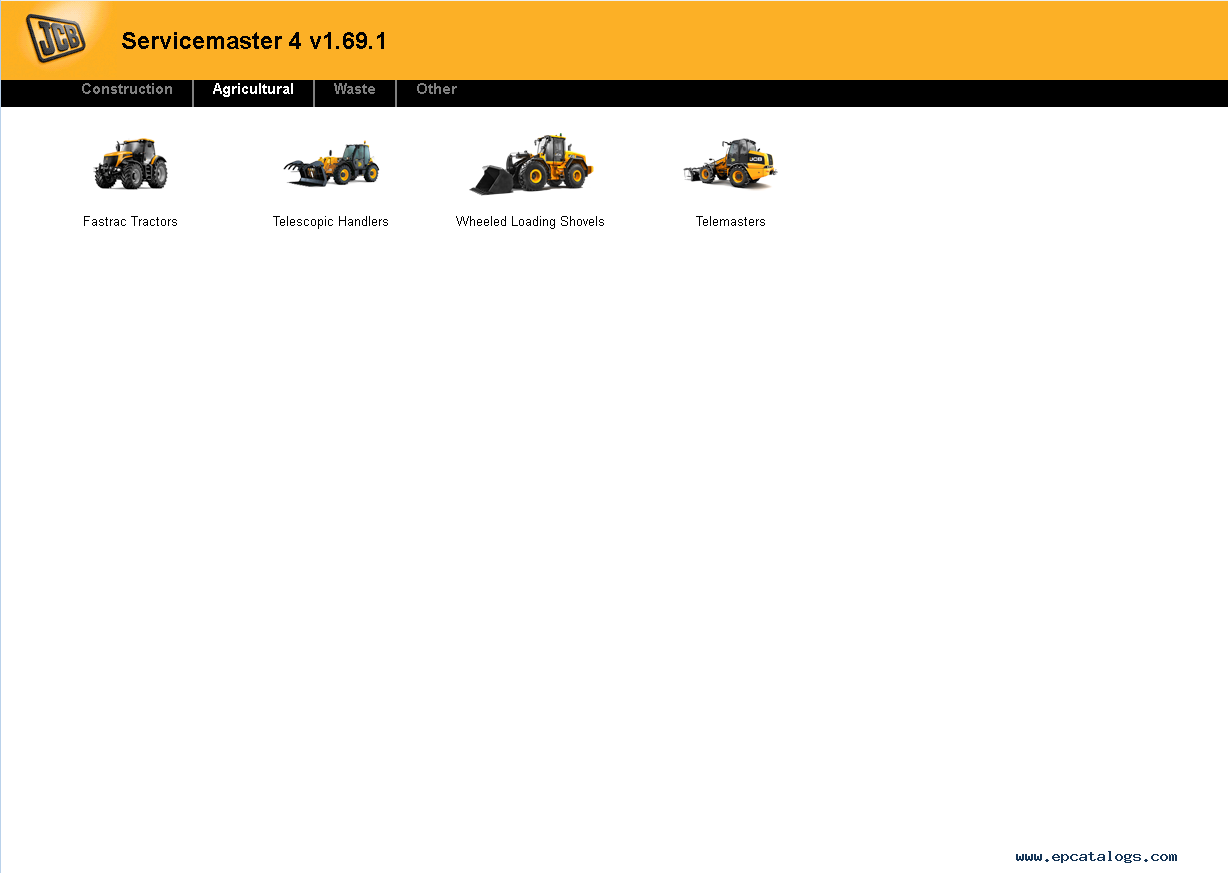
1. Fastrac Tractors (2000-3000, 3000 Series 2, 3000 Series 3, 3000 Series 4, 4000 Series, 7000 Series, 8250 Series 1, 8250 Series 2, 8000 Series 3, 8000 Series 4)
2. Telescopic Handlers (2007-, 2007+, Tier4, 525-60 Compact Loadall)
3. Wheeled Loading Shovels (Compact, Medium, Large, Telemasters)
4. Telemasters (TM220, TM310, TM320 T4i, TM320 Tier 4 Final Mk 1, TM320 Tier 4 Final Mk2, TM420 Tier 4 Final)

Waste:
1. Telescopic Handlers (Tier3, Tier4)
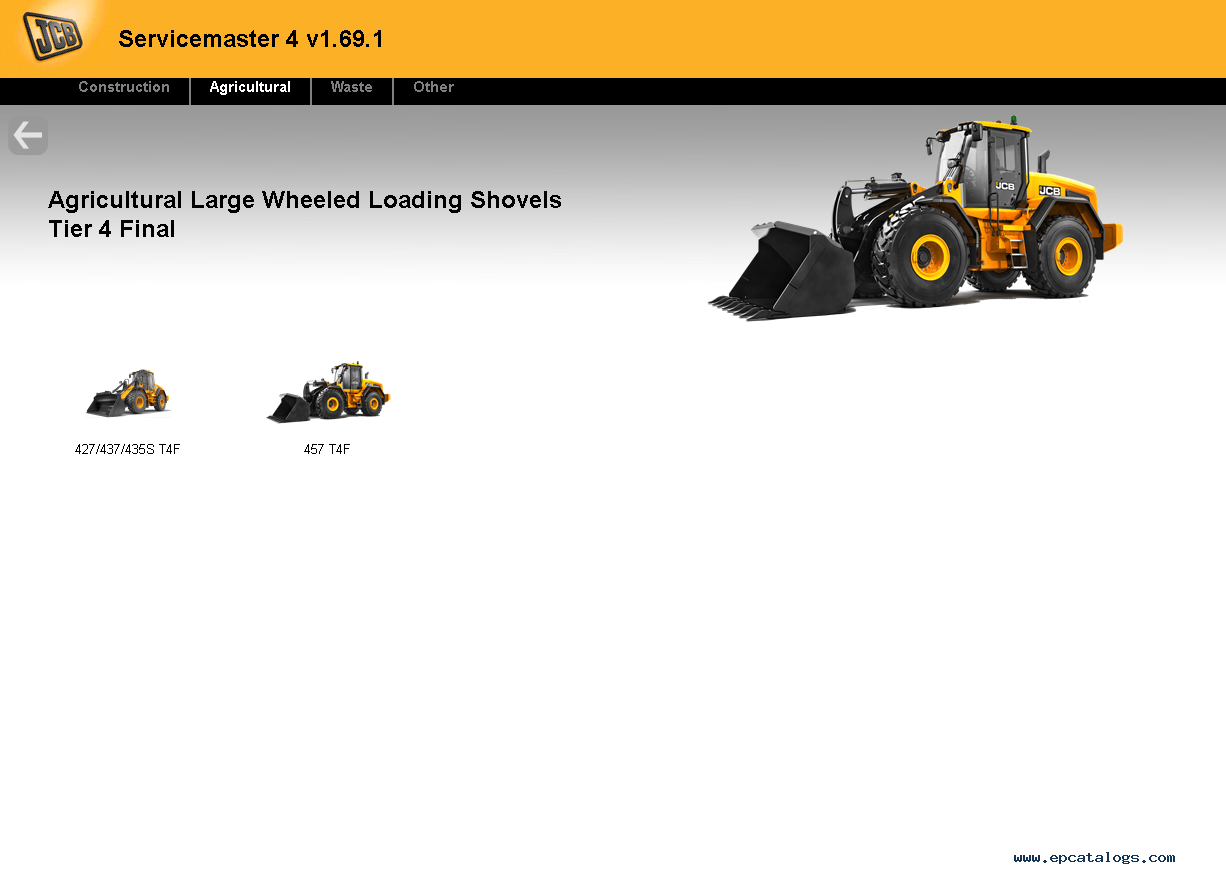
2. Wheeled Loading Shovels (427/437/435S T4F, 457 T4F)

Other:
Engines
LiveLink
JCB Access
General
Generators
Immobilizer
JCB-ServiceMaster-4-v1.88.3-2020-Diagnostic-Software-1 JCB-ServiceMaster-4-v1.88.3-2020-Diagnostic-Software-2 JCB-ServiceMaster-4-v1.88.3-2020-Diagnostic-Software-3

JCB-ServiceMaster-4-v1.88.3-2020-Diagnostic-Software-4 JCB-ServiceMaster-4-v1.88.3-2020-Diagnostic-Software-5 JCB-ServiceMaster-4-v1.88.3-2020-Diagnostic-Software-6 JCB-ServiceMaster-4-v1.88.3-2020-Diagnostic-Software-7 JCB-ServiceMaster-4-v1.88.3-2020-Diagnostic-Software-0

2022年1月19日星期三

JCB Electronic Service tool update V1.73.3
 

JCB Electronic Service tool with JCB Service Master 4 V1.73.3 Heavy Duty Truck Diagnostic Scanner
1. Lastest Software Version: V1.73.3 (We also have V8.1.0 and v1.45.3 software , if you need it , we can offer to you )
2. Language: English, French, German, Italian, Portuguese, Spanish
3. Update By Email

Description:
JCB Electronic Service Tool diagnostic interface is used for fast and effective fault finding, check maintenance standards, see if the machine has been abused, view and change machine set up data, flash ECUs with the correct data files. You can reset EMS hours, edit speed limiters and use other functions what require special unlock.

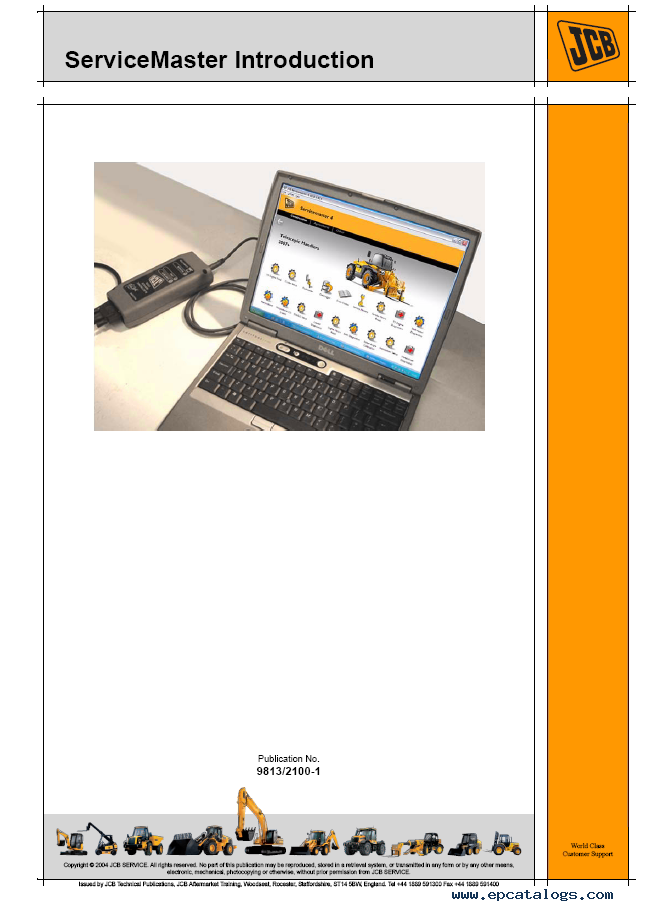
JCB Service Master is a gateway application allowing a large number of Vehicle Support Applications to be linked using one familiar interface. The interface acts as a graphical tool for selecting the target vehicle from a groups of Vehicle Families and triggering the particular Service Tool Application desired. This removes the need for a user to ‘remember’ every individual service tool available and select which one if intended for a particular machine.

The JCB Service Master also provides several key features that will accompany all JCB projects, a Multi Language editing tool that provides a means of individual text string translation for all JCB Applications and a means to select a localised language translation for the each JCB Application.

JCB Electronic Service Tool Feature:
1. Reads fault codes and ranks them in order of importance.
2. Calibrates, parameterize ECM and program blocks.
3. Conducts dropping service intervals.
4. Compatible with software JCB Service Master 4 (2019).
5. It works with CAN protocol in OBD II system.
6. It is provided with instructions for use, repair and diagnostics of vehicles JCB engines and Isuzu, Deutz, Cummins.
7. Full original JCB repair and service manuals and bulletins
8. JCB spare parts for all markets
9. Programming special parameters (order separately)
10. Supported languages: English, German, Spanish, French, Italian, Portuguese.

JCB Service Tool Supported Models and Engines
Agricultural models:
1. Fastrac Tractors (2000-3000, 3000 Series
2, 3000 Series 3, 3000 Series 4, 7000 Series, 8250 Series 1, 8250 Series 2, 8000 Series 3), 2. Telescopic Handlers (2007-, 2007+, Tier 4, 525-60 Compact Loadall),
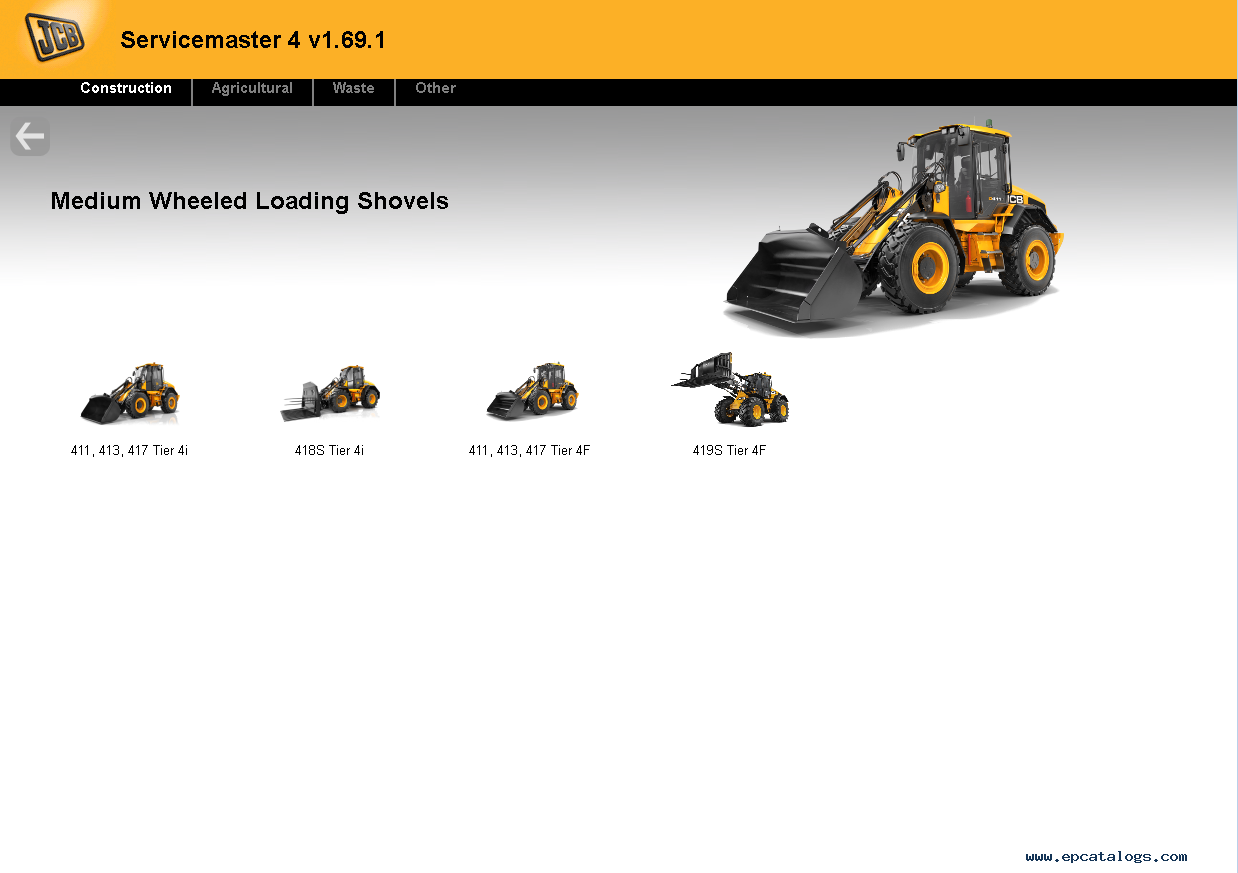
3. Wheeled Loading Shovels (Large, Large 2012+, Compact (Tier 4 CWLS), Medium (411, 413 ,417, 418S Tier 4i)
4. Telemasters (TM180/220, TM310, TM320)

Construction models:
1. Backhoe Loaders,
2. AMS/DECU Machines (Tracked (JS/JZ/JZ70), Wheeled),
3. Compact Excavators (Mini/Midi) (801-8065, 8080-8085,65R1-86C1),
4. Telescopic Handlers (2007-, 2007+, Tier 4, 525-60 Compact Loadall),
5. Skidsteer Loaders (Robot, Other), Teletrucks (Tier 4),
6. Wheeled Loading Shovels (Large, Large 2012+, Compact (Tier 4 CWLS), Medium (411, 413 ,417, 418S Tier 4i)),
7. Telemasters (TM180/220, TM310, TM320)),
8. Articulated Dump Trucks, Vibratory Compactors (Tier 3, Interim Tier 4, VMT380/430),
9. Rough Terrain Forklifts (Tier 2/3 RTFL, Tier 4 RTFL), 10. Teletruks (Tier 4).

Waste models:
Telescopic Handlers (Tier 3, Tier 4).

Engines:
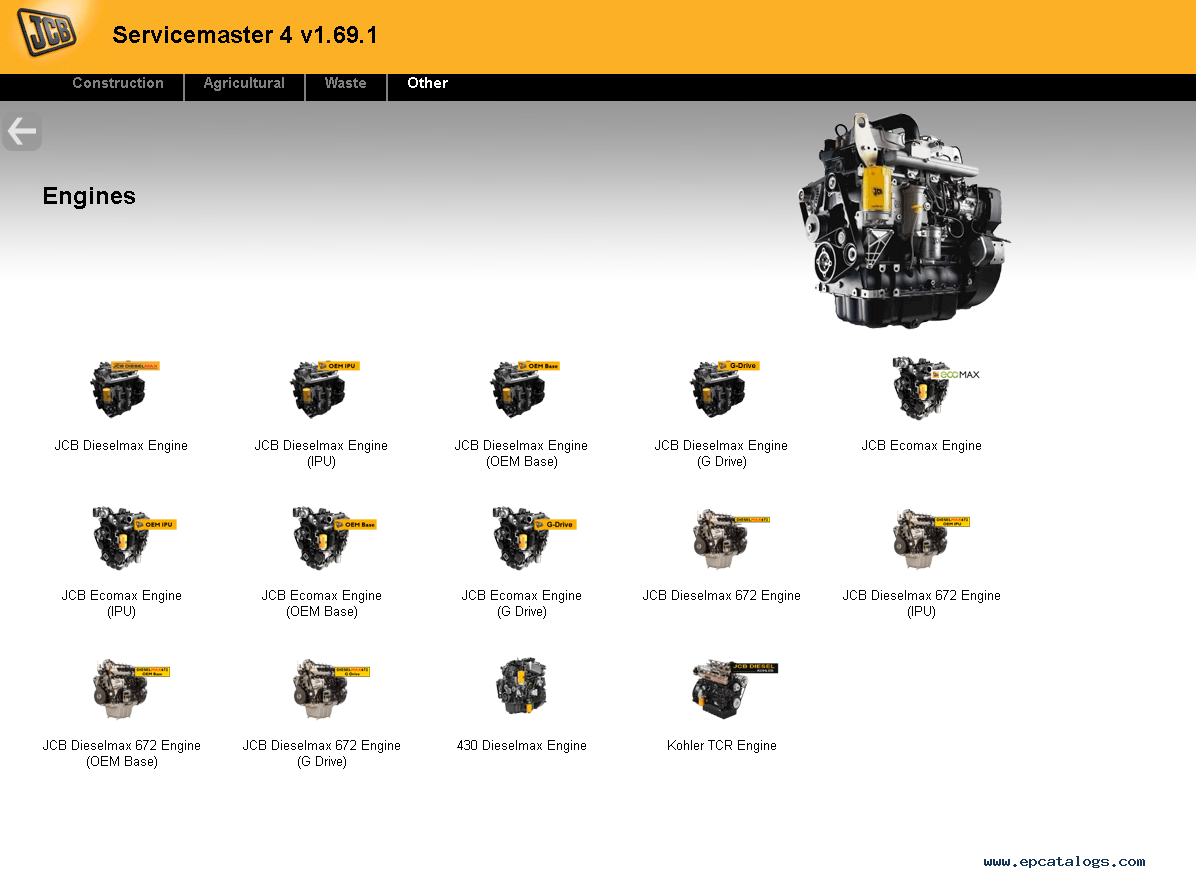
1. Dieselmax and Dieselmax 672 (IPU, OEM Base, G Drive), 2. Ecomax (IPU, OEM Base, G Drive), Kohler TCR Engine. 3. Generators: G46X/QX, G141X/QX, G165S/QS, G200S/QS, G220S/QS.

Package including:
1.Data Link Adapter
2.USB cable
3.9-pin Deutsch adapter
4.6-pin cable
5.JCB Service Master Diagnostic Software CD


2022年1月18日星期二

JCB Heavy Duty Truck Diagnostic TOOL Reviews


JCB Electronic Service Tool diagnostic interface is used for fast and effective fault finding, check maintenance standards, see if the machine has been abused, view and change machine set up data, flash ECUs with the correct data files. You can resetEMShours, edit speed limiters and use other functions what require special unlock.

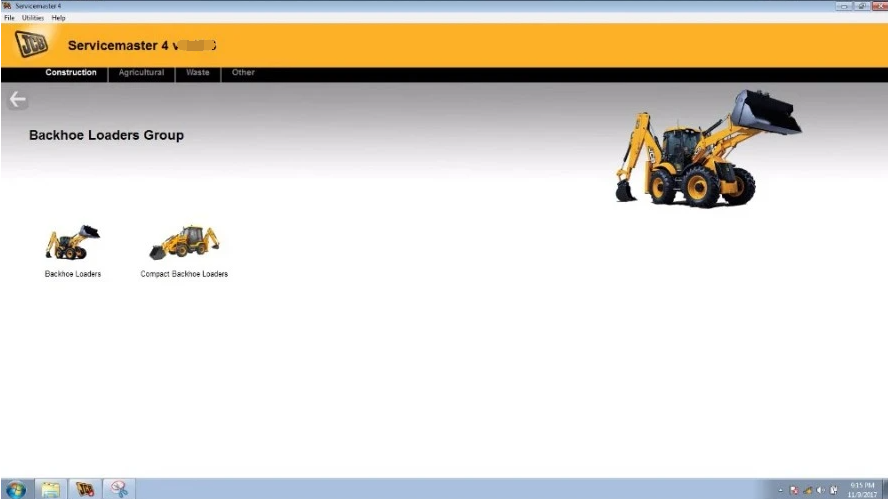
JCB Service Master is a gateway application allowing a large number of Vehicle Support Applications to be linked using one familiar interface. The interface acts as a graphical tool for selecting the target vehicle from a groups of Vehicle Families and triggering the particular Service Tool Application desired. This removes the need for a user to ‘remember’ every individual service tool available and select which one if intended for a particular machine.
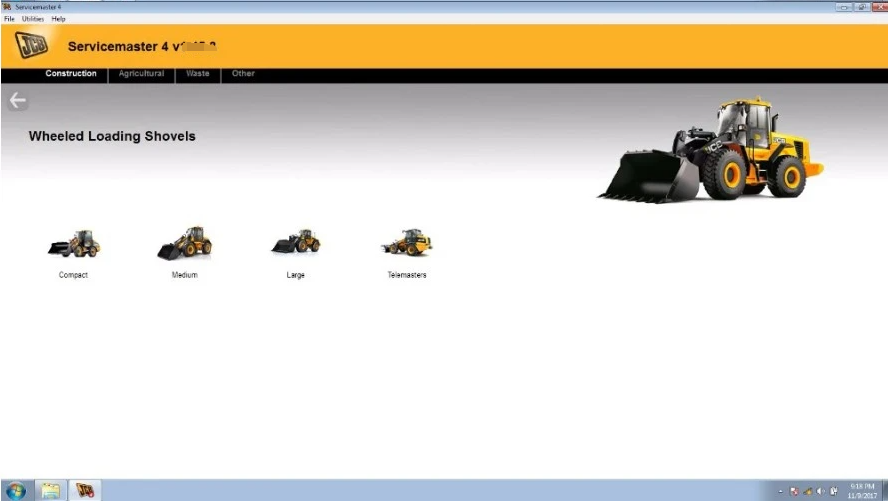
The JCB Service Master also provides several key features that will accompany all JCB projects, a Multi Language editing tool that provides a means of individual text string translation for all JCB Applications and a means to select a localised language translation for the each JCB Application.
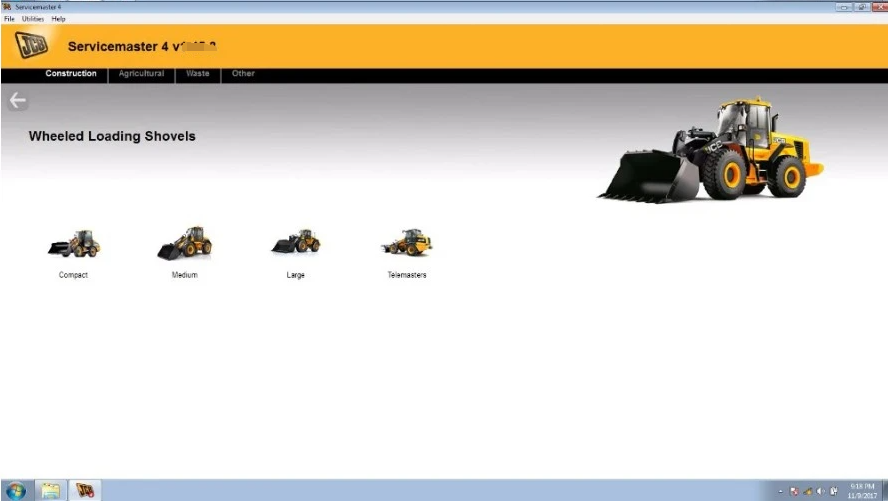
JCB Electronic Service Tool Highlights:
1. Reads fault codes and ranks them in order of importance.
2. Calibrates, parameterize ECM and program blocks.
3. Conducts dropping service intervals.
4. Compatible with software JCB Service Master 4 (2019).
5. It works with CAN protocol in OBD II system.
6. It is provided with instructions for use, repair and diagnostics of vehicles JCB engines and Isuzu, Deutz, Cummins.
7. Full original JCB repair and service manuals and bulletins
8. JCB spare parts for all markets
9. Programming special parameters (order separately)
10. Supported languages: English, German, Spanish, French, Italian, Portuguese.

JCB Service Tool Supported Models and Engines
Agricultural models:
1. Fastrac Tractors (2000-3000, 3000 Series
2, 3000 Series 3, 3000 Series 4, 7000 Series, 8250 Series 1, 8250 Series 2, 8000 Series 3), 2. Telescopic Handlers (2007-, 2007+, Tier 4, 525-60 Compact Loadall),
3. Wheeled Loading Shovels (Large, Large 2012+, Compact (Tier 4 CWLS), Medium (411, 413 ,417, 418S Tier 4i)
4. Telemasters (TM180/220, TM310, TM320)

Construction models:
1. Backhoe Loaders,
2. AMS/DECU Machines (Tracked (JS/JZ/JZ70), Wheeled),
3. Compact Excavators (Mini/Midi) (801-8065, 8080-8085,65R1-86C1),
4. Telescopic Handlers (2007-, 2007+, Tier 4, 525-60 Compact Loadall),
5. Skidsteer Loaders (Robot, Other), Teletrucks (Tier 4),
6. Wheeled Loading Shovels (Large, Large 2012+, Compact (Tier 4 CWLS), Medium (411, 413 ,417, 418S Tier 4i)),
7. Telemasters (TM180/220, TM310, TM320)),
8. Articulated Dump Trucks, Vibratory Compactors (Tier 3, Interim Tier 4, VMT380/430),
9. Rough Terrain Forklifts (Tier 2/3 RTFL, Tier 4 RTFL), 10. Teletruks (Tier 4).

Waste models:
Telescopic Handlers (Tier 3, Tier 4).

Engines:
1. Dieselmax and Dieselmax 672 (IPU, OEM Base, G Drive),
2. Ecomax (IPU, OEM Base, G Drive), Kohler TCR Engine.
3. Generators: G46X/QX, G141X/QX, G165S/QS, G200S/QS, G220S/QS.

JCB Electronic Service Tool Software Display:


Packing List
1 x JCB Electronic Service Tool Diagnostic Interface
1 x 9 Pin and 6Pin Cable
1 x USB Cable
1 x JCB Service Master Diagnostic Software CD